
Gateway and supported protocols
Overview of ILEVIA Manager gateways: management, Protocol menu items, variants, and links to the guides.
What a gateway is in Manager
In ILEVIA Manager, a gateway is a communication configuration: it tells the server which protocol or service to use and which parameters to use to reach it. Project components are assigned to the appropriate gateway.
A gateway configured in the software does not necessarily correspond to a physical device. Some connections use the server’s built-in interfaces, others use a network device or an external converter. The server can manage multiple gateways and make components from different systems work together, for example KNX and Modbus.
Managing a gateway
Open the Gateways section. The area on the left shows the project gateways; Gateway’s properties, on the right, shows the settings of the selected gateway.
Press Add gateway (+) to add a configuration.
Fill in Name with a recognizable name, for example KNX ground floor.
Open Protocol: the selector lets you search for and choose the desired entry.
Check Enabled and fill in the connection-specific parameters.
In the project components, choose the corresponding gateway. Save the project and upload it to the server when you want to apply the changes.
The parameters are not the same for all gateways. For example, in Knx you find Select device and, depending on the selected device, the connection fields; the name assigned to the gateway alone does not determine its protocol.
For the add and remove procedure, see Adding and removing a gateway. For the distinction between the local file and the configuration on the server, read First steps with ILEVIA Manager.
Reference images
The following screenshots show the protocol selector and the properties of KNX and Modbus TCP. The values shown are for illustrating the controls: to configure your system, use the parameters of the server and the installed devices.
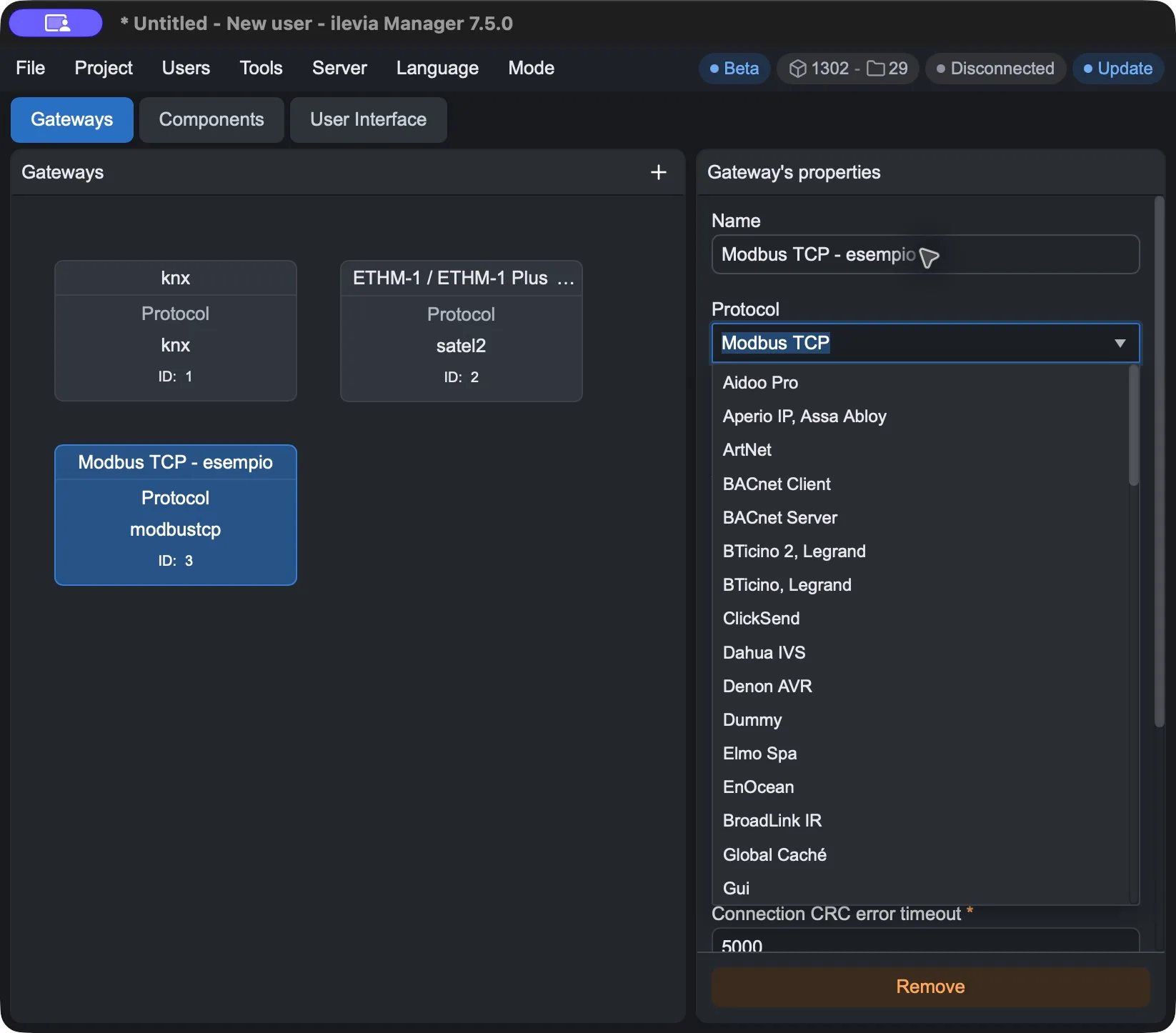
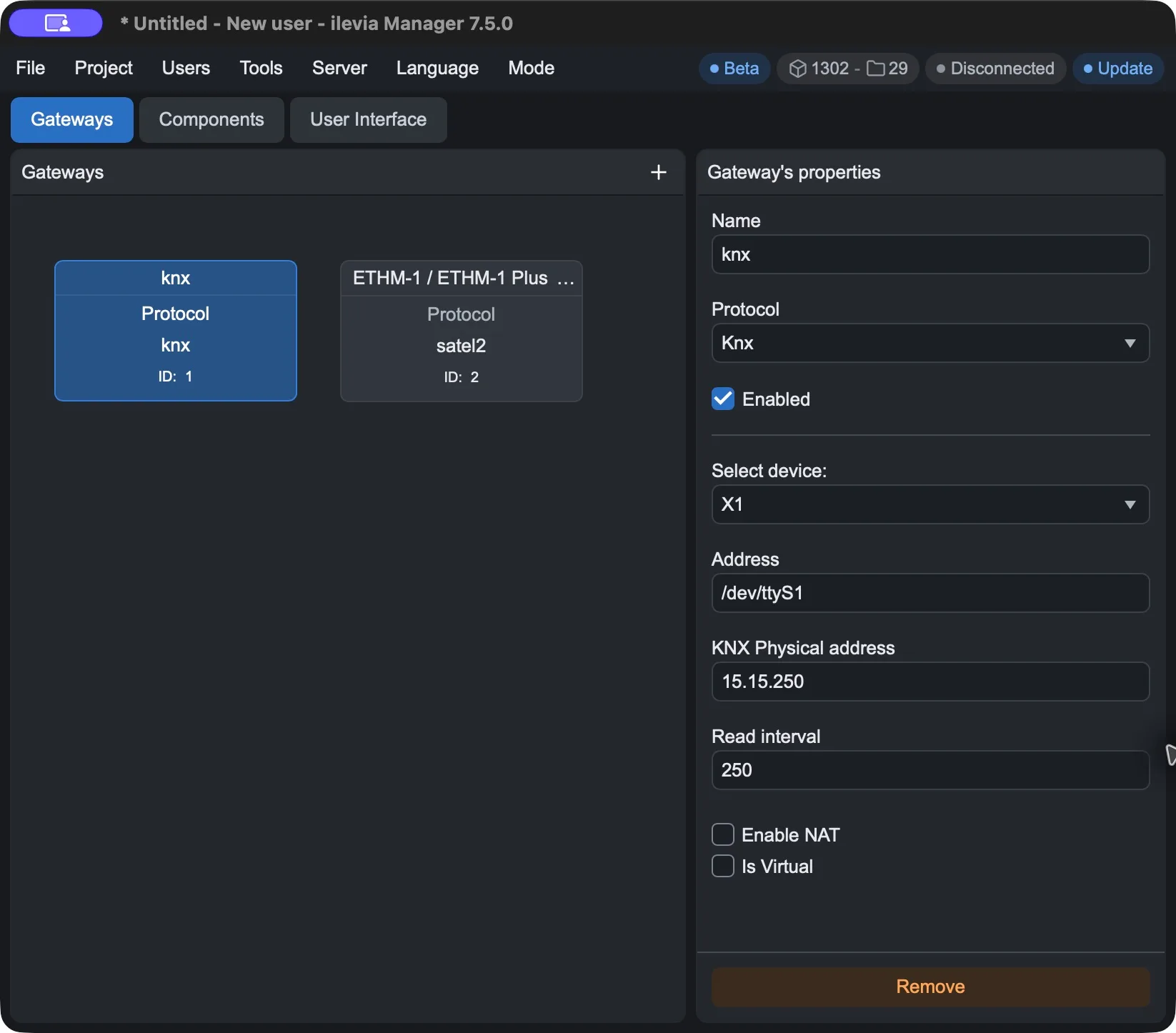
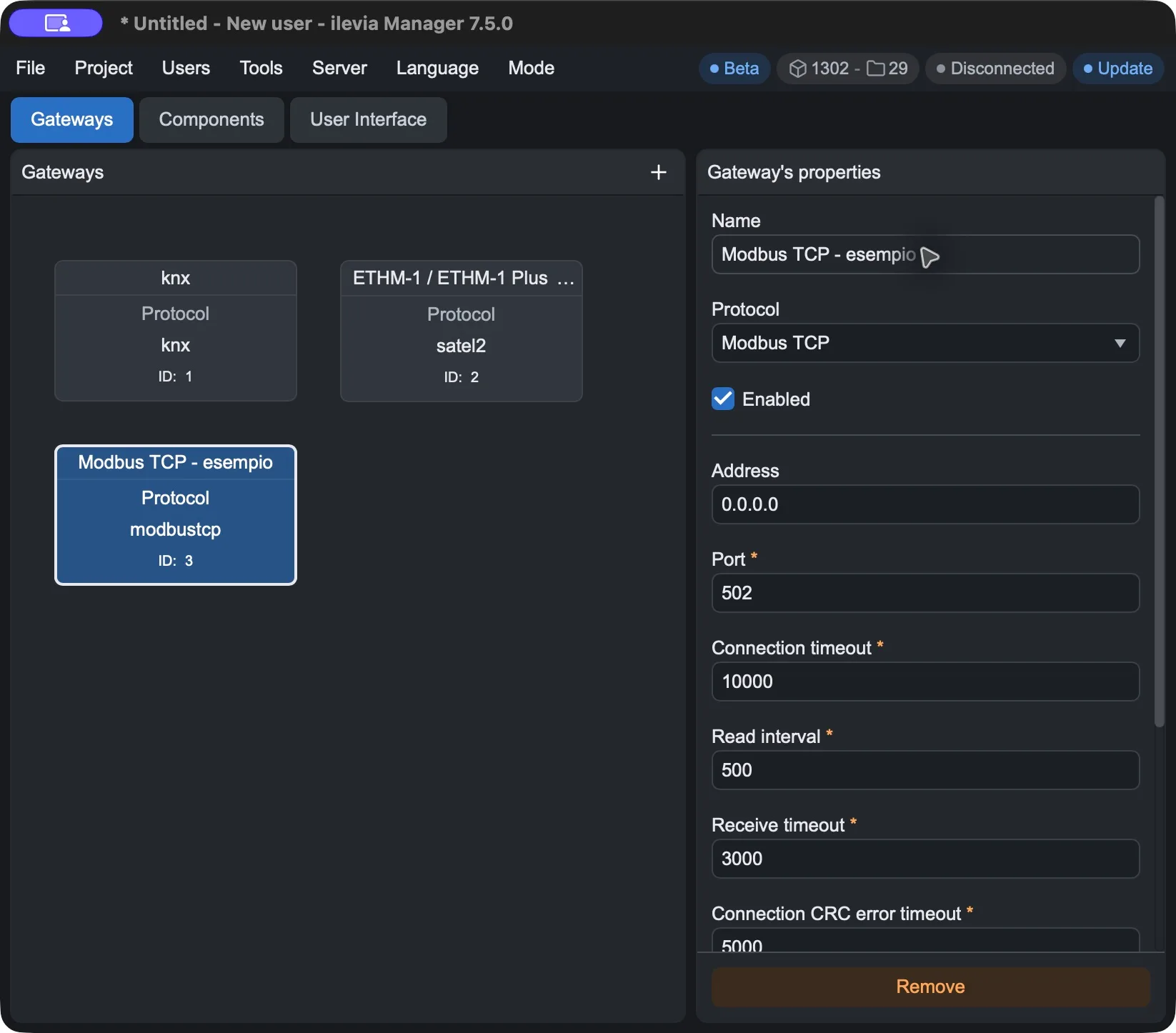
Available entries in the Protocol menu
The table lists the 71 observed entries, keeping the English menu names to make them easier to find. It includes protocols, product integrations, and internal services: they are not all equivalent network protocols.
Scope | Entries in the Protocol selector |
|---|---|
KNX | Knx · Knx Template · Knx2 · Knx3 |
Automation, lighting, and wireless protocols | ArtNet · BACnet Client · BACnet Server · BTicino 2, Legrand · BTicino, Legrand · Vimar · EnOcean · Lutron RA2 Select · Matter · Only, Only Automation · Philips Hue · Rako · Z-Wave · ZigBee |
Modbus | Modbus RTU/ASCII/TCP Master - Modbus TCP Slave |
HVAC | Aidoo Pro, Intesis, |
EV charging | OCPP |
Security, video surveillance, and access control | Dahua IVS · Elmo Spa · HikVision · HYKON NVR · Internal Access Control System · Ksenia · Satel · Tecnoalarm · AVS |
Multimedia and appliance control | BroadLink IR · Global Caché · Denon AVR · Open Sound Control · Samsung MDC Sync Master · TV LG · TV Sony · TV Apple · TV Samsung · Video · Vivaldi Group Giove CA20/21 · Vivaldi Group Giove Free |
Messaging and MQTT | ClickSend · MQTT broker |
Network and serial communications | Http · Serial · Internal UDP · Router OS · Serial Raw · Serial RS485 · SNMP · Tcp · UDP Datagram · Url |
Data and internal services | Influx DB |
The abbreviations and numbers are part of the variant names. The presence of an entry does not guarantee compatibility with all devices of that brand: check the model, the connection, and the components specified in the dedicated guide.
Guides and matches with current names
ArtNet
Communication with DMX devices through an Art-Net/DMX interface. In the Protocol menu, the entry is ArtNet.
BACnet Client and BACnet Server
The menu distinguishes BACnet Client from BACnet Server. Choose the role required by the integration: the two entries require different configurations.
KNX
The menu includes Knx, Knx Template, Knx2, and Knx3. For Knx, the Select device selector offers X1, X1 Plus, Vivaldi iControl 4.0, TCP/IP gateway, and USB/Serial. The connection can therefore use the server’s built-in interface or an external interface: a separate IP/KNX converter is not always required. Address, port, and other parameters depend on the selected device.
KNX gateway: properties and parameters
Vimar
For the Vimar By-me integration, the selector contains the Vimar entry. Follow the parameters in the related guide: do not treat the configuration as identical to that of a KNX gateway.
BTicino / Legrand
The menu contains BTicino, Legrand and BTicino 2, Legrand. For OpenWebNet systems, use the interface and network parameters required by the installed model; choose the variant appropriate for the project.
Legrand/BTicino gateway parameters
UDP Datagram
The UDP Datagram entry lets you configure UDP communication with devices that accept this type of messages.
UDP Datagram gateway parameters
Dahua IVS
The Dahua IVS entry integrates the events of IVS rules configured on compatible Dahua cameras.
EL.MO
The menu entry is Elmo Spa. The guide describes the integration of EL.MO alarm panels.
EL.MO intrusion detection integration
InfluxDB
The menu includes Influx DB and Influx DB 2. This is the integration with an external database for time-series data; configuration requires pairing with the components specified in the guide.
HTTP
The selector contains Http and Http L. The HTTP guide describes calls to devices or services that accept HTTP requests.
Modbus TCP
The available entries are Modbus TCP, Modbus TCP 2, and Modbus TCP Slave. The choice depends on the server role and the device configuration: do not switch variants based only on the number in the name.
Modbus RTU / ASCII
The menu distinguishes Modbus RTU/ASCII, Modbus RTU/ASCII Over TCP, and Modbus RTU/ASCII Slave. For the serial connection, use the port and parameters required by the server and the system; an external adapter is needed only when the required connection is not already available on the hardware in use.
MQTT
The menu includes MQTT broker and MQTT broker 2. Communication takes place through a broker and messages published to topics. Configure the connection, topic, and payload according to the devices; scripts are an integration option, not a general requirement to describe every MQTT use case.
Satel
Satel and Satel2 are available. To choose the variant and configure the connection and control panel components, follow the relevant guide.
Tecnoalarm
The Tecnoalarm entry integrates compatible control panels through the connection provided for the model and the system configuration.
Tecnoalarm control panel integration
Vivaldi
The menu distinguishes Vivaldi Group Giove CA20/21 and Vivaldi Group Giove Free. Choose the entry that matches the installed system.
Z-Wave
The menu includes Z-Wave 1.0, Z-Wave 2.0, and Z-Wave 3.0. These are the variant labels in Manager: they do not by themselves indicate compatibility for every wireless device.
Zigbee
The menu entry is ZigBee. For connection, devices, and configuration procedure, see the specific guide.
LG TV
The LG TV entry is used with the related control components. Check the TV connection and configuration requirements in the guide.
Sony TV
The Sony TV entry is used with the related control components. Check the TV connection and configuration requirements in the guide.