
Voice Control
How to control the Ilevia system with Amazon Alexa, Google Home, Apple HomeKit (Siri) and IFTTT using the components in the Voice Control category of ilevia Manager.
With voice control, turn on lights, move shutters or adjust the system thermostat in the Ilevia system by speaking to Amazon Alexa, Google Home or Siri, without opening the ILEVIA Control app. In ilevia Manager, everything starts from the Voice Control category in the Components Library.
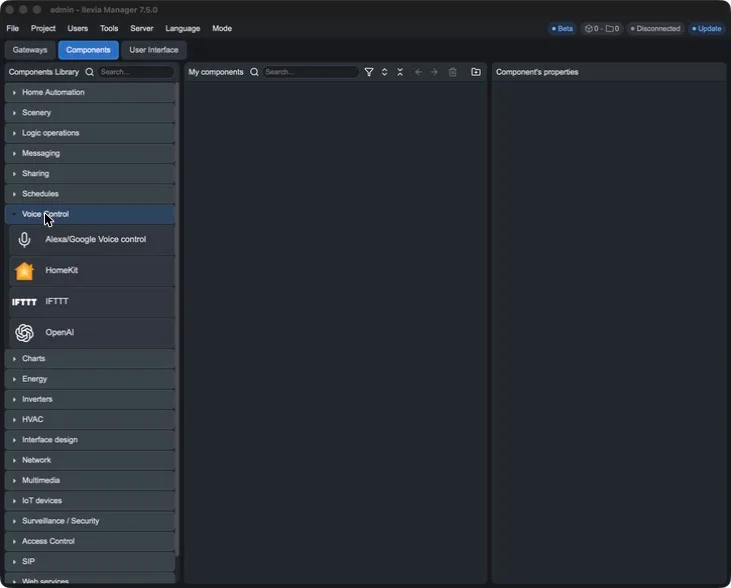
Which component to use
Component | What it is used for | Assistant or service |
|---|---|---|
Alexa/Google Voice control (Voice control manager) | Lists the rooms and devices to expose to voice assistants and generates the QR code and ID to use in the Ilevia Smart Home skill. | Amazon Alexa, Google Home / Google Assistant |
HomeKit | Exposes devices to Apple Home and Siri. | Apple HomeKit, Siri |
IFTTT | Creates the web links that turn a component on or off, or trigger a scene from an IFTTT applet. | IFTTT |
How it works
In ilevia Manager, add the component and open Setup Components.
Create the rooms and drag the devices (light, shutter, thermostat, etc.), then link each one to the project component it must control.
Upload the project to the server.
In the assistant app, connect the system (the Ilevia Smart Home skill for Alexa and Google, QR code for HomeKit) and search for the devices.
The room and device names are the ones you will speak: choose short names that are easy to recognize, for example “living room light” or “kitchen shutter”.
Before you start
An Ilevia server with the project already configured and reachable from the internet.
The server updated to the latest available firmware.
The voice assistant account (Amazon or Google) and the related app on the smartphone. For Google, use the same account in Google Home, Google Assistant and on all Google devices.
The old integration based on component tags (classic skill) is deprecated. If you have a project configured that way, convert it with Tools > Scripts > Convert Voice Control as explained in the Voice Control Manager guide.