
Video intercom
How to integrate a SIP video intercom with the ILEVIA system to receive calls in the ILEVIA Control app: SIP Client and SIP Group components, camera, and brand-specific guides (Akuvox, Dahua, DoorBird, Fermax, Videx).
With video intercom integration, when someone rings the intercom, the call arrives on the smartphone in the ILEVIA Control app: see who is at the door, answer, and, if available, open the gate or trigger a scenario directly from the call screen. If the app is closed, you receive a notification.
The ILEVIA server acts as a SIP PBX: the intercom and the app register on the server and the server routes the call. It works with intercoms that support the SIP protocol.
How it works
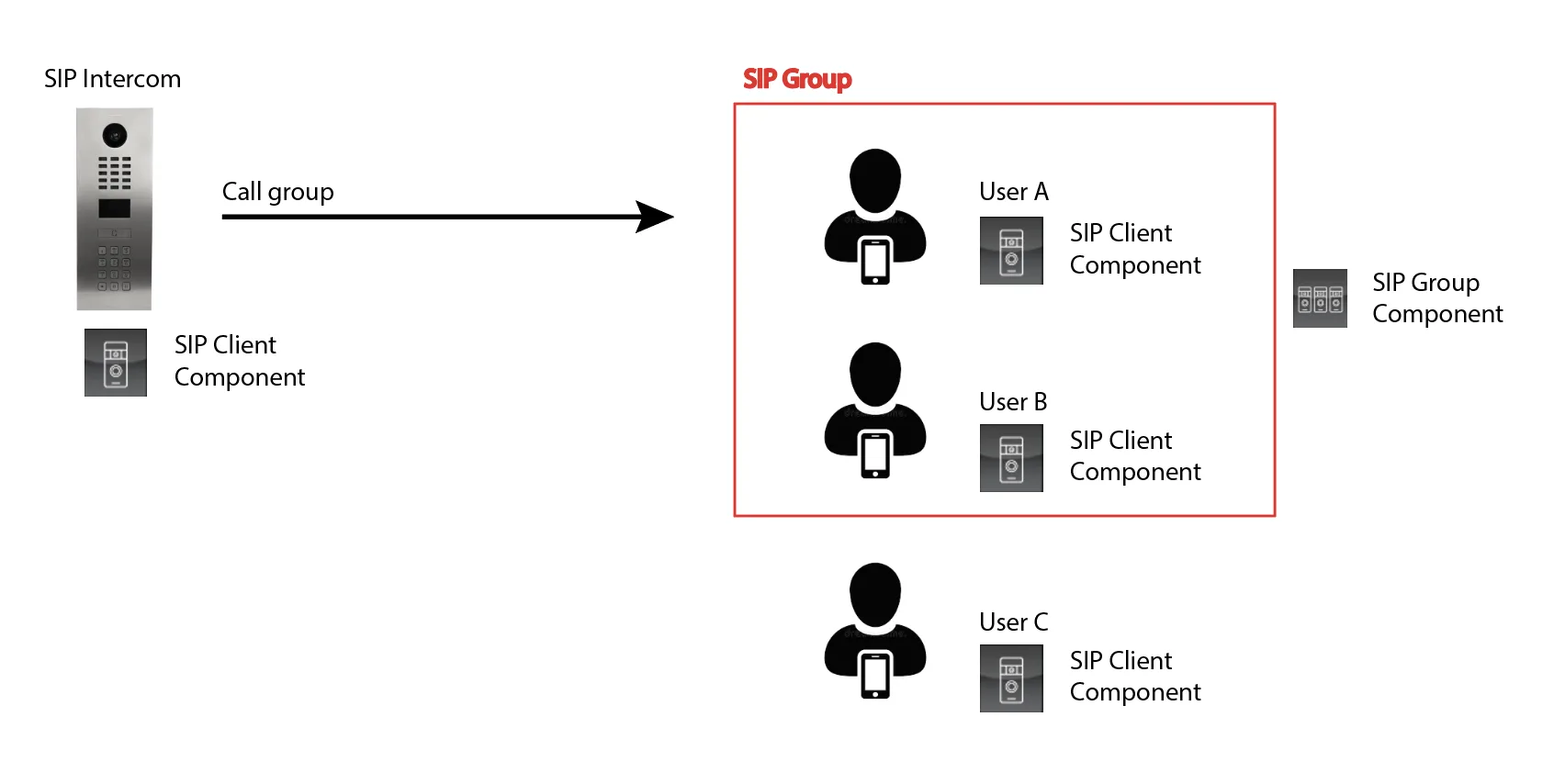
The intercom is represented by a SIP Client component with its SIP address.
Each app (or user group) that must receive the call is represented by another SIP Client.
A SIP Group collects multiple SIP Clients: calling the group address makes all the clients in it ring (in the diagram A and B, but not C).
The components
In ilevia Manager, the components are in the SIP category of the Components Library; the camera is in Surveillance / Security.
Component | What it is used for |
|---|---|
SIP Client | A SIP endpoint: the intercom or the app that receives calls. Address, password, enabled users, camera, and actions during the call. |
SIP Group | A SIP address that makes multiple SIP Clients ring at the same time. |
IP Camera | The video stream from the intercom camera, shown during the call. |
All parameters are explained in SIP Client and SIP Group.
The steps
Configure the intercom from its web page: create the SIP account and set the ILEVIA server IP address as the SIP server.
Configure ilevia Manager: one SIP Client for the intercom, one for the app, a SIP Group if needed, and the IP Camera.
Upload the project to the server with Project > Upload to server.
Configure the ILEVIA Control app: in Settings > Video intercom > Device select the intercom.
Brand guides
For a SIP intercom from another brand, follow the same logic: create on the intercom a SIP account pointing to the ILEVIA server and use Intercom model Generic in ilevia Manager.
Before you start
ILEVIA server and intercom on the same local network, with fixed IP addresses.
Access to the intercom configuration web page (username and password).
The ILEVIA Control app installed and connected to the system with the user who must receive the calls.