
Boolean operators: AND, OR, XOR, NOT
The Flow Boolean category nodes: AND, OR, XOR and NOT with truth tables, additional inputs, the TRG input to evaluate only on command, and usage examples.
The nodes in the Boolean category combine on/off signals. They are the basis of almost any logic: "if the window is closed and the door is closed", "if there is motion or the button is pressed", "not during the day".
AND
The OUT output is on only if all inputs are on.
IN | IN 1 | OUT |
|---|---|---|
0 | 0 | 0 |
0 | 1 | 0 |
1 | 0 | 0 |
1 | 1 | 1 |
Example: the garden light turns on with motion only when it is dark: Night AND Garden motion.
OR
The OUT output is on if at least one input is on.
IN | IN 1 | OUT |
|---|---|---|
0 | 0 | 0 |
0 | 1 | 1 |
1 | 0 | 1 |
1 | 1 | 1 |
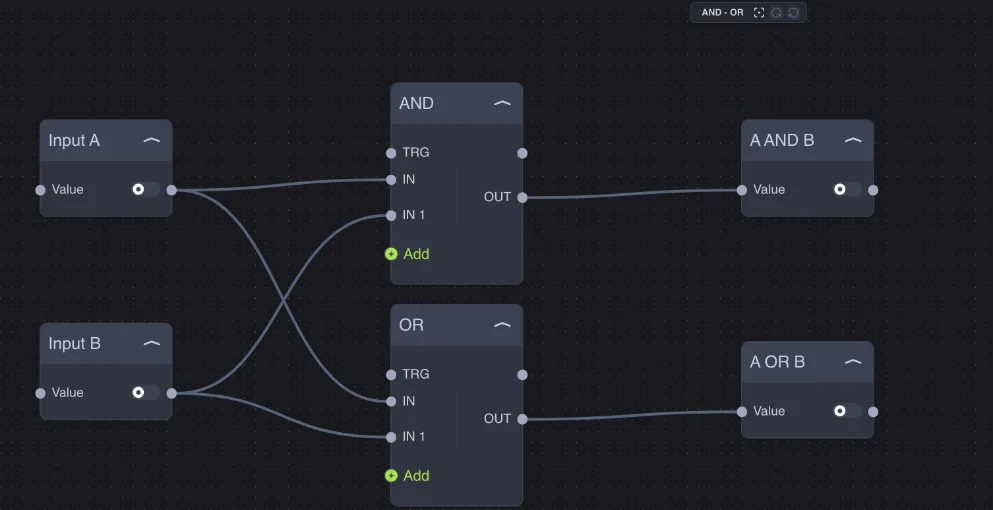
Example: the "open windows" indicator in the app turns on if the kitchen window OR the living room window OR the bedroom window is open.
XOR
The OUT output is on if an odd number of inputs are on. With two inputs, that means: on when the inputs are different.
IN | IN 1 | OUT |
|---|---|---|
0 | 0 | 0 |
0 | 1 | 1 |
1 | 0 | 1 |
1 | 1 | 0 |
Example: the "two-way switch" control with two rocker switches: whenever one of the two changes position, the light changes state.
NOT
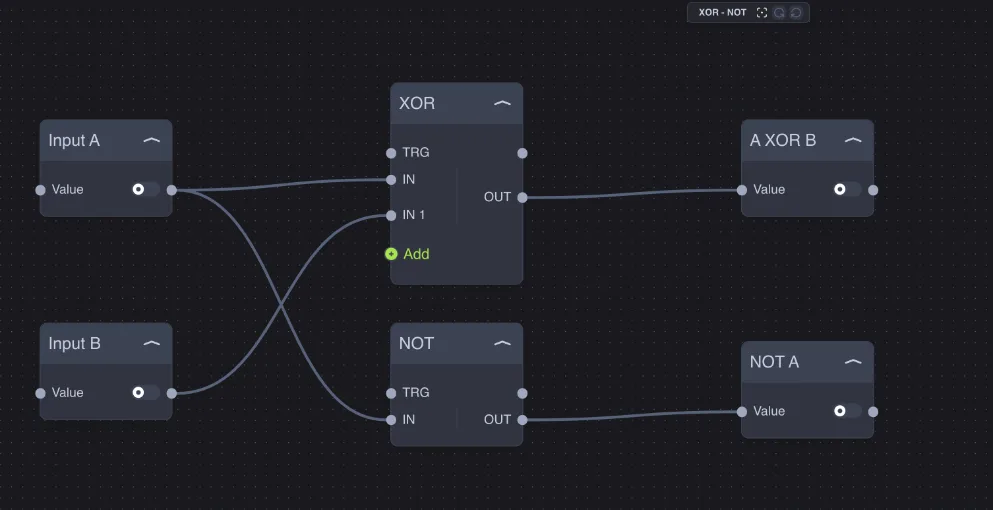
It has only one input: the output is the opposite of the input (on → off, off → on).
Example: Astronomy Clock gives on during the day; with a NOT you get on at night.
More than two inputs
AND, OR and XOR start with two inputs (IN and IN 1). With the green Add button, you can add more (IN 2, IN 3…). The result takes all of them into account: a five-input AND is on only when all five are on.
The TRG input: evaluate only on command
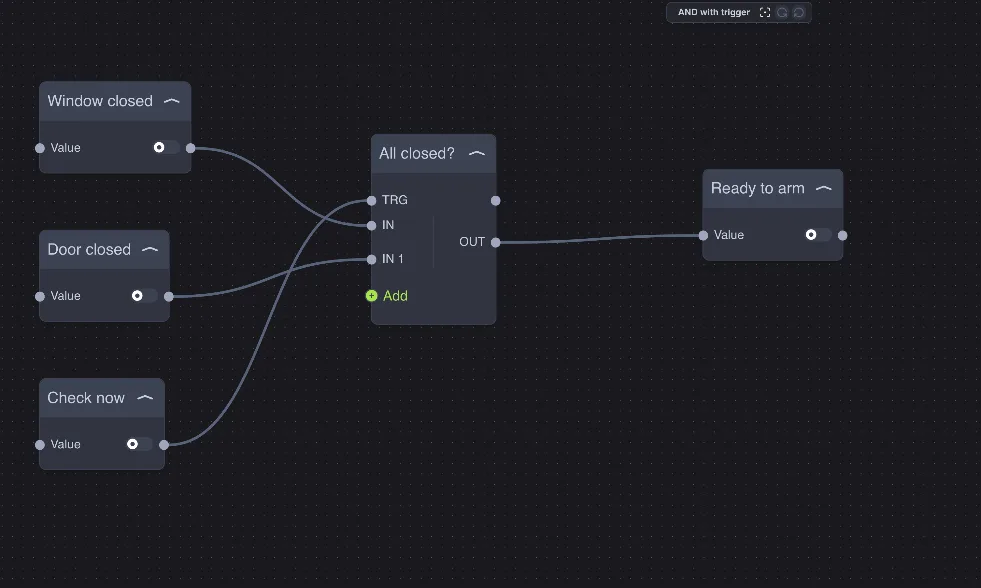
All boolean operators have a TRG (trigger) input and a TRG output.
TRG not connected: the node recalculates the output every time an input changes. This is the normal behavior.
TRG connected: the node ignores input changes and recalculates the output only when TRG turns on. The inputs are still stored, so at trigger time the calculation uses the most recent values.
After each TRG-triggered calculation, the TRG output gives a pulse (on and immediately off): you can use it to start the next node in the correct order.
Example — pre-check before arming the alarm: window closed AND door closed, but evaluated only when you press Check now. The Ready to arm result does not change while you open and close the doors, only at the time of the check.
The TRG input works the same way in the IF, Math, Range and Filter nodes as well.
Good to know
AND, OR and XOR calculate the output only when at least two inputs have a value.
A numeric value on a boolean input is considered on if it is different from 0; the texts
true,1,onare considered on.The output is sent at every calculation, even if the result does not change: if a downstream command must not repeat, place a Trigger there.