
WiiM
How to integrate WiiM network players with the ILEVIA server: WiiM Player component, widget in the ILEVIA Control app, and commands from KNX buttons using the KNX Commands Wizard procedure.
WiiM network players integrate with the WiiM Player component, which is used in two ways:
in the ILEVIA Control app, with the Virtual gateway: the component becomes a widget to start and stop music, adjust the volume, and view the currently playing track;
from KNX buttons and devices, with a KNX gateway: the KNX Commands Wizard procedure links the player functions to KNX group addresses.
For Sonos speakers see Sonos; for the overall overview Multimedia devices.
Before you start
The WiiM player and the ILEVIA server must be on the same local network. Assign the player a fixed IP address or a DHCP reservation in the router.
Install the Logic module: the server communicates with the player.
The KNX Commands Wizard procedure requires ilevia Manager connected to the server.
Adding the component
Step 1. In the Components tab, open the Multimedia category in the Components Library and drag WiiM Player into My components.
Step 2. In IP, enter the WiiM player address (required field). Use one WiiM Player component for each player.
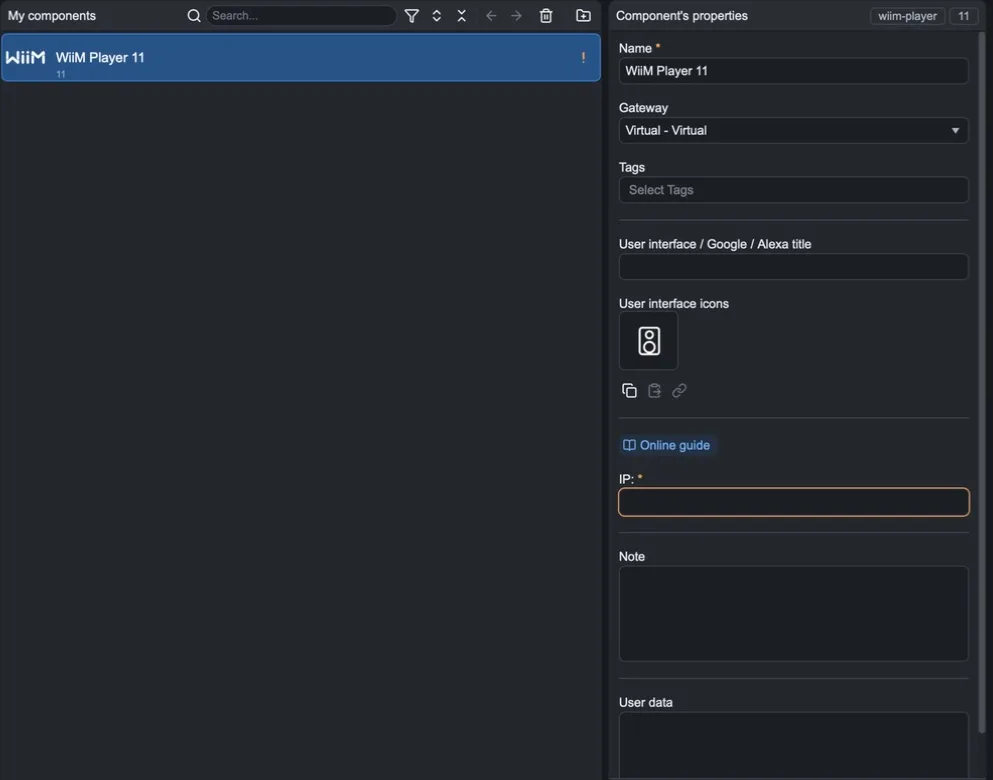
Step 3. Add the component to the user interface and upload the project with Project > Upload to server: the player widget appears in the app.
Controlling WiiM from KNX
If the project includes a KNX gateway, you can control the player from KNX buttons, scenes, and supervisory devices:
connect ilevia Manager to the server;
in the WiiM Player component properties, select the KNX gateway as the Gateway: the KNX section appears with the KNX Commands Wizard button;
press KNX Commands Wizard;
for each function, specify the command group address (Write) and the status address (Feedback);
save and upload the project to the server.
The available functions are:
Function | Use |
|---|---|
Play / Stop | Start or stop playback. |
Next Track | Skip to the next track. |
Volume Percentage | Set the volume as a percentage. |
Volume Move / Volume Step | Increase or decrease the volume; with Volume Variation choose how much at each step. |
Max Volume | Limit the maximum volume. |
Mute | Enable or disable mute. |
Shuffle / Repeat | Shuffle and repeat playback. |
Song Title, Song Artist, Song Album | Track title, artist, and album, to display on a KNX display or supervisory device. |