
Apple HomeKit and Siri
The HomeKit component of ilevia Manager: QR code from the server, room and device configurator, and adding the system to the Home app to control it with Siri.
The HomeKit component brings Ilevia system devices into Apple’s Home app: you can control them with Siri, from Control Center, and in HomeKit automations.
Adding the component
In ilevia Manager, open the Components tab.
In the Components Library, open the Voice Control category.
Drag HomeKit into the My components list.
Component properties
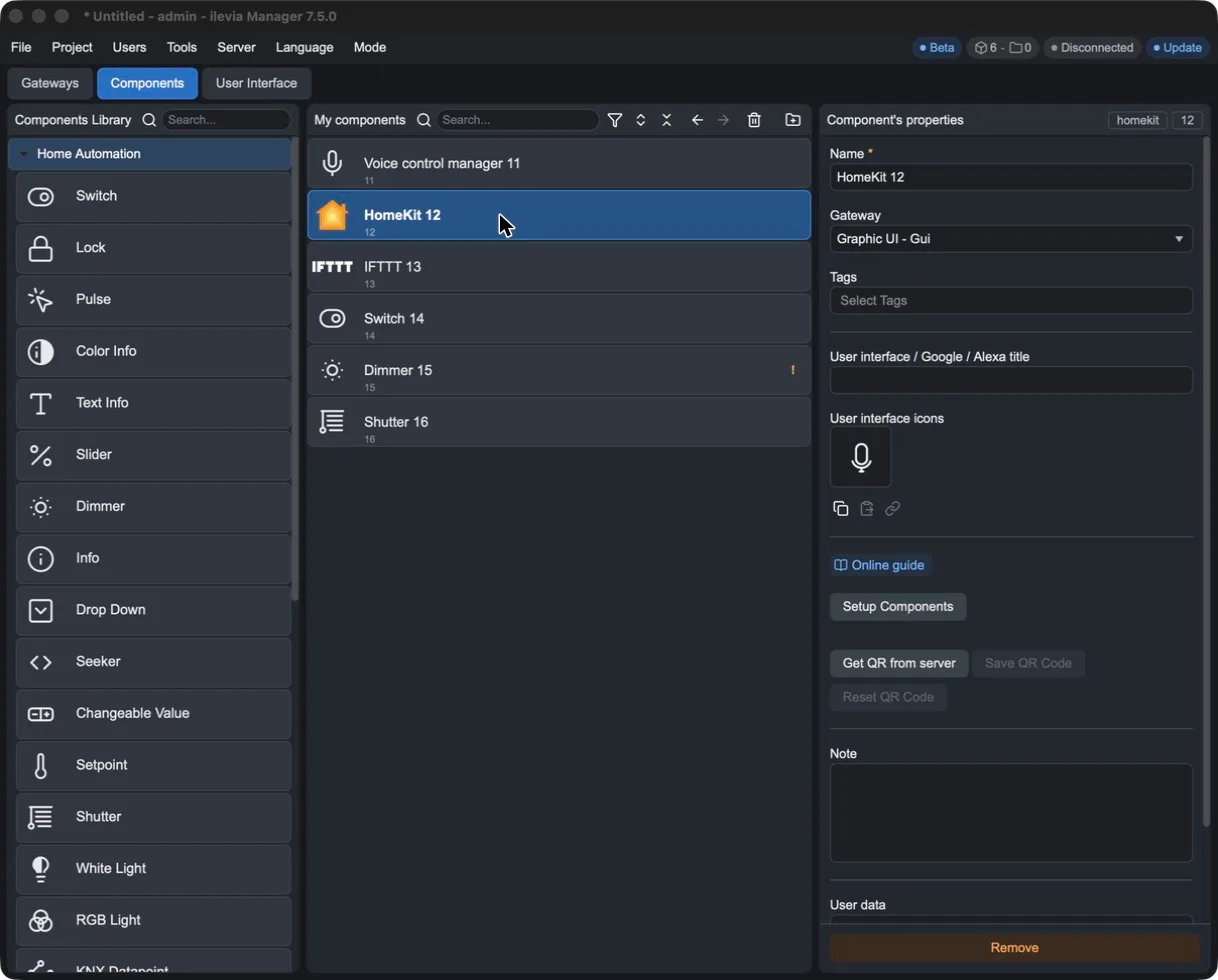
Field | Meaning |
|---|---|
Setup Components | Opens the room and device configurator. |
Get QR from server | Requests the HomeKit pairing QR code from the Ilevia server. The project must already be uploaded to the server. |
Save QR Code | Saves the QR code as an image. |
Reset QR Code | Clears the QR code saved on the server. |
The configurator
Press Setup Components to open the HomeKit window. It works like the Voice Control Manager one: device types on the left, rooms in the center (Add room, Delete item), and the parameters of the selected item on the right.
Available device types are: Awning, Blinds, Closet, Curtain, Door, Fan, Garage Door, Gate, Light, Lock, Outlet, Scene, Shutter, Smoke Detector, Switch, Thermostat, Valve and Window.
Press Add room and enter the room name in Device name.
Drag the device from the Devices column to the room and give it a name.
Link the project components to the parameters. Those with the red triangle are mandatory.
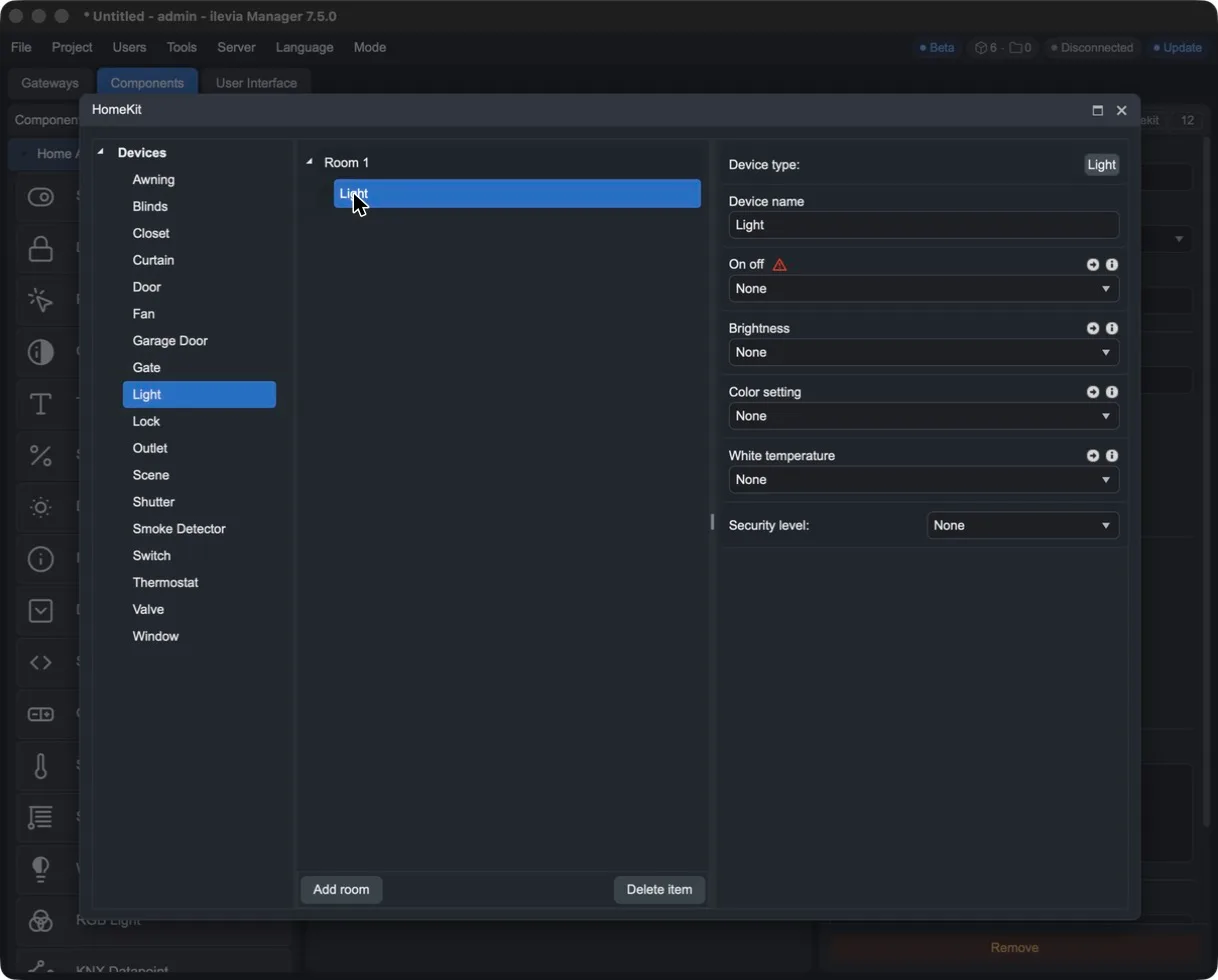
For a light, the parameters are On off (mandatory), Brightness, Color setting, White temperature and Security level.
Close the configurator with X and upload the project to the server.
Adding the system to the Home app
In ilevia Manager, press Get QR from server in the HomeKit component properties.
On the iPhone, open the Home app, press + and choose Add Accessory.
Scan the QR code and follow the instructions to assign accessories to rooms.
Now you can say, for example, “Hey Siri, turn on the living room light.”
If you add or change devices in the configurator, upload the project to the server again.