
Denon and Pioneer/Onkyo amplifiers
How to connect Denon AV receivers (via network, port 23) and Pioneer/Onkyo (eISCP protocol) to the ILEVIA server using the guided procedures in ilevia Manager.
Denon and Pioneer/Onkyo AV receivers connect to the ILEVIA server over the network. A guided procedure creates all the amplifier components: power, volume, mute, sources, listening modes, tuner, and menu navigation. For the overall picture, see Multimedia devices.
Before you start, assign the amplifier a fixed IP address and enable network control on it (on many models this is called Network Standby or IP Control), so that it responds even when in standby.
Denon AVR
Step 1. In the Components tab, open the Multimedia category in the Components Library and drag Denon AVR into My components.
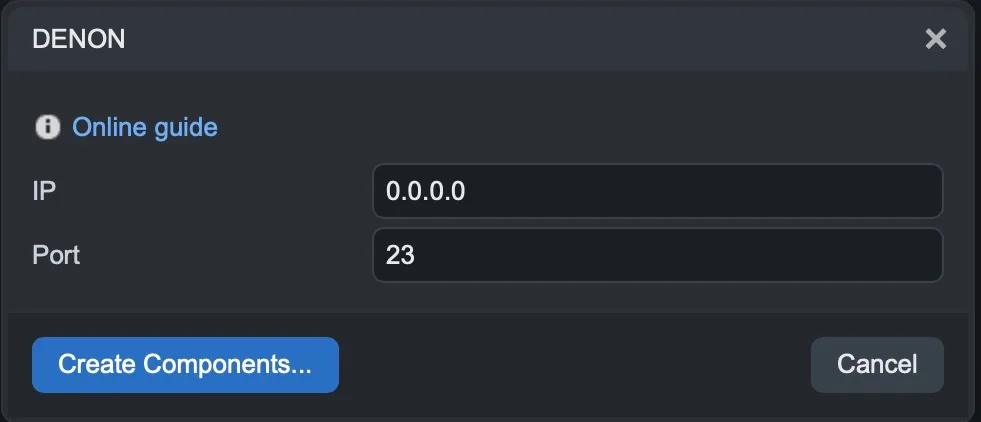
Step 2. Enter the amplifier IP address and leave the default Port as 23, then click Create Components….
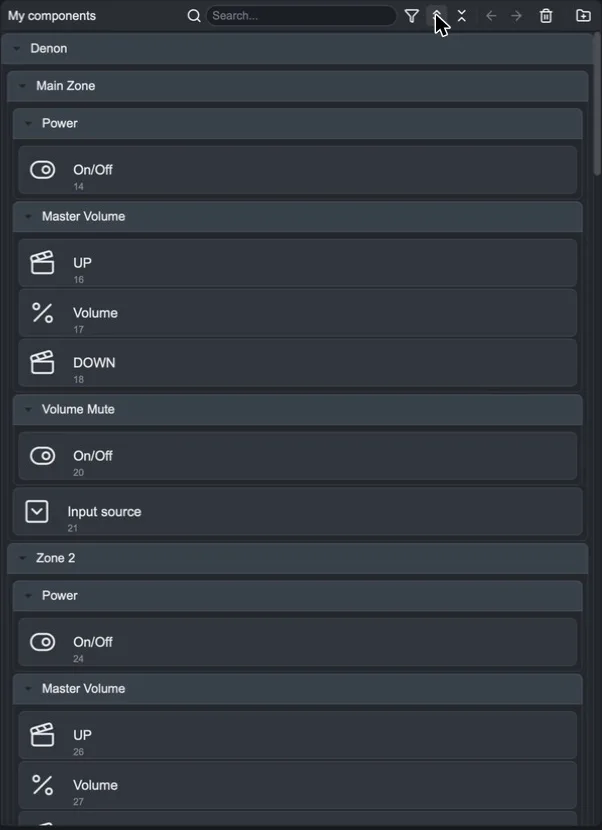
A Denon gateway and the Denon group are created, divided by zones (Main Zone, Zone 2) and functions:
Power and Volume Mute: power and mute (On/Off);
Master Volume: volume with UP and DOWN commands;
Input source: the source;
other groups for tuner, surround mode, tone settings, and individual channel levels.
Pioneer / Onkyo (eISCP)
Pioneer and Onkyo network amplifiers use the eISCP protocol on port 60128.
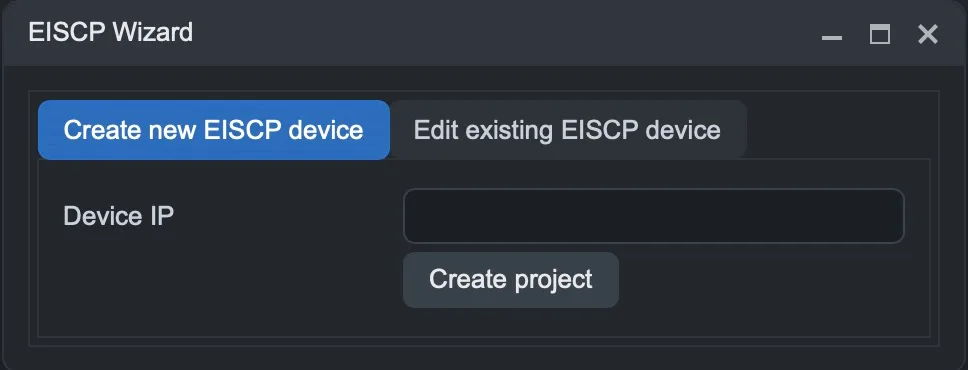
Step 1. Drag Pioneer/Onkyo EISCP into My components: the EISCP Wizard opens.
Step 2. In the Create new EISCP device tab, enter the Device IP and click Create project.
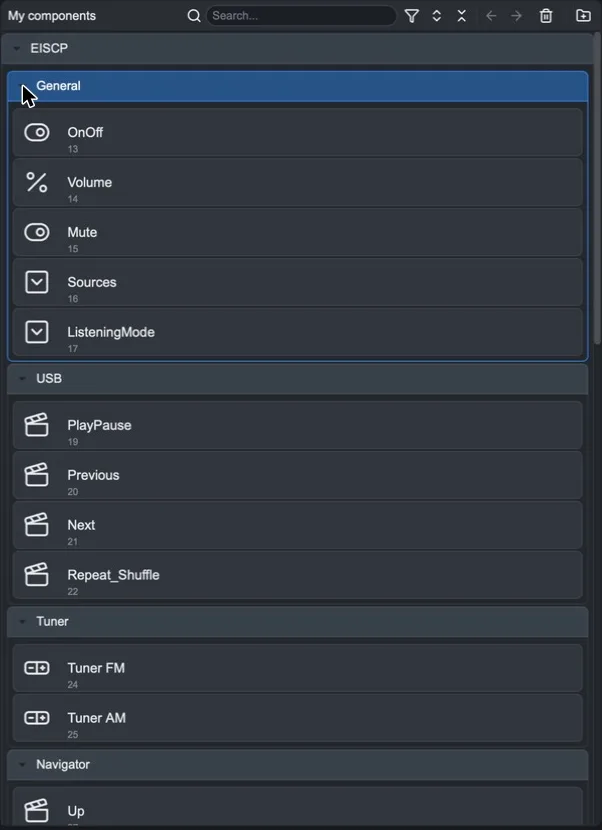
The EISCP group is created with:
General: OnOff, Volume, Mute, Sources and ListeningMode;
USB: PlayPause, Previous, Next and Repeat_Shuffle for USB playback;
Tuner: Tuner FM and Tuner AM;
Navigator: Up, Down, Left, Right, Enter, Home and the other menu navigation keys.
If the amplifier changes address, reopen the procedure and use the Edit existing EISCP device tab: enter the New device IP and click Update project to update all components.
eISCP commands pass through the server logic: install the Logic module.
Complete
Add the components to the user interface, for example inside a multimedia device, and upload the project with Project > Upload to server.