
IFTTT
The IFTTT component in Ilevia Manager: connect switches and scenes and use the generated links in an IFTTT applet with Webhooks.
The IFTTT component generates web links for each switch or scene you connect, which control the system. Use them in IFTTT applets with the Webhooks service, for example to turn on a light at a specific time or when something happens in another service. It replaces the old tag-based IFTTT configuration.
Adding the component
In Ilevia Manager, open the Components tab.
In the Components Library, open the Voice Control category.
Drag IFTTT into the My components list.
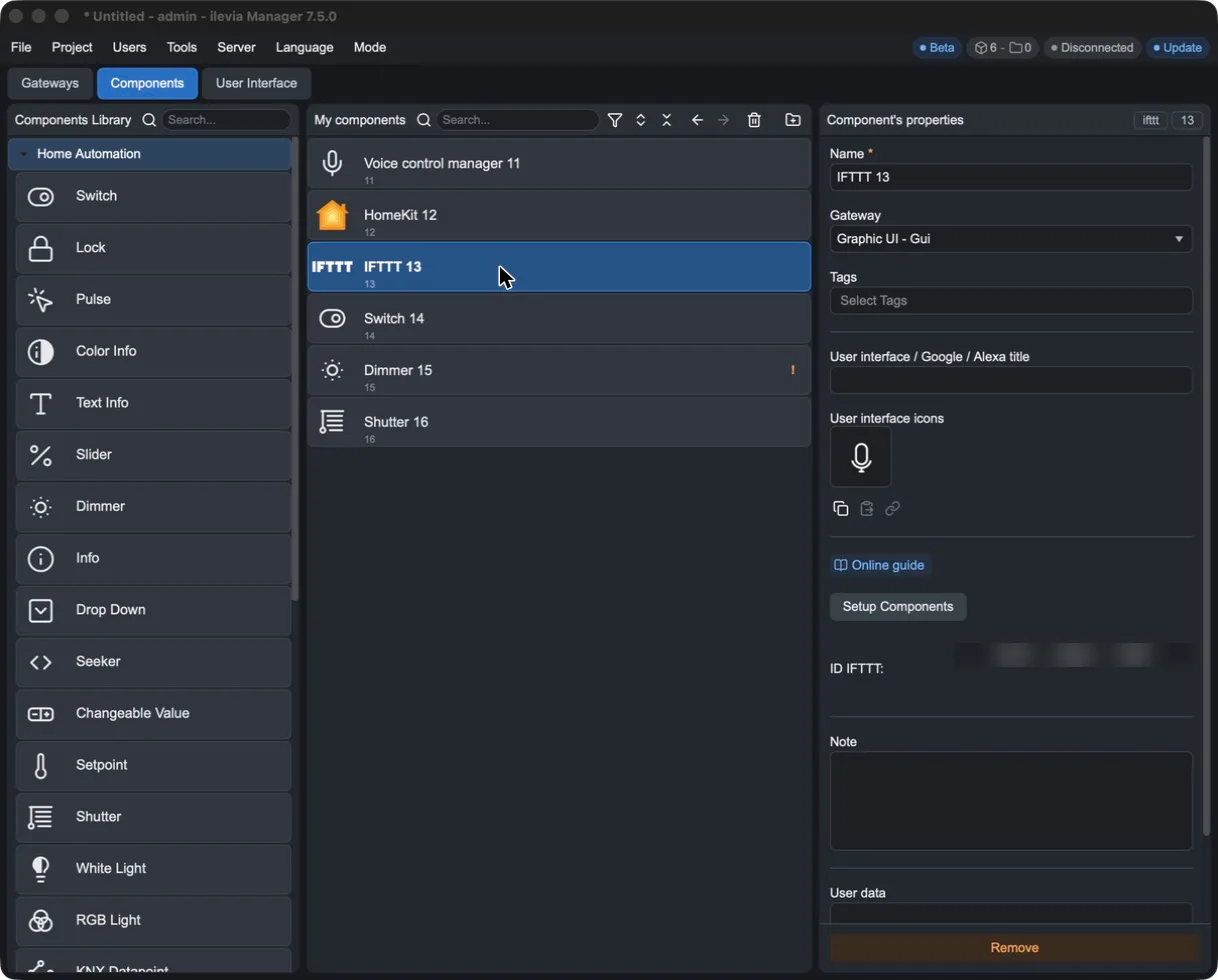
Field | Meaning |
|---|---|
Setup Components | Opens the IFTTT device configurator. |
ID IFTTT | Component code, used in the generated links. |
Connecting a switch
Press Setup Components. In the ifttt manager window, the available types are Scene and Switch.
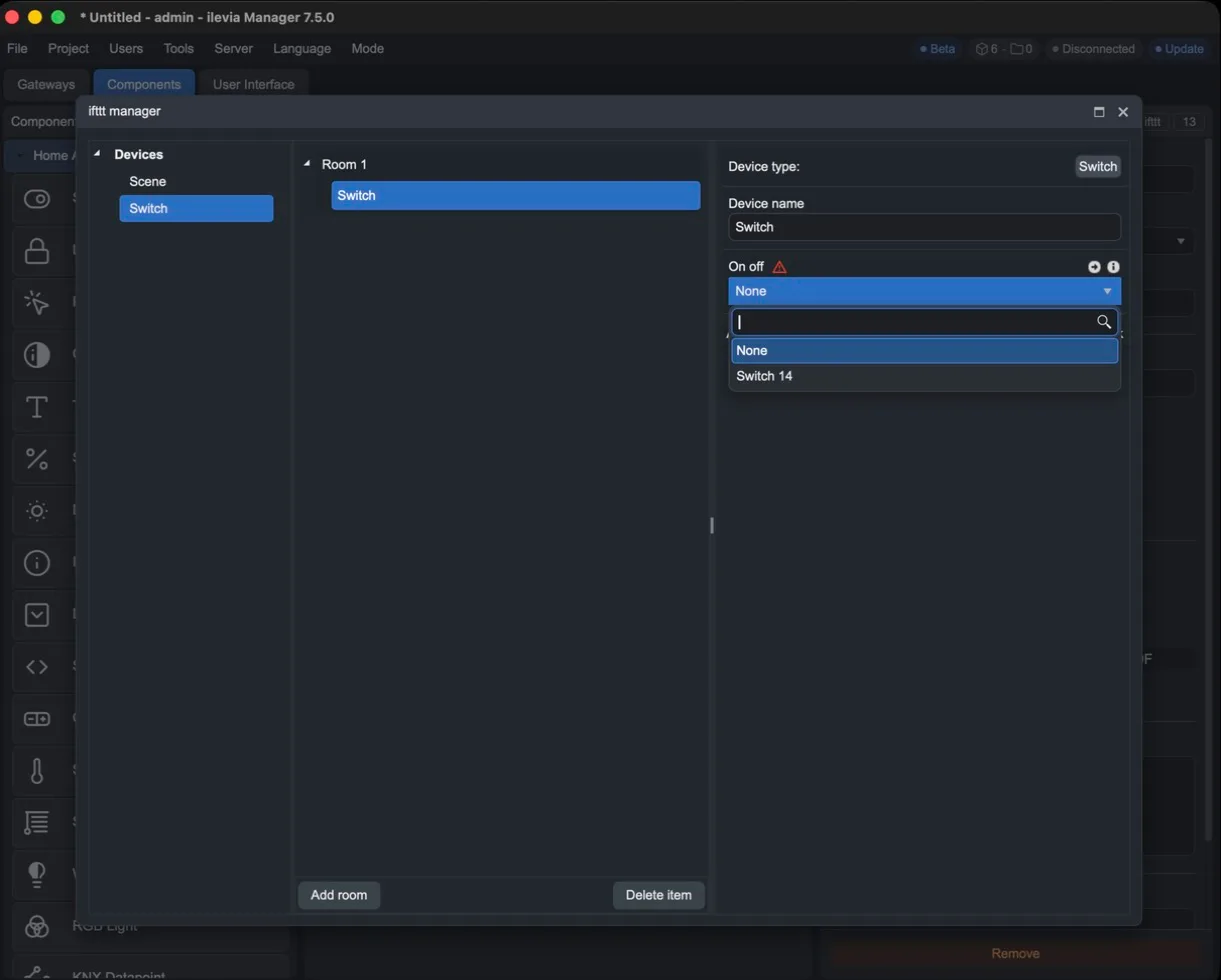
Drag Switch onto the room (use Add room to add more) and assign it a name.
In the On off parameter, select the project component to be controlled.
As soon as you connect the component, two links appear under Action / IFTTT Link: ON turns it on, OFF turns it off.
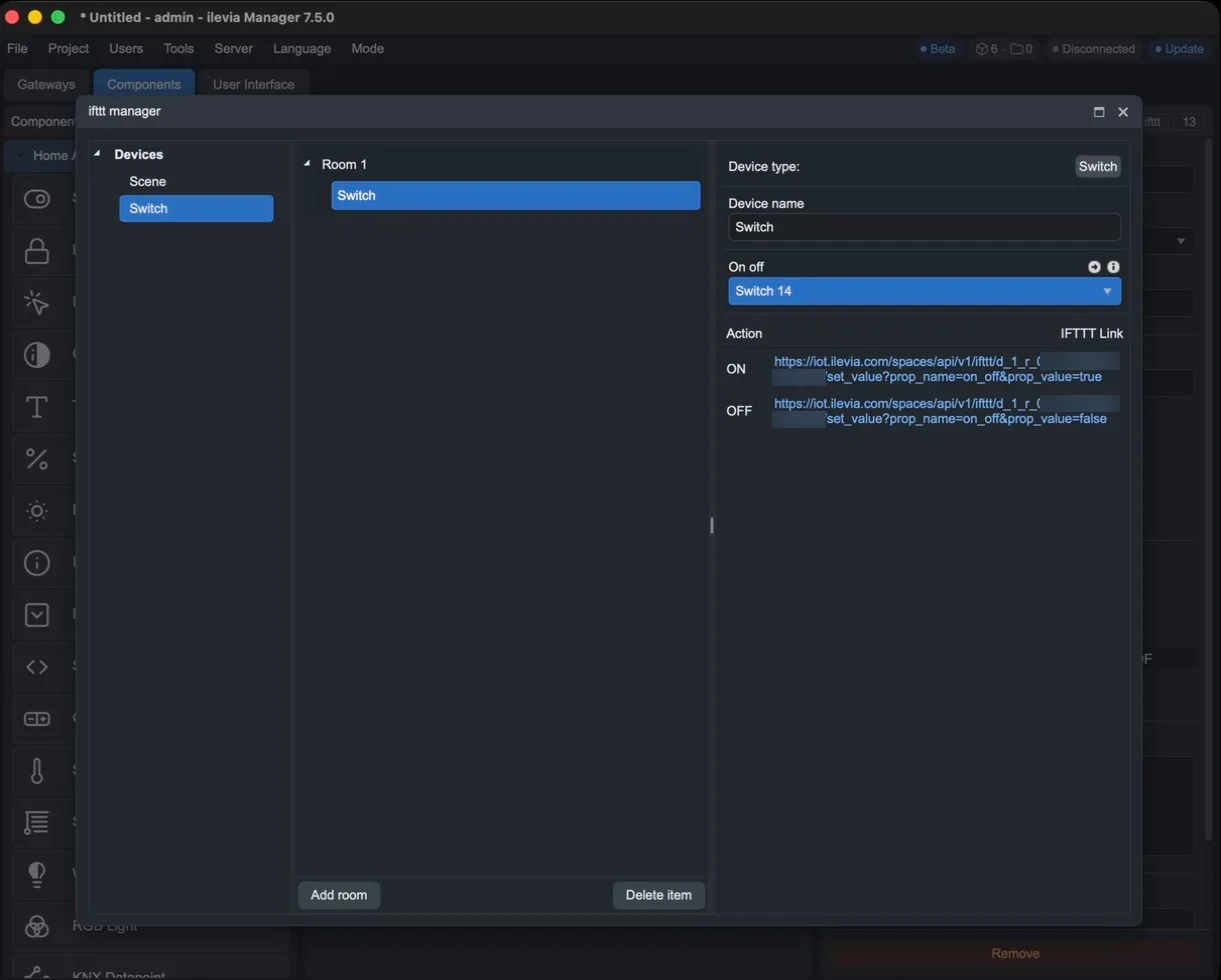
Close the configurator with X and upload the project to the server.
Anyone who knows these links can control the component: do not publish or share them.
Creating the applet in IFTTT
Go to ifttt.com and press Create.
In If This, choose the trigger, for example Date & Time > Every day at with the desired time.
In Then That, search for Webhooks and choose Make a web request.
In URL, paste the ON or OFF link copied from Ilevia Manager.
Press Create action, then Continue and Finish.
At the selected time, IFTTT calls the link and the Ilevia server turns the connected component on or off.