
Tecnoalarm control panels
How to connect a Tecnoalarm panel from the TP series to the ILEVIA server: guided procedure in Ilevia Manager, created component groups, and gateway.
The Tecnoalarm component connects the ILEVIA server to Tecnoalarm TP-series panels. A guided procedure creates the gateway and all panel components (zones, programs, remotes, keypads, and so on), organized into groups. For the overall view, see Alarm systems.
Before you start
Supported panels: TP-16-256, TP-64 BUS, TP16-512, TP8-96 VIDEO, TP8-88, TP20-440, TP8-88P.
The integration works through the server logic: install the Logic module before loading the project.
Have the panel IP address and port, firmware version, supervisor PIN, and passphrase set in the Tecnoalarm programming ready.
Add the panel in Ilevia Manager
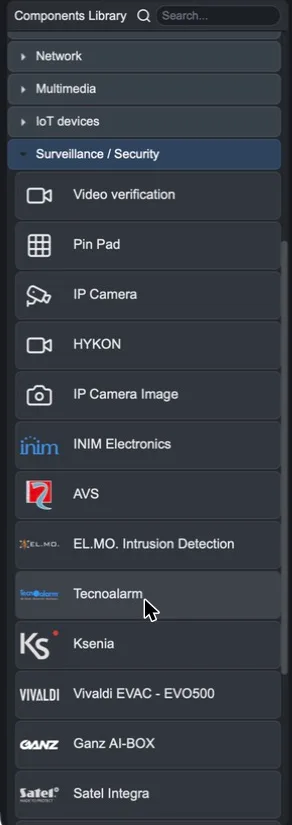
Step 1. In the Components tab, open the Surveillance / Security category in the Components Library (or search for tecno) and drag Tecnoalarm into My components.
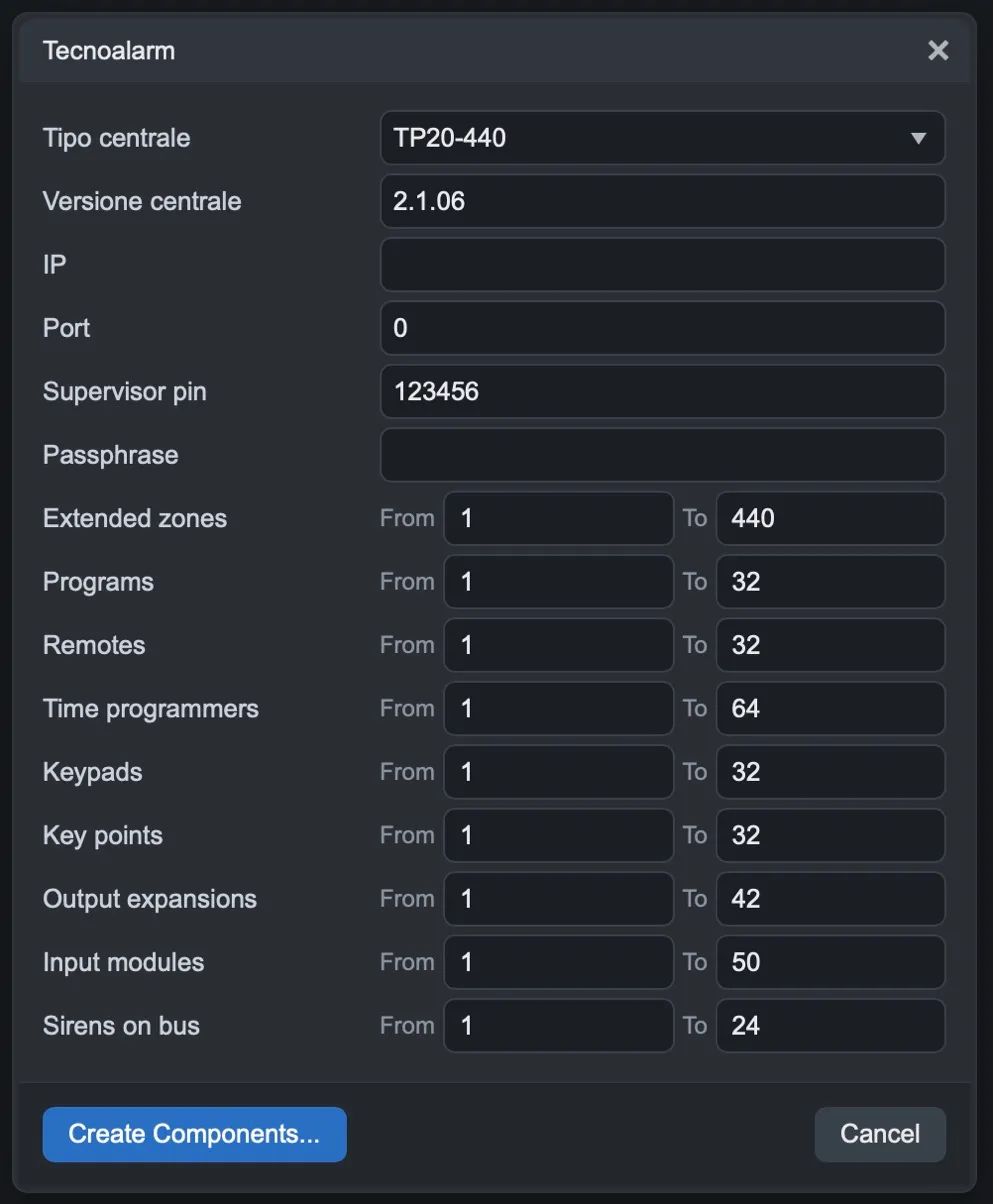
Step 2. In the wizard, fill in the panel data:
Field | Meaning |
|---|---|
Panel type | Panel model. Set the maximum values for the ranges below. |
Panel version | Panel firmware version. |
IP / Port | Panel IP address and port. |
Supervisor pin | Supervisor PIN (6 digits) set on the panel. |
Passphrase | Communication passphrase set on the panel. |
In the From / To ranges, choose which elements to create: Extended zones, Programs, Remotes, Time programmers, Keypads, Key points, Output expansions, Input modules and Sirens on bus. Limiting the ranges to the elements actually used in the system makes the project lighter.
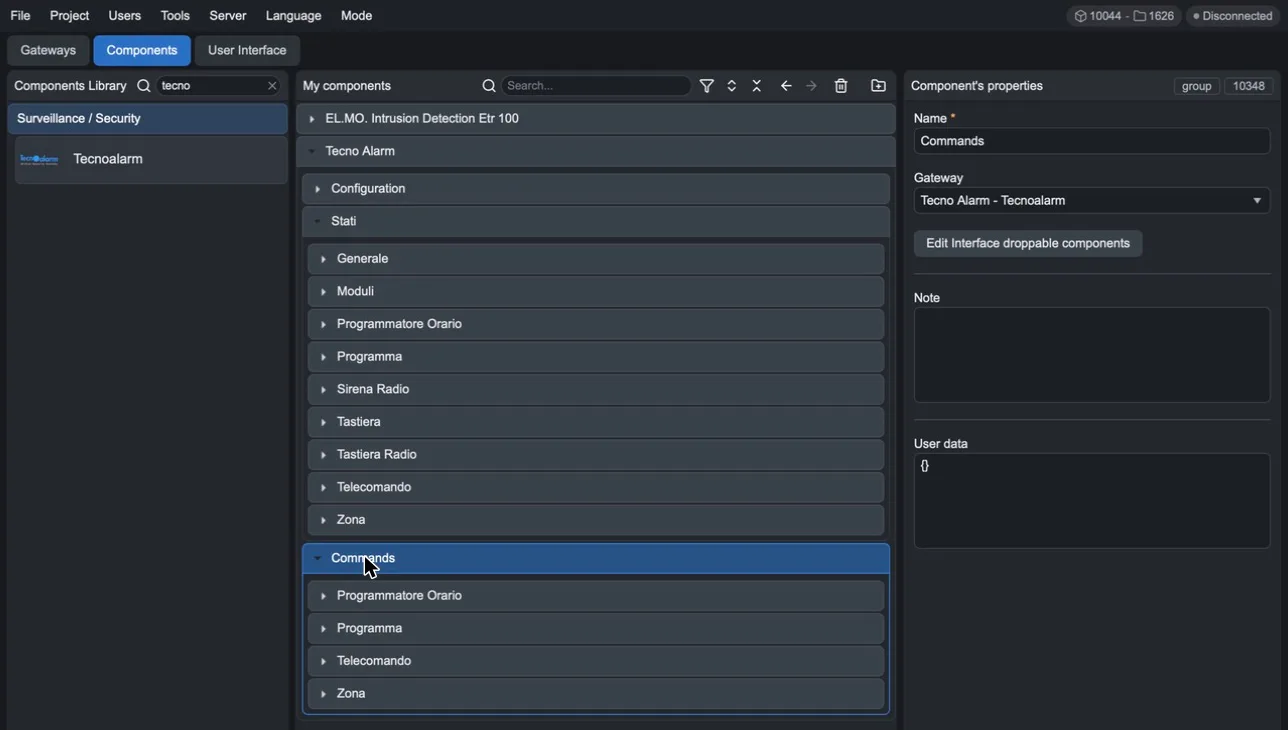
Step 3. Click Create Components…. In My components, the Tecno Alarm group appears.
The created components
The Tecno Alarm group contains three folders:
Configuration: the parameters used by the logic to communicate with the panel.
Status: the status of each element, divided into General, Modules, Time Programmer, Program, Radio Siren, Keypad, Radio Keypad, Remote Control and Zone.
Commands: the commands, divided into Time Programmer, Program (arm and disarm), Remote Control and Zone (include and exclude).
The gateway
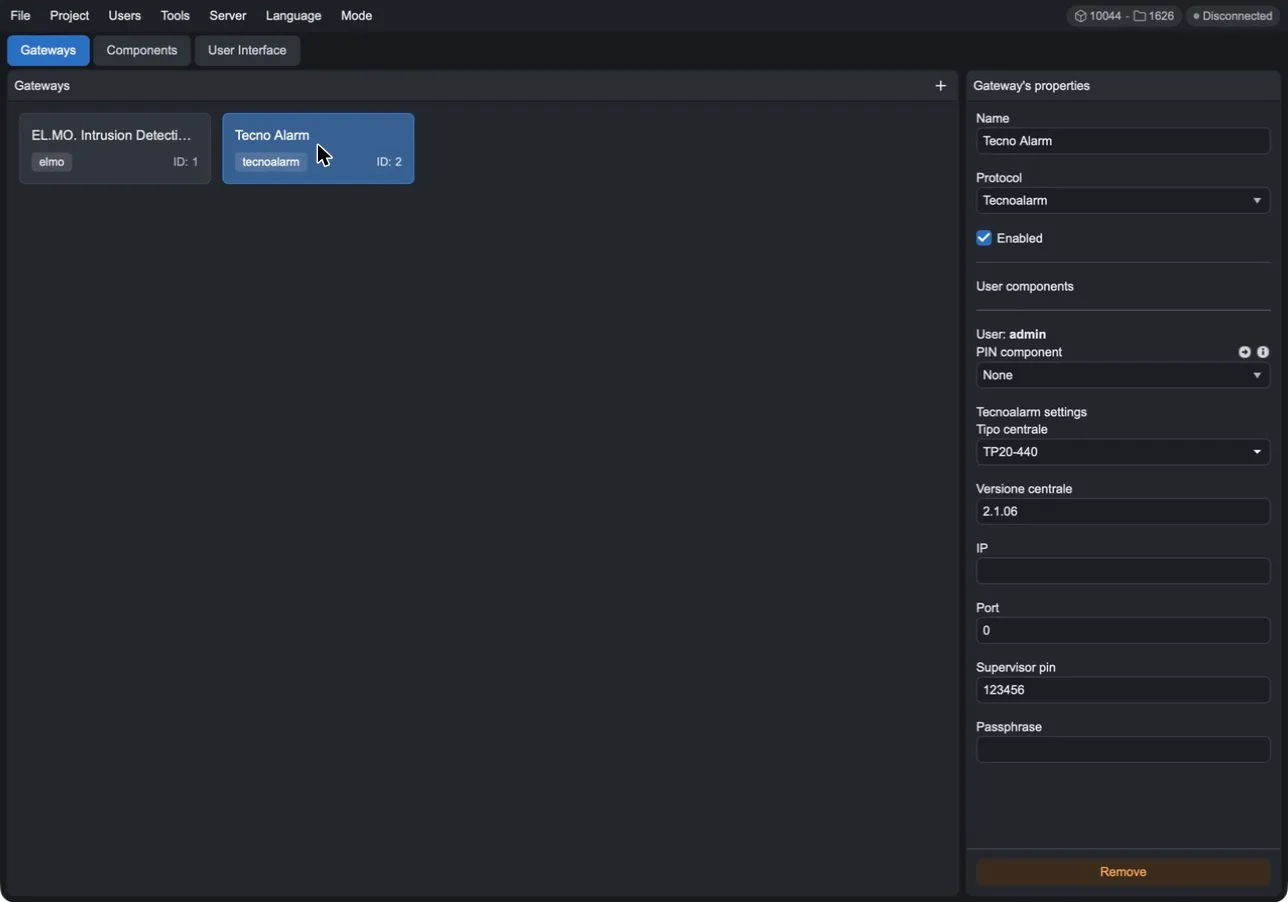
The wizard also creates a gateway with Tecnoalarm protocol (Gateways tab). In its properties, you will find the panel data (Panel type, Panel version, IP, Port, Supervisor pin, Passphrase), which you can edit later. In User components, you can associate each project user with a PIN component, that is, the code that user uses to control the panel.
Complete the integration
Add the components you want to use from the app to the user interface.
Upload the project to the server with Project > Upload to server.
Wait a couple of minutes: the logic starts and the server connects to the panel.