
HTTP Gateway
HTTP gateway parameters in Ilevia Manager and in the Scenario component to send HTTP commands to a device.
HTTP gateway parameters
HTTP gateway parameters
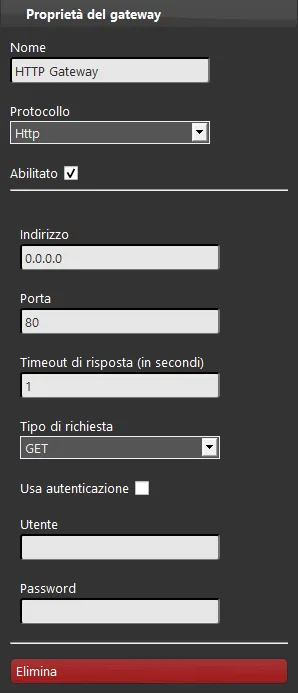
Gateway properties
Name: enter the name you want to assign to the gateway;
Protocol: select the protocol;
Enabled: enable or disable the selected gateway;
Address: enter the device IP address;
Port: enter the communication port;
Response timeout (in seconds): the time to wait for the device response after the request is sent;
Request type: select the request type (GET, POST, PUT);
User authentication: specify whether the device requires user authentication. The Ilevia server uses Basic authentication;
User: enter the user for authentication;
Password: enter the password for authentication.
Component parameters
To send HTTP commands through the X1 server, you must use the Scenario component. The Scenario is the only component in Ilevia Manager that can be configured with HTTP parameters.
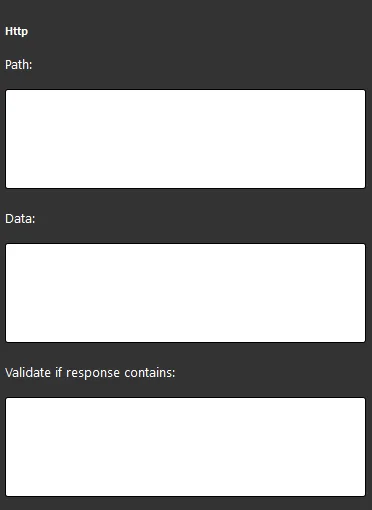
Path: text field where you enter the device URL for communication;
Data: text field where you enter the command to be executed by the device;
Validate if response contains: text field where you enter the value to compare with the device response to verify its validity.