
Tecnoalarm control panels integration
Guide on how to integrate Tecnoalarm alarm panels with the Ilevia X1 supervision server.
Introduction
This guide explains how to integrate the Tecnoalarm alarm panel with the Ilevia system. The following Tecnoalarm TP series panels can be integrated:
TP-16-256
TP-64 BUS
TP16-512
TP8-96 VIDEO
TP8-88
TP20-440
TP8-88P
Reminder before continuing:
Download and install the Logic module to enable plugins;
After uploading the Ilevia project to the server, wait a couple of minutes for the logic to start.
Integration procedure
Step 1:
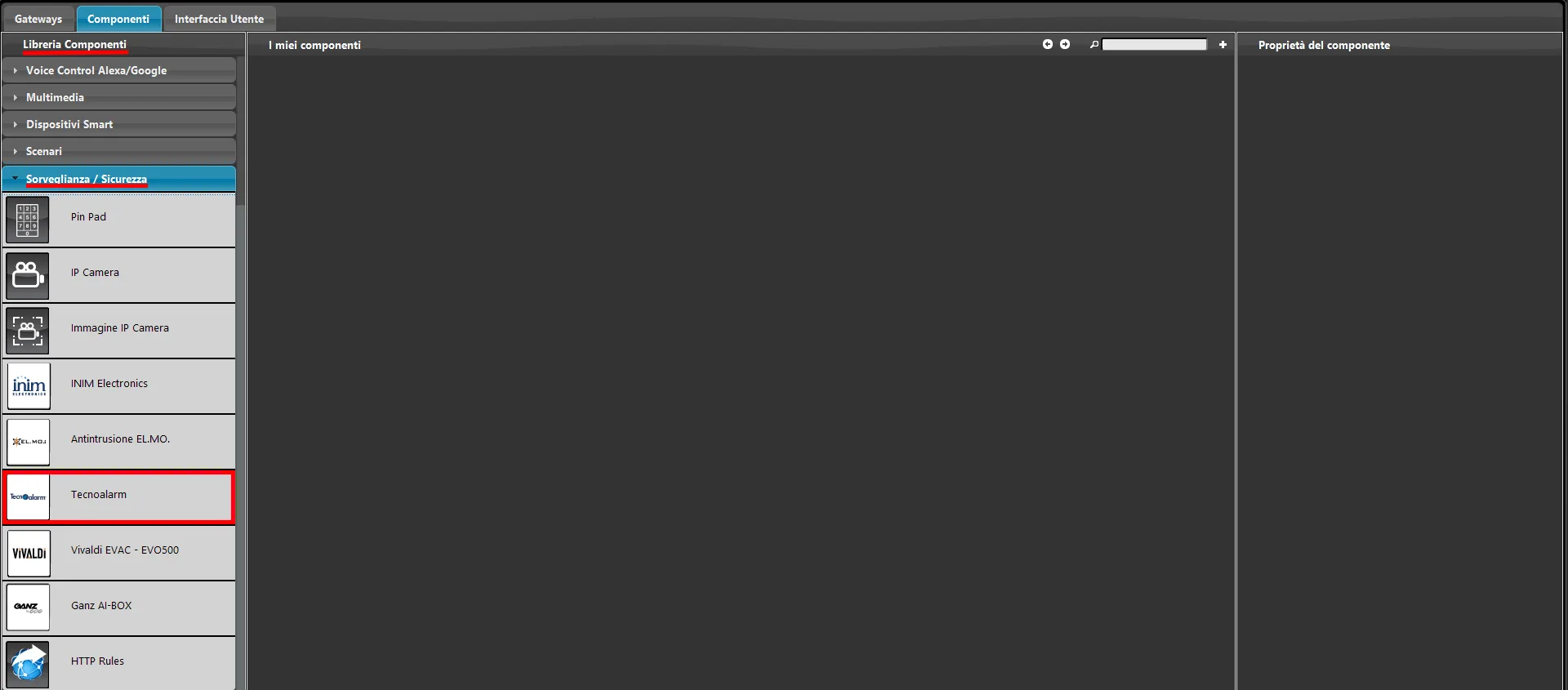
Open Ilevia Manager and go to the Surveillance / Security section of the Component Library, on the left side of the software screen.
Step 2:
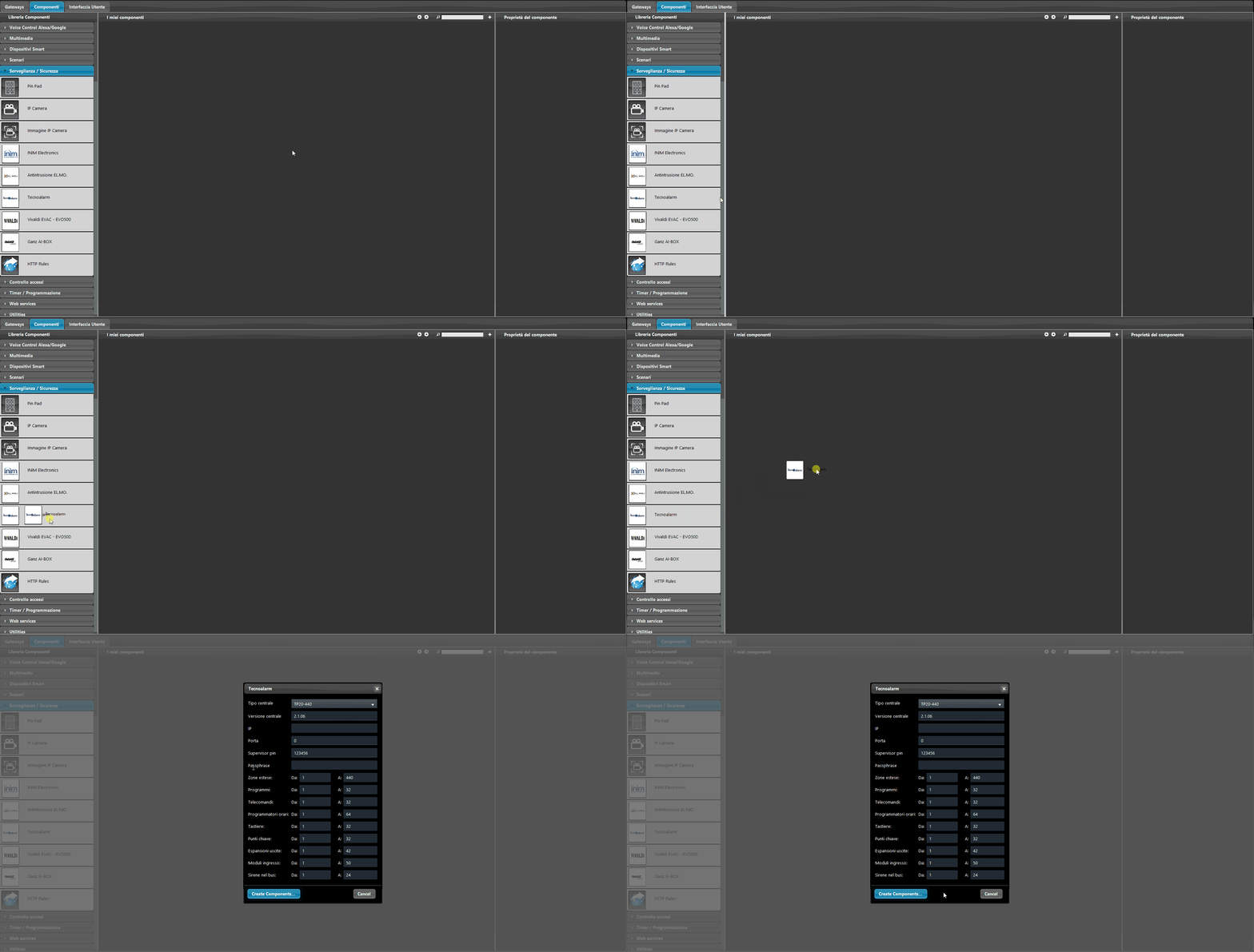
Drag the Tecnoalarm component into the My components section, in the center of the Components section.
Step 3:
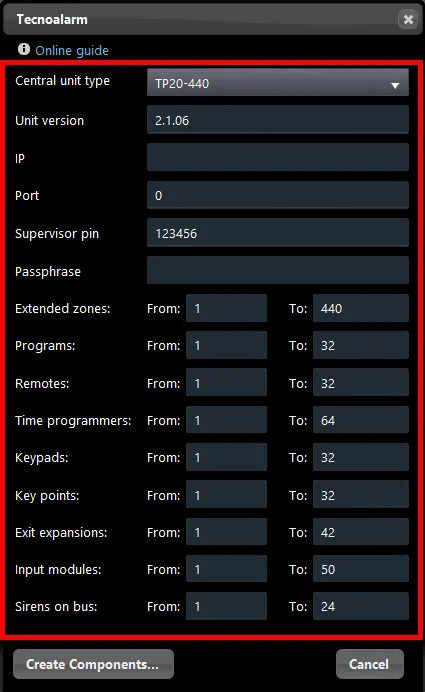
After adding the component to the project, a new window opens containing all the alarm panel parameters. Customize the parameters so they match those set on the actual panel, then click “Create components”.
Step 4:
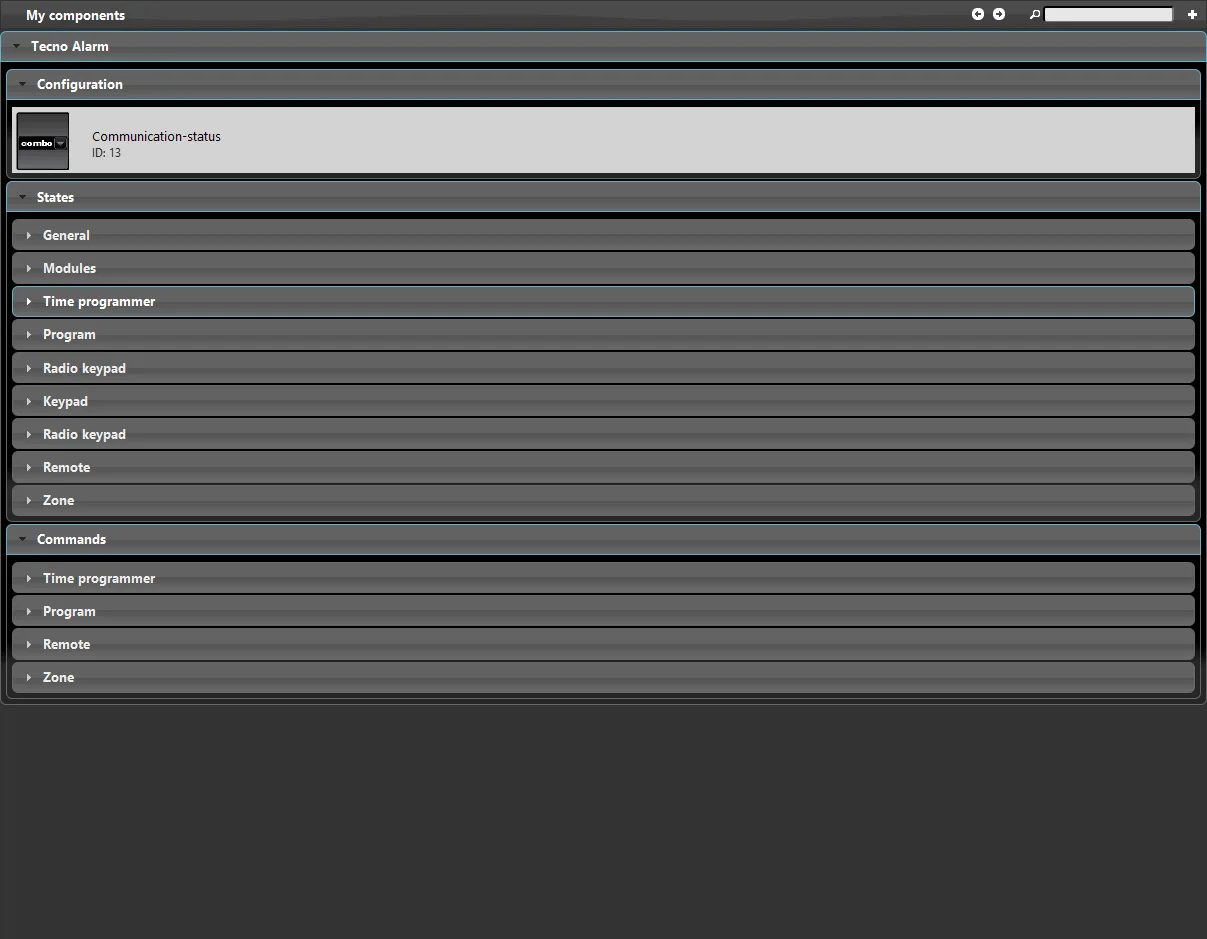
In the My components section of the Ilevia Manager project, you can see that each alarm panel section, such as keypads or extended zones, has its own group created with all connected components.
Step 5:
When the components are created, a new Tecnoalarm gateway is created with the parameters just set in the wizard. You can find it in the Gateway section of Ilevia Manager.
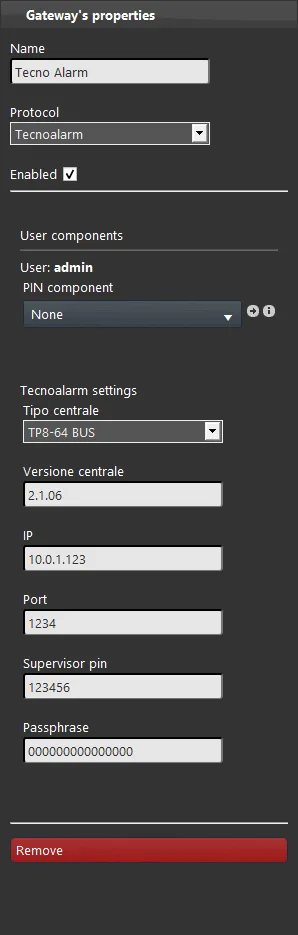
Step 6:
Add the components to the interface with the interface editor, then upload the project to the server to complete the integration and connect the Ilevia server to the Tecnoalarm panel.
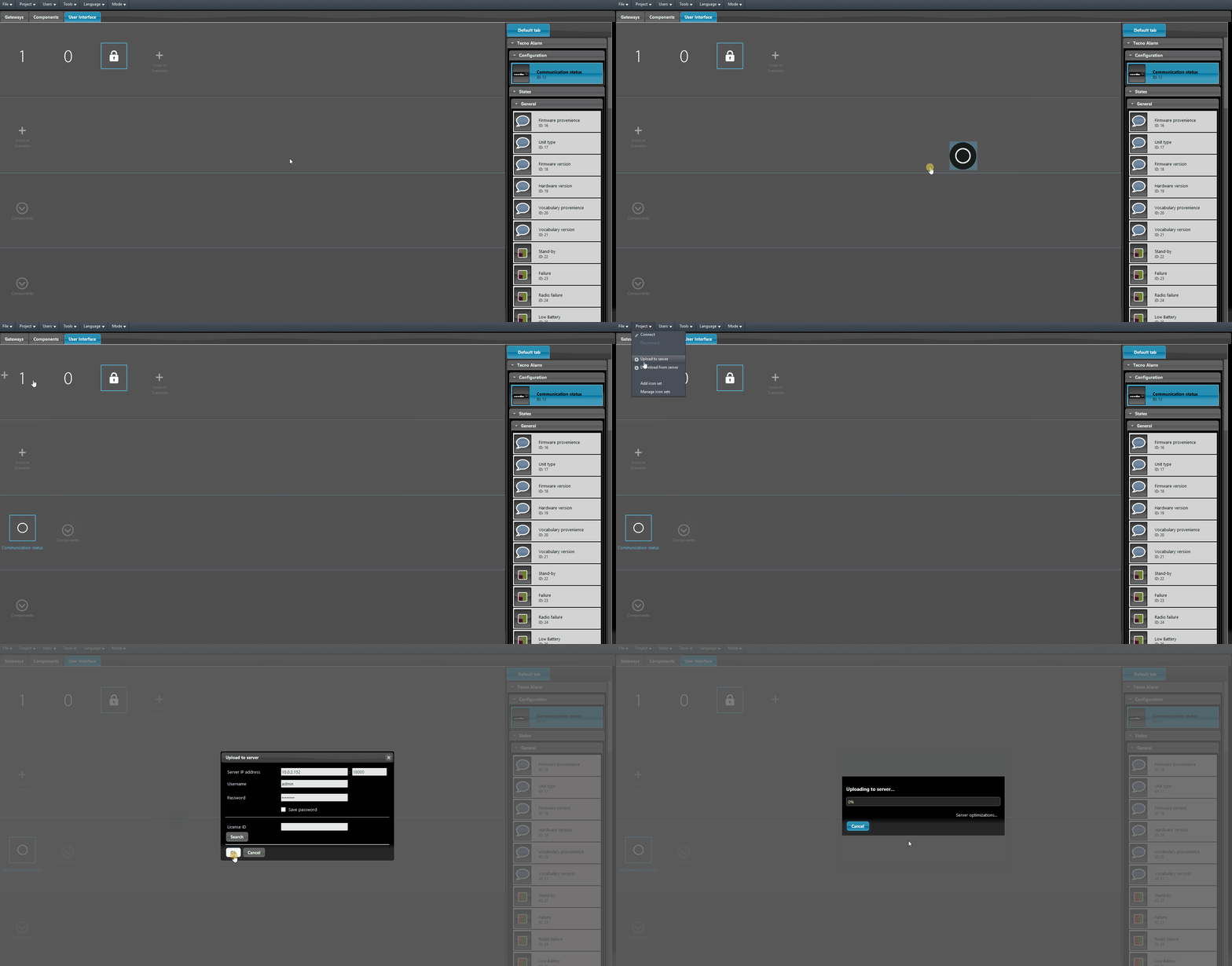
Once the Logic module is active, it will be possible to control the Tecnoalarm alarm panel through the Ilevia server.