
External Logger
How to set up the External Logger component in Ilevia Manager to record data to an external InfluxDB database.
INTRODUCTION
The External Logger lets you store data from a device configured in the Ilevia Manager project in an external database.
It performs the same function as a conventional Logger and also lets you configure an "InfluxDB" gateway to export data to an external database.
USE CASES
The user can set up an External Logger to record data from multiple locations: for example, several X1 servers can send data to a single database.
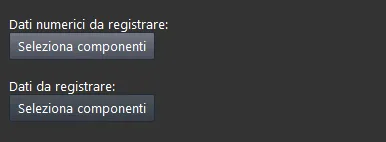
COMPONENT PROPERTIES
Numeric data to record: in this list you can add components that display a numeric value (e.g. an Info component that shows a temperature or a Switch that changes state from 0 to 1);
Data to record: in this list you can add components that display text (e.g. an Info component that contains text).
Configuration and installation of the Influx DB service on third-party devices
Here you can consult the official InfluxDB website documentation, where you will find all the steps required to integrate InfluxDB OSS into a third-party device.
Set up Influx DB for integration with Ilevia
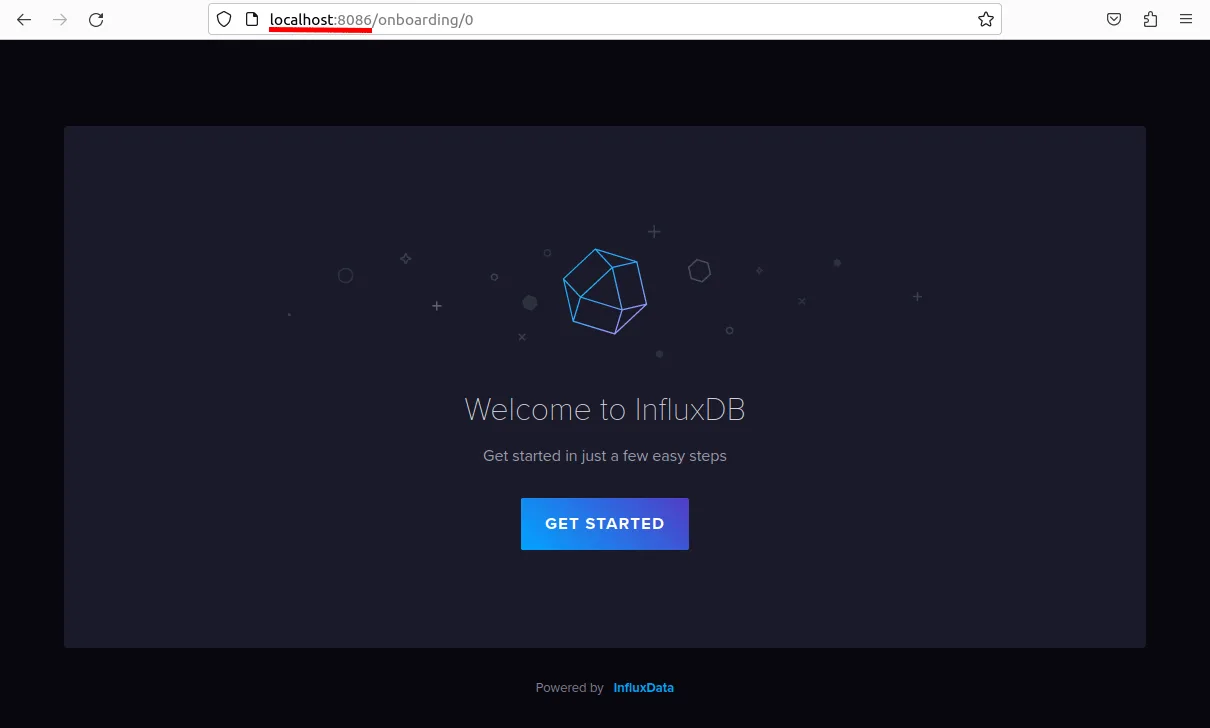
Access the InfluxDB web page by typing localhost:8086 in the browser URL bar, then click Get started.
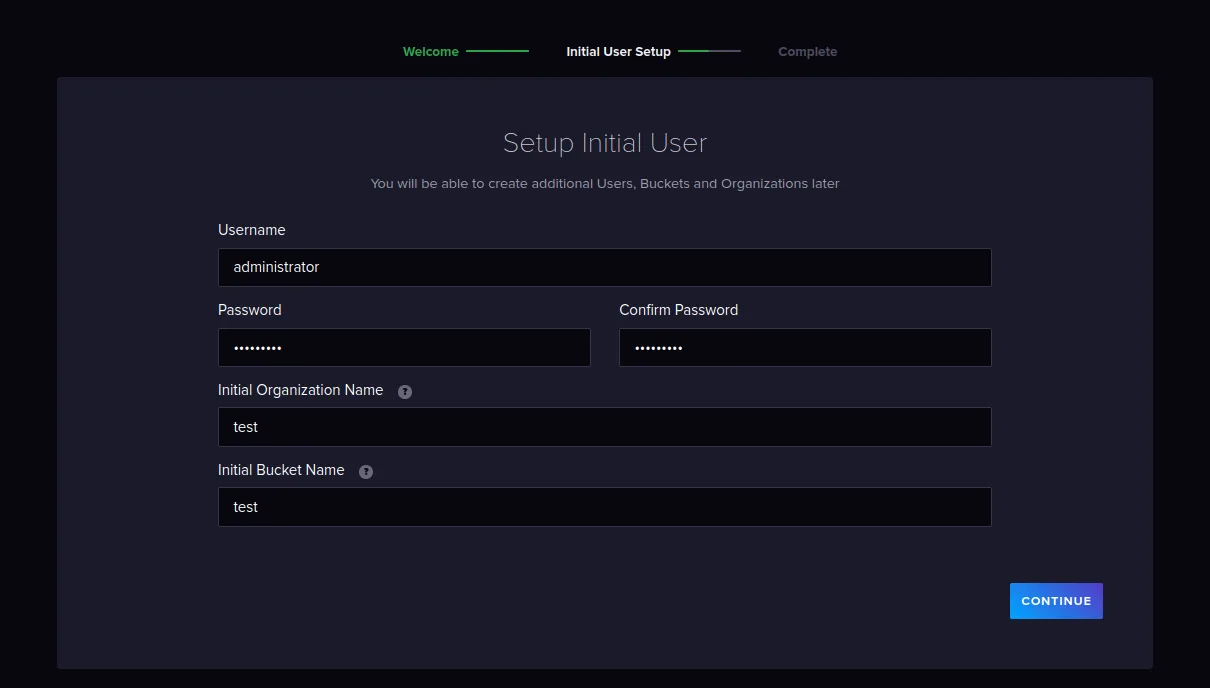
Create the new credentials and the new organization.
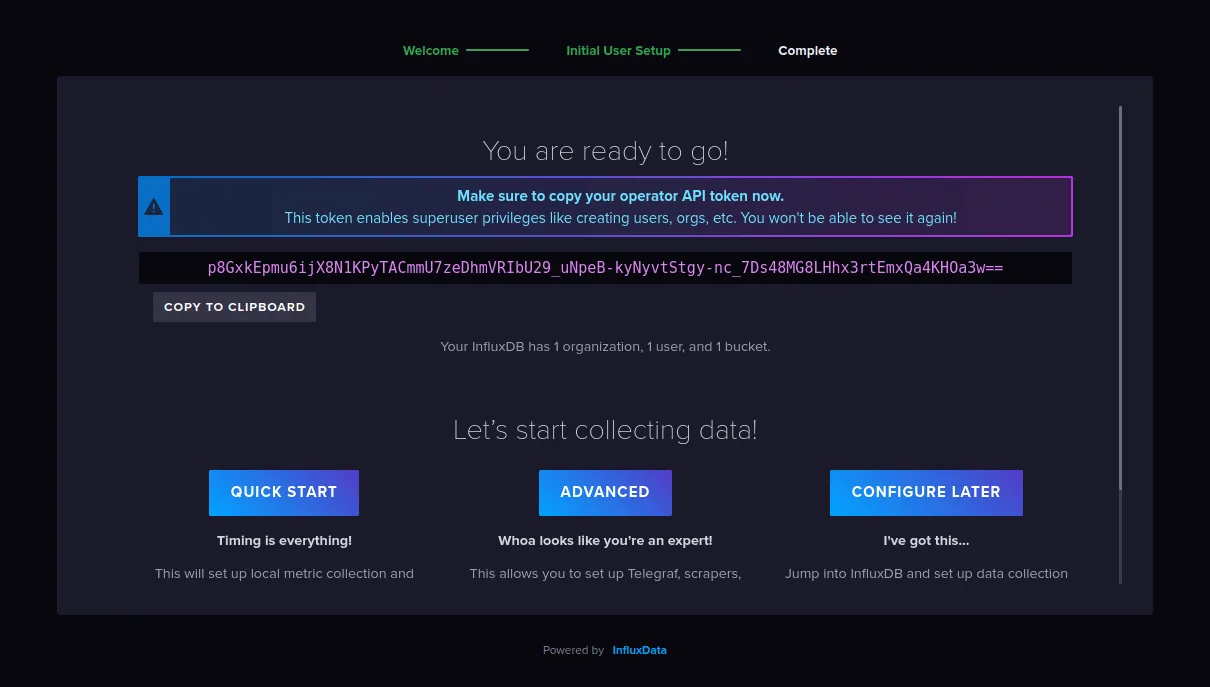
Click Quick start to start configuring InfluxDB.
Go to the API token section from the Load data side menu.
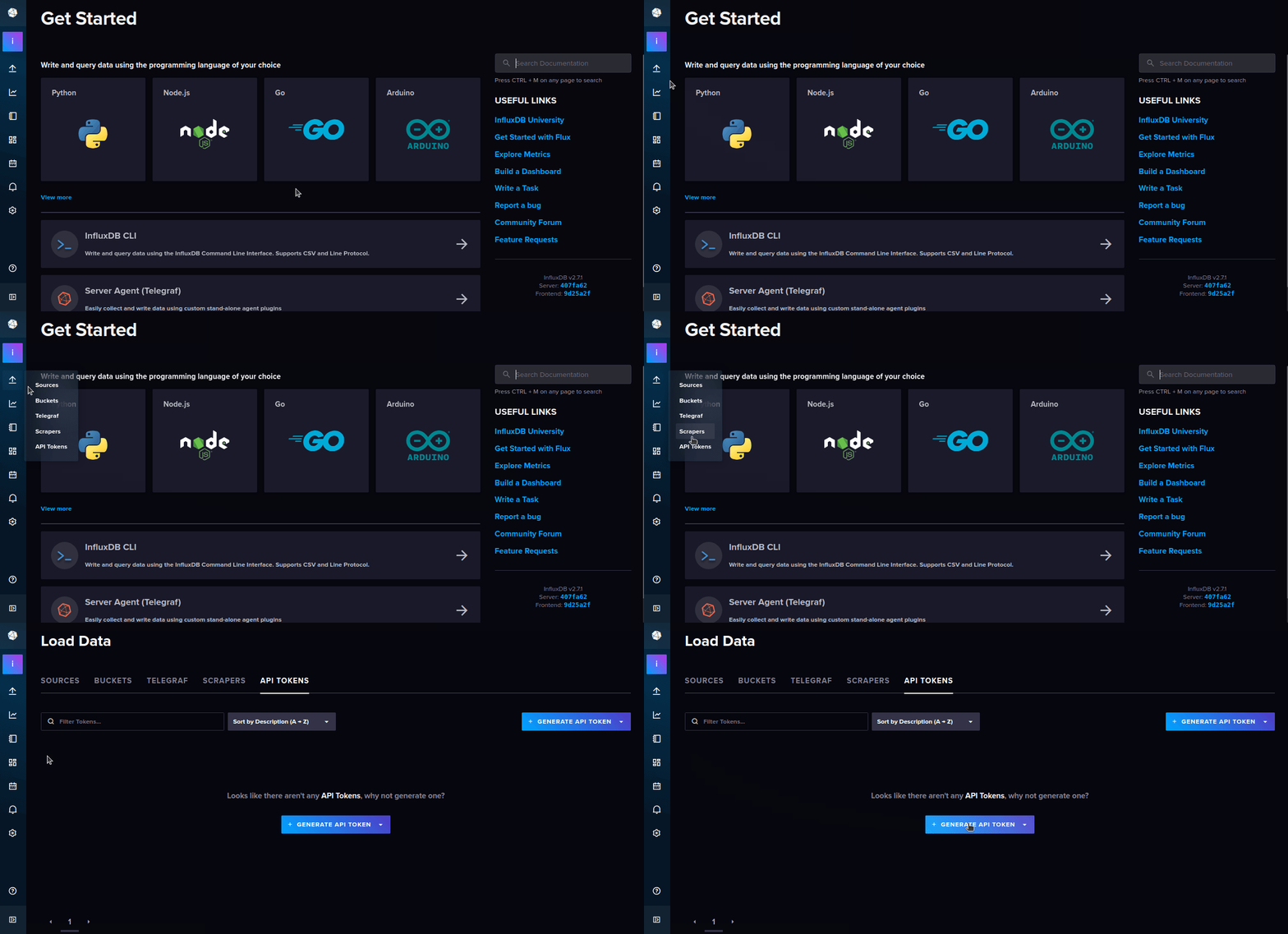
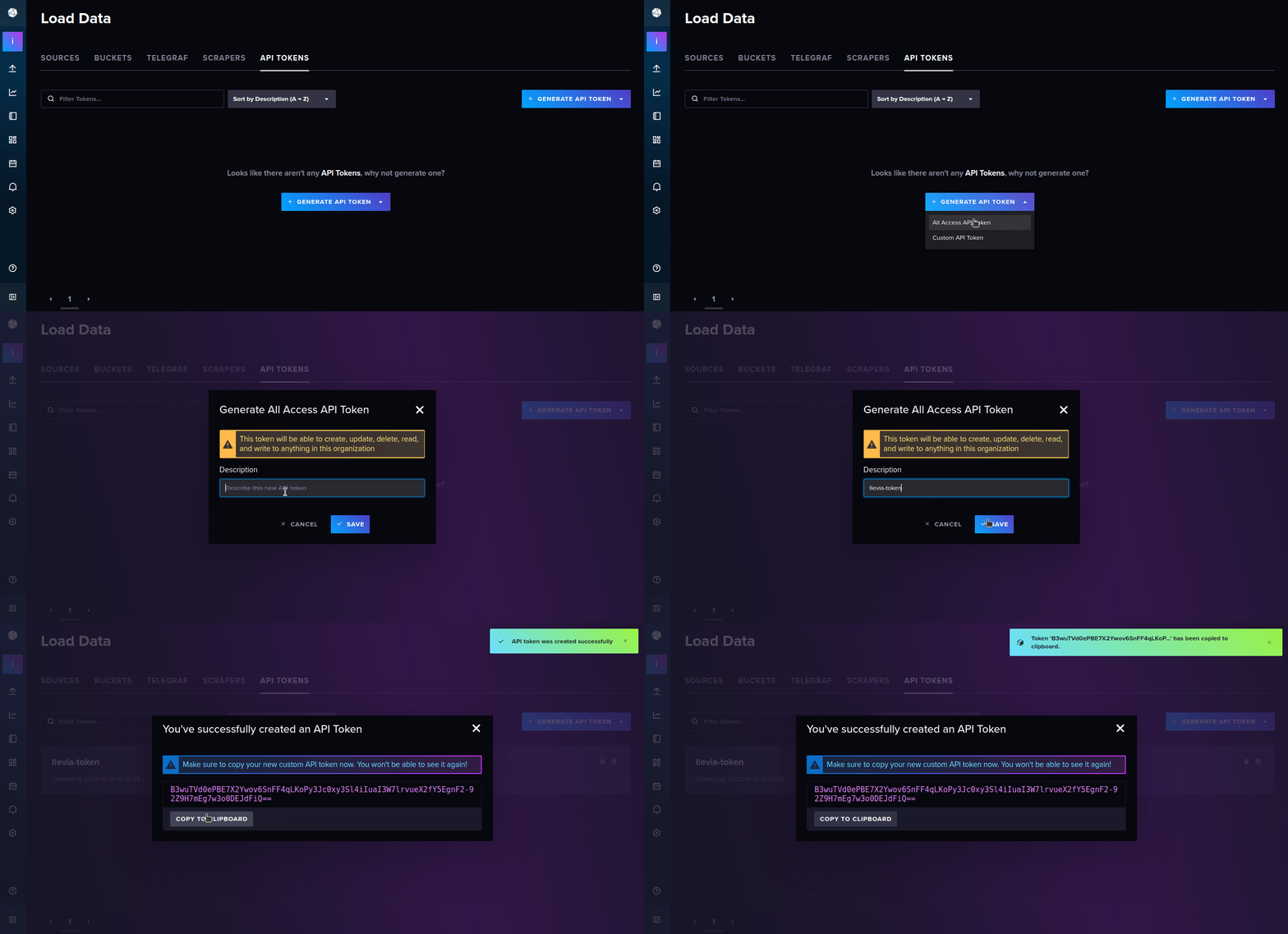
Create the new token: click Generate API token and select the All access API token option from the drop-down menu.
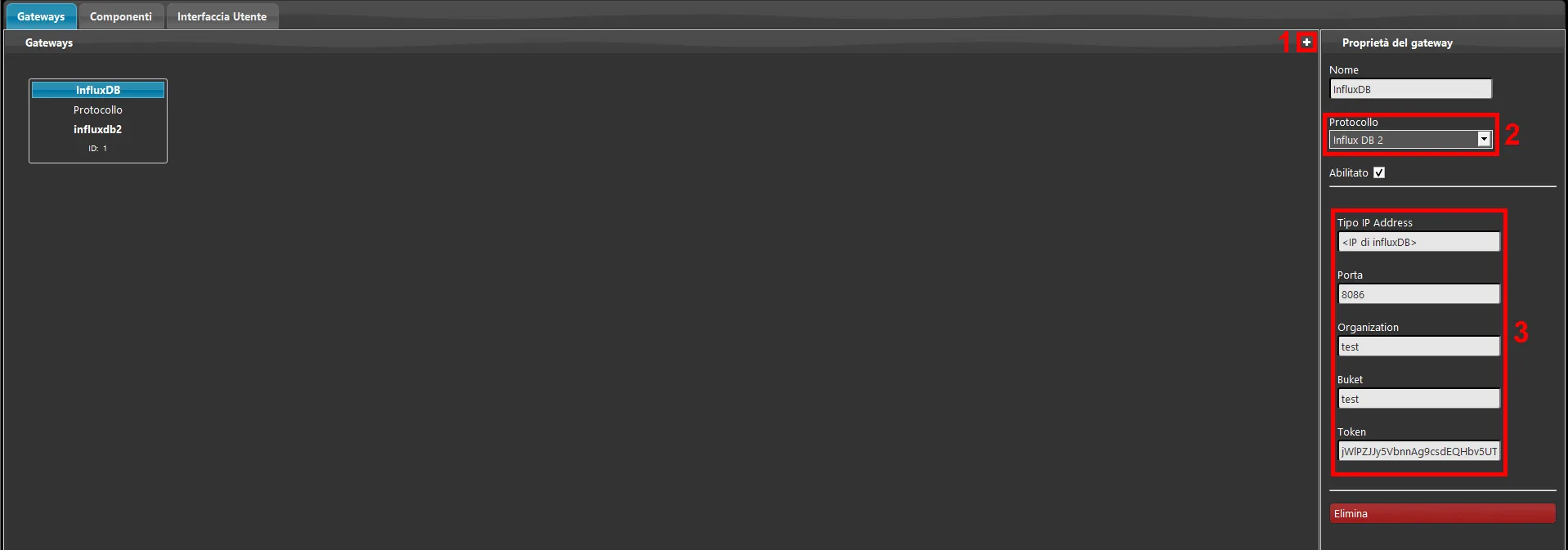
CONFIGURING DATA SENDING TO INFLUXDB IN ILEVIA MANAGER
1. Open Ilevia Manager, add a new gateway by going to the Gateway section and clicking the + icon in the top right. 2. In the gateway parameters, select Influx DB 2 from the protocol list. 3. Fill in the gateway parameters with the values set on the InfluxDB server.
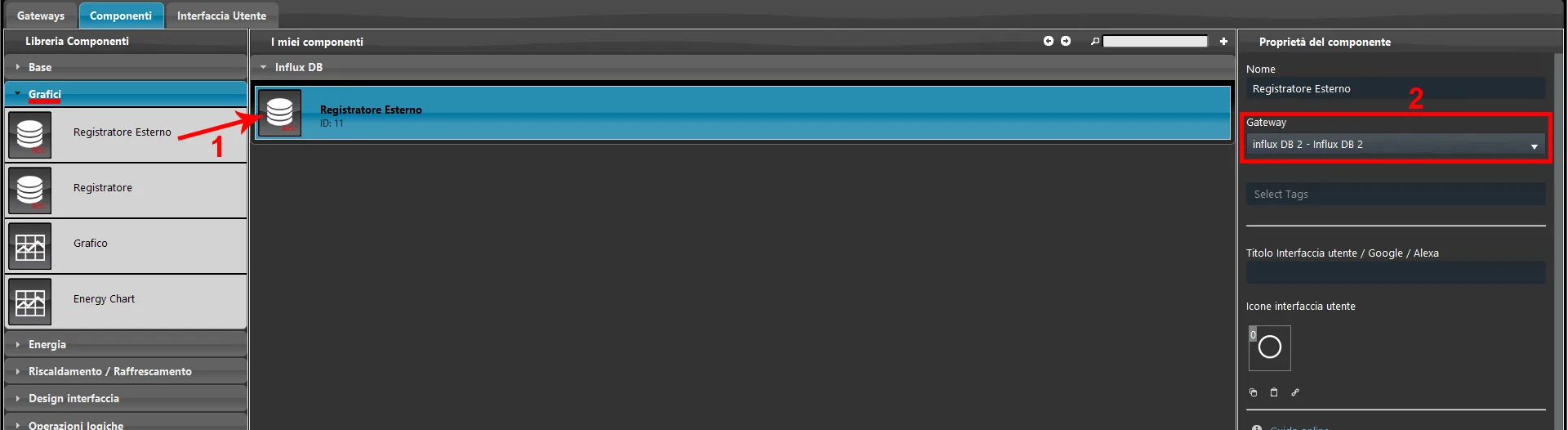
1. Go to the Components section and add an External Logger component to the project. You can find the component in the Charts section of the Component Library.
2. Select the Influx DB 2 gateway from the drop-down menu in the properties of the External Logger component.
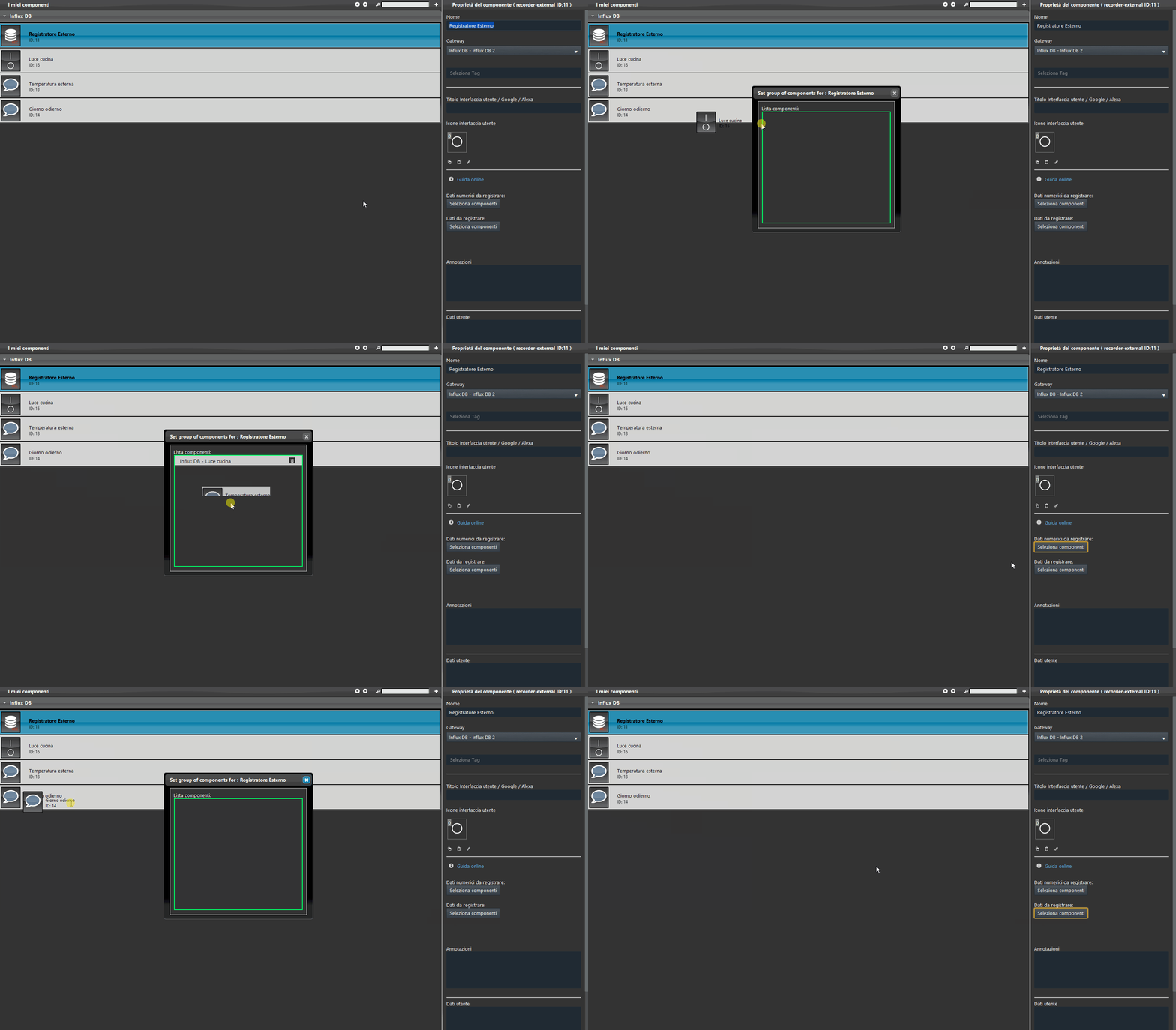
To add the components to be recorded, select the External Logger component.
Depending on the type of data to be recorded, select the corresponding component list:
Numeric data to record: in this list you can add components that display a numeric value (e.g. an Info component that shows a temperature or a Switch that changes state from 0 to 1);
Data to record: in this list you can add components that display text (e.g. an Info component that contains text).
OTHER CONFIGURATIONS
For other questions and configurations, we recommend contacting our Technical Support for targeted guidance based on your needs.