Hysteresis
How to use the Hysteresis component in Ilevia Manager to control an output based on a sensor value, with display in the app.
Introduction
This component allows you to build a thermostat-like logic, applicable in various scenarios, for example turning on one or more lights based on the Lux value read by a sensor. With this logic, you can also apply hysteresis values, which are taken into account by the logic.
Use cases
The user wants the garden lights to turn on at dusk;
The user wants the dehumidifier to turn on when the room humidity exceeds the defined value;
The user wants to turn on a group of lights based on the value of a Lux sensor. Click here to view the example guide.
Component properties
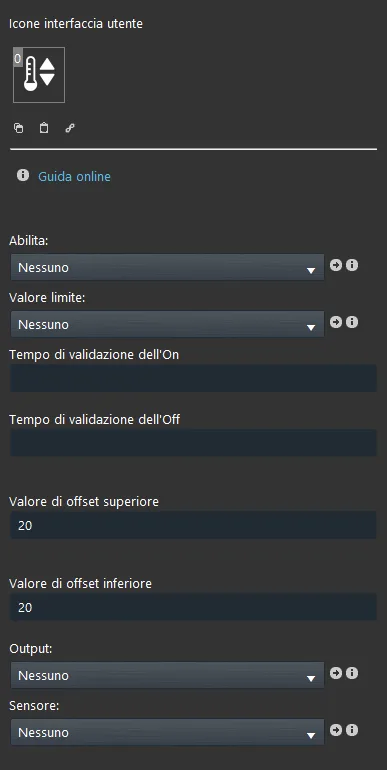
Enable: add an Switch component to enable or disable the Hysteresis component function;
Threshold value: add an Adjustable value component, Setpoint or Info to set a threshold value for the Hysteresis function;
On / Off validation time: these two time values are applied when the upper or lower threshold value is reached;
Output: connect a Switch component;
Sensor: connect an Adjustable value component or an Info, which is considered as the sensor value.
Reminder before you continue:
Download and install the Ilevia Logic plugin to enable plugins (link);
After uploading the Ilevia project to the server, wait a couple of minutes for the logic to start.
Classic view
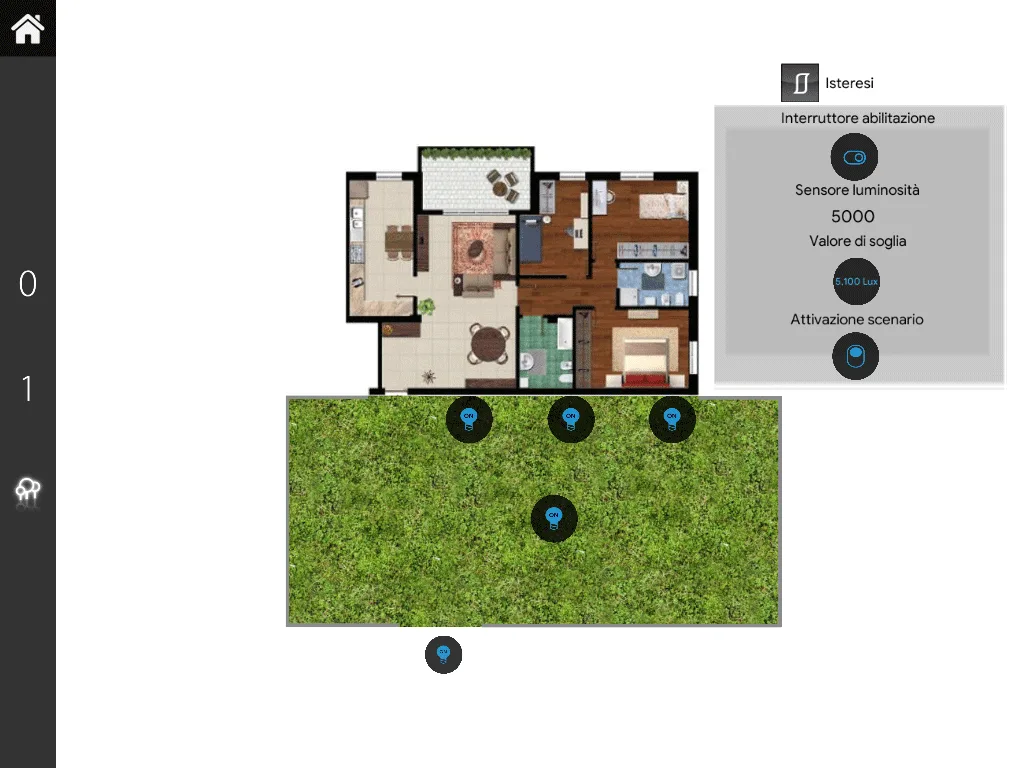
This is one of the ways the Hysteresis component can be displayed in the Ilevia Control app interface ( Classic style).
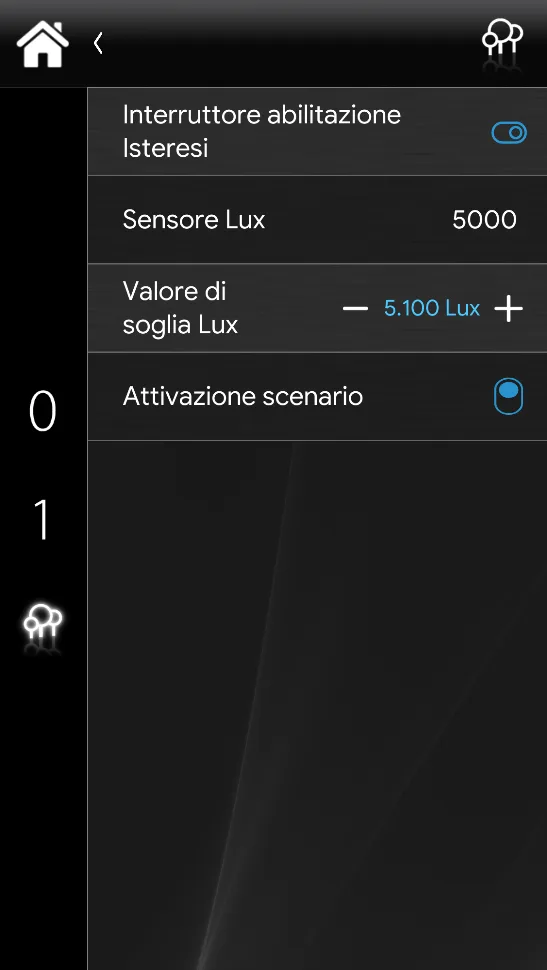
Map view
This is one of the ways the Hysteresis component can be displayed in the Ilevia Control app interface ( Map style).