
Load control
How to use the Load control component in Ilevia Manager to shed loads according to priority when consumption exceeds the threshold.
Introduction
The Load control component allows, via a Power meter, disconnecting loads according to a defined priority when consumption is too high. The user can disable the entire function at any time or exclude a single load from the control logic. The Power meter and Load components are required for the correct operation of Load control.
Component properties
The title and icon can be changed according to your preferences. We recommend referring to the “Common properties” guide.
GUI
This component was created using the Graphic UI gateway.
You can refer to the “Gateway / protocols” chapter for more information.
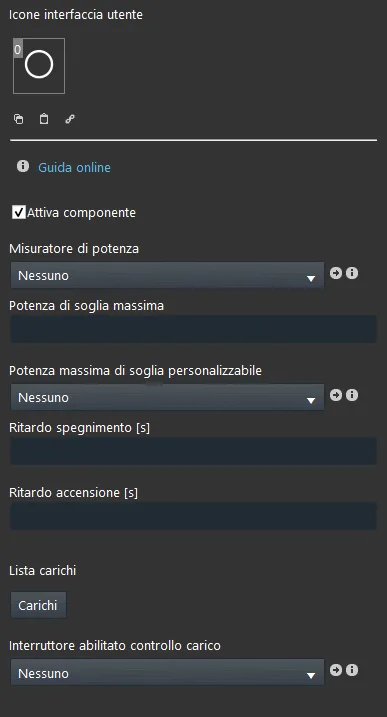
Enable component: checkbox that defines whether the function is enabled or disabled in the system;
Power consumption meter: the Power meter component handles power measurement;
Maximum power threshold: threshold [Watt] above which the first load will be switched off;
Adjustable maximum power threshold: the Adjustable value component allows you to change the threshold value. It can be added to the user interface to allow modification of the permitted maximum power threshold;
Switch-off delay: delay between switching off one load and the next [seconds];
Power on delay: delay between switching on one load and the next [seconds];
Loads: this list must include the Load components that will be disconnected when the power threshold is reached.
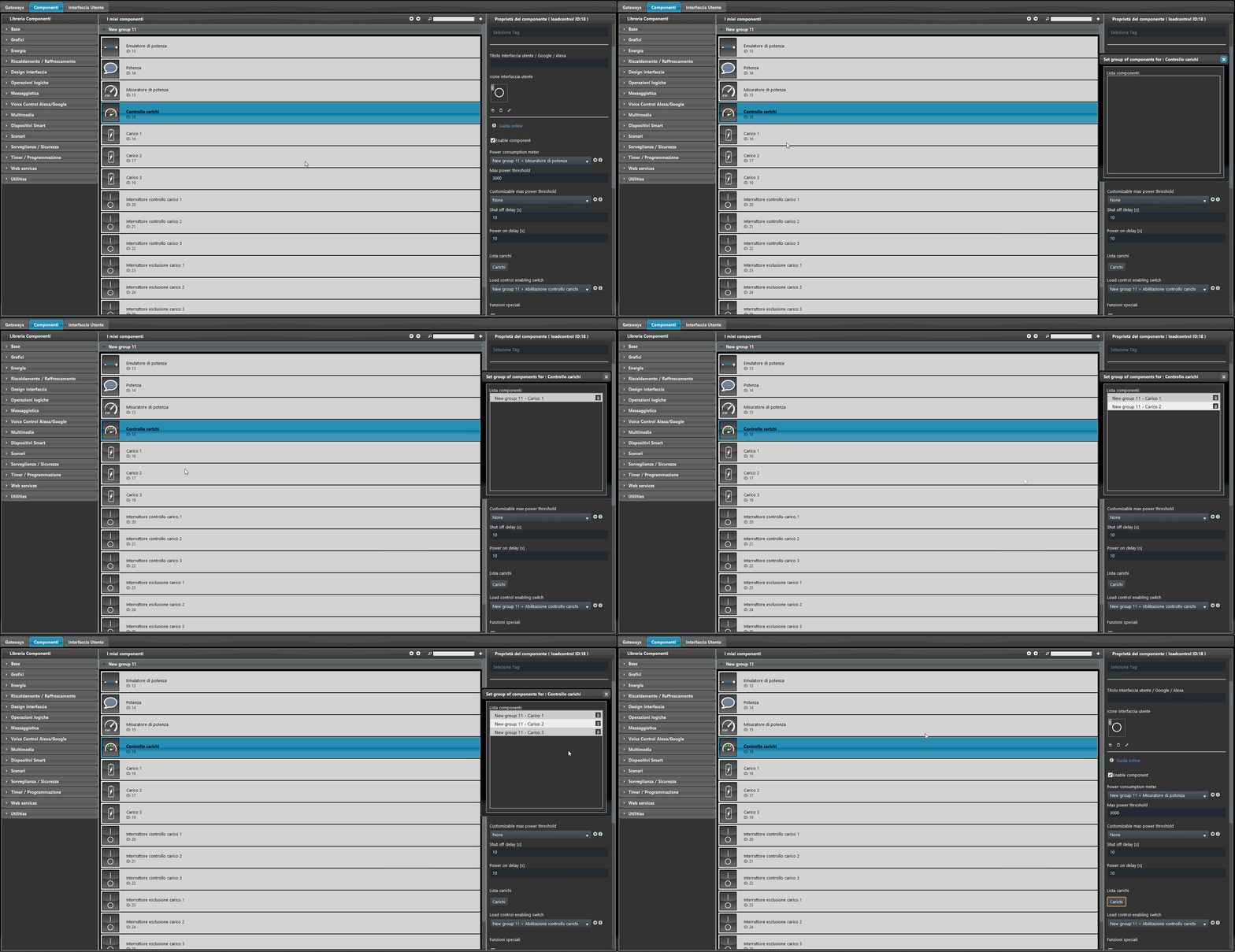
Adding Load components to Load control
Loads: list containing the “Load” components considered by Load control;
Selection is performed by dragging the Load component from the “Components” section to the list area.
Load priority: the order of this list defines the switch-off priority of each load (from first at the top to last at the bottom), while the switch-on priority goes from bottom to top.
Enable / disable Load control
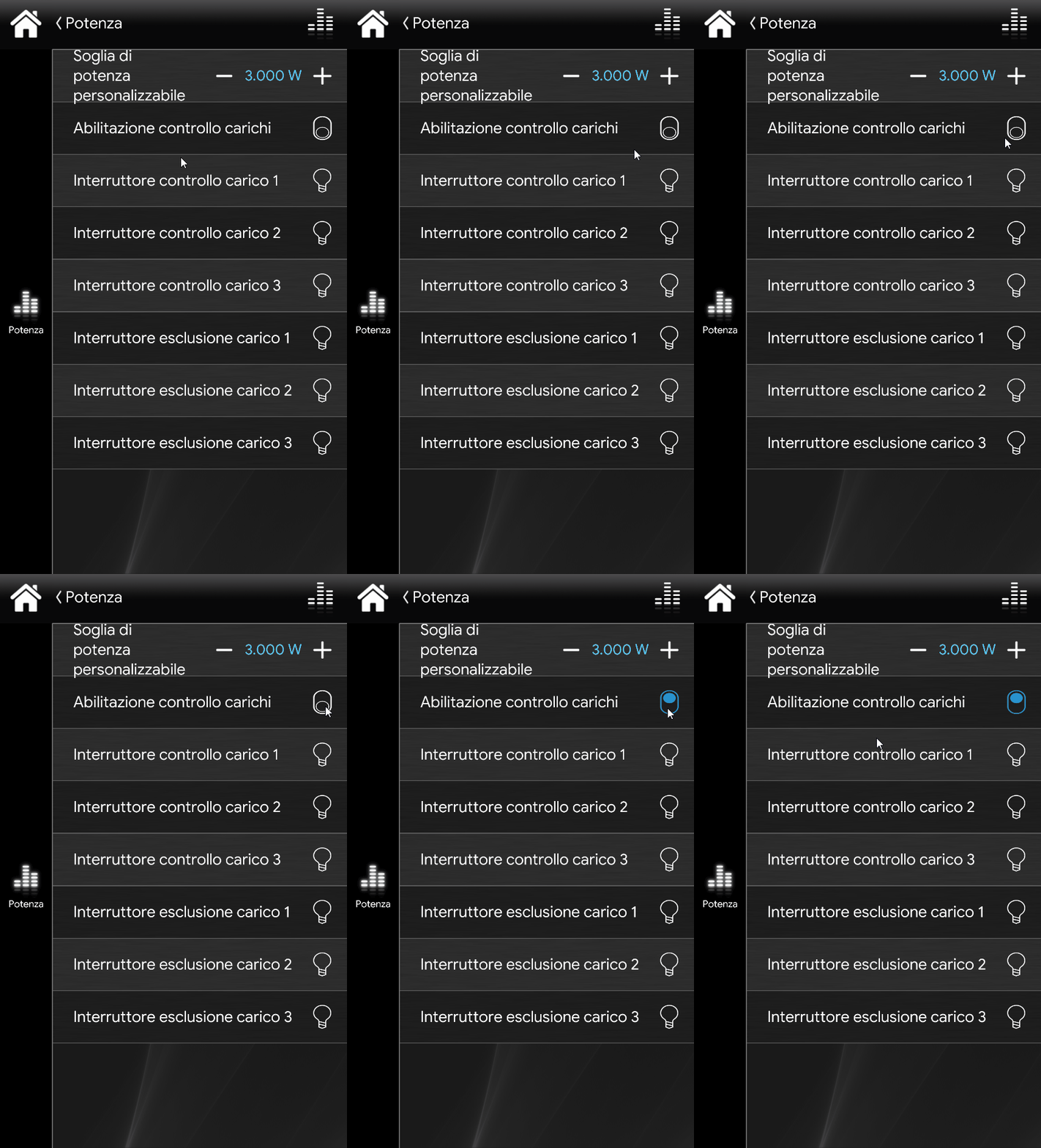
Load control enabled switch: the Switch component allows you to define whether the function is enabled or disabled;
This component can be added to the user interface to allow the user to enable / disable Load control.
User-adjustable maximum threshold
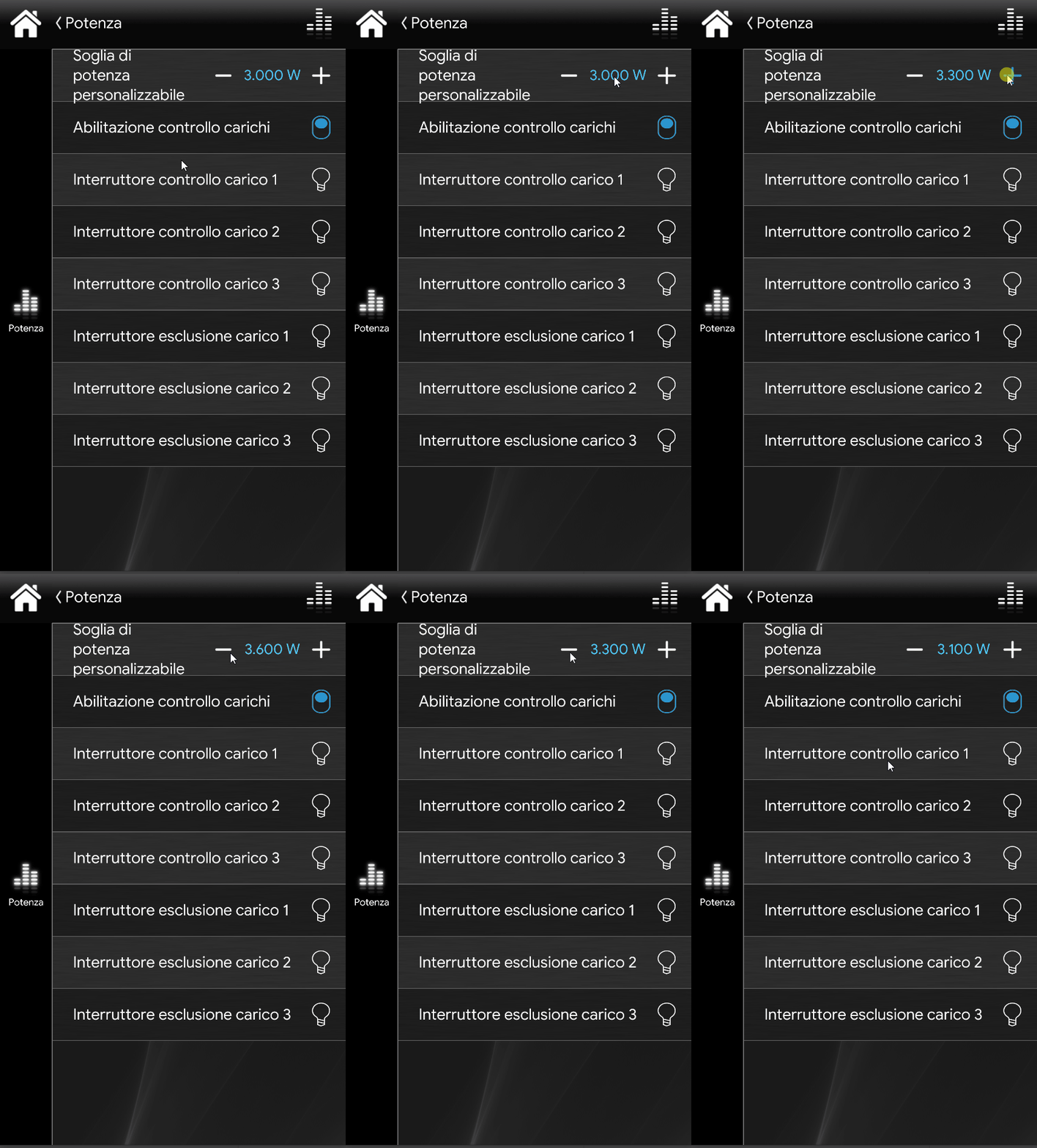
Customizable maximum threshold power: by adding the Adjustable value component to the user interface, the user can change the threshold value directly from the app;
Load control demo project
Click here to view the explanatory page where you can download the demo project and try it out.
Reminder before continuing:
Download and install the Ilevia Logic plugin to enable plugins (link);
After uploading the Ilevia project to the server, wait a couple of minutes for the logic to start.