
Load
How to configure the Load component in Ilevia Manager, to use with Load Control to manage switching and automatic or manual mode.
Note: this component is required in the configuration of the Load Control plugin.
Introduction
This component is required to configure the Load Control plugin. Use it to define each new load, switching on / off and automatic or manual mode.
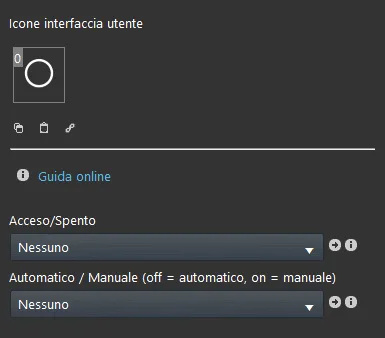
Component properties
The component title and icon are fully customizable. We recommend referring to the “Common properties” guide.
GUI
This component was created using the Graphic UI gateway.
You can refer to the “Gateway / protocols” chapter for further information.
On / off: Switch component that turns the load on or off;
Automatic / Manual: Switch component that defines whether the load is in “Automatic” or “Manual” mode. In Automatic, the load is managed by the Ilevia server Load Control component; in Manual mode, the load is excluded from Ilevia server load control.
Both switches can be added to the user interface to allow users to change the Load settings.
Load component setup
The Load component consists of two Switch components. The first turns the load on or off, the second selects the load mode (Automatic / Manual).
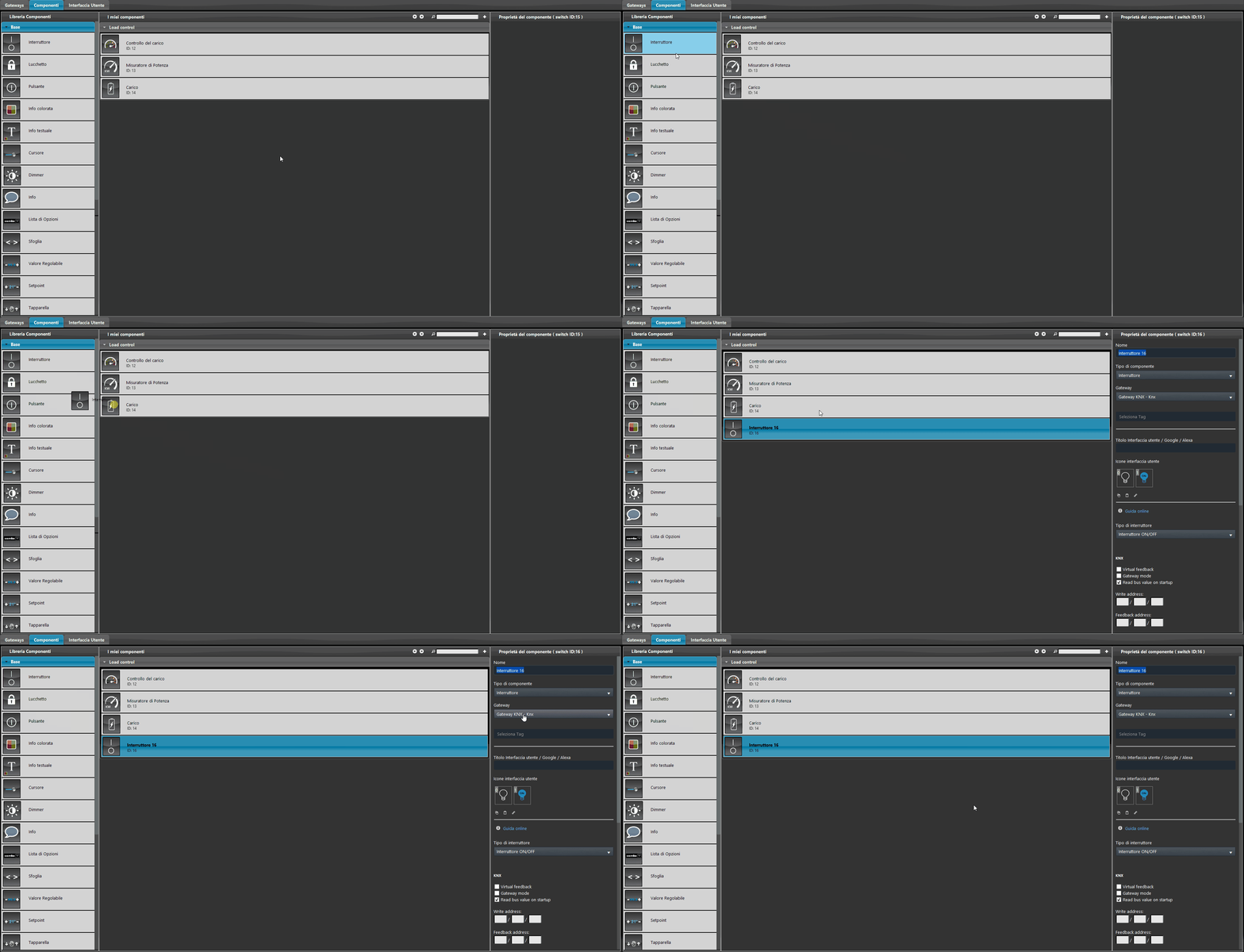
Step 1:
Add the first Switch component: in our case it is set with the KNX protocol and controls the load on and off.
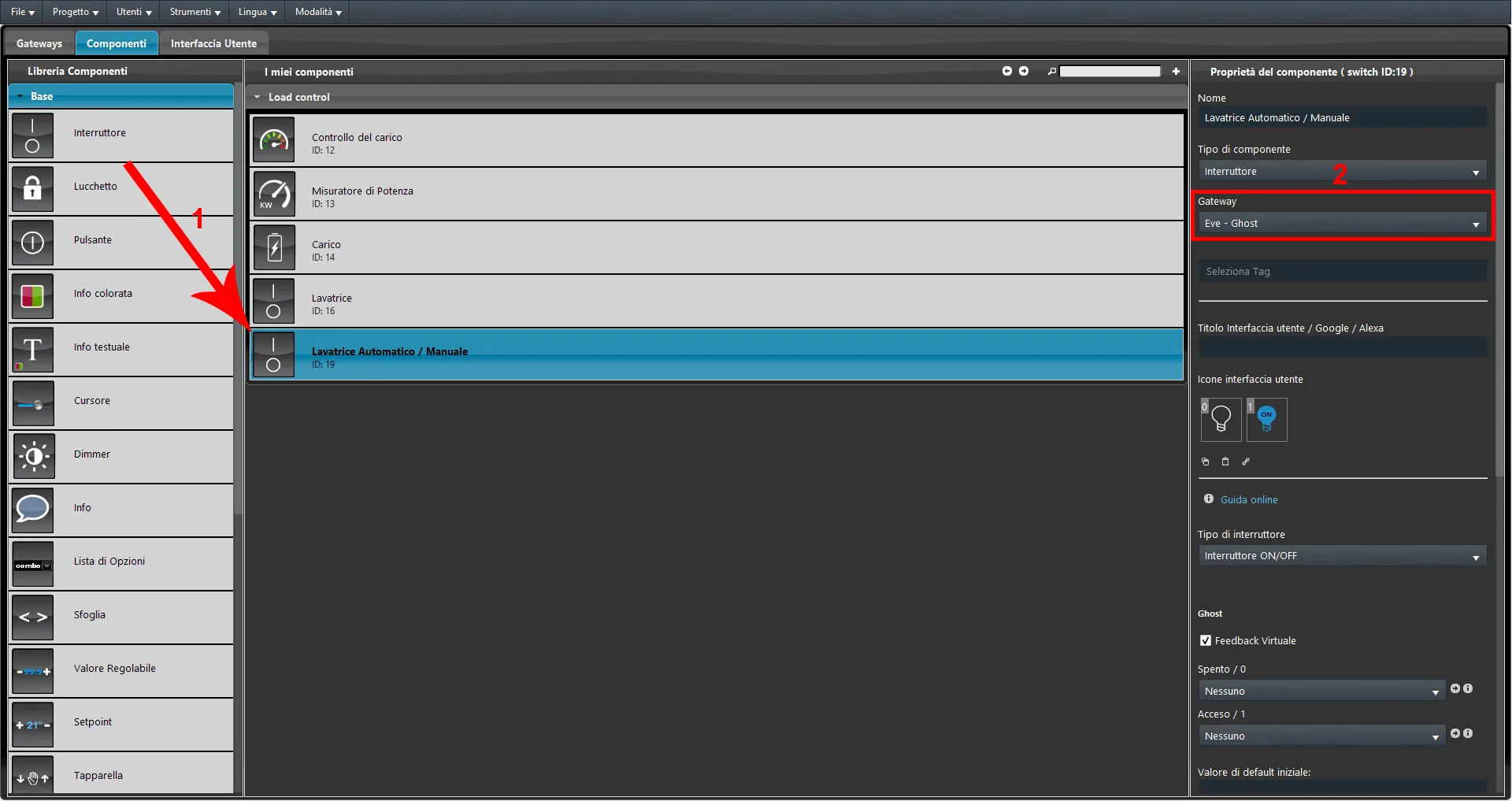
Step 2:
Add a second Switch component: this must be set with the EVE-Ghost gateway (virtual component) and is used to select the load mode (Manual / Automatic).
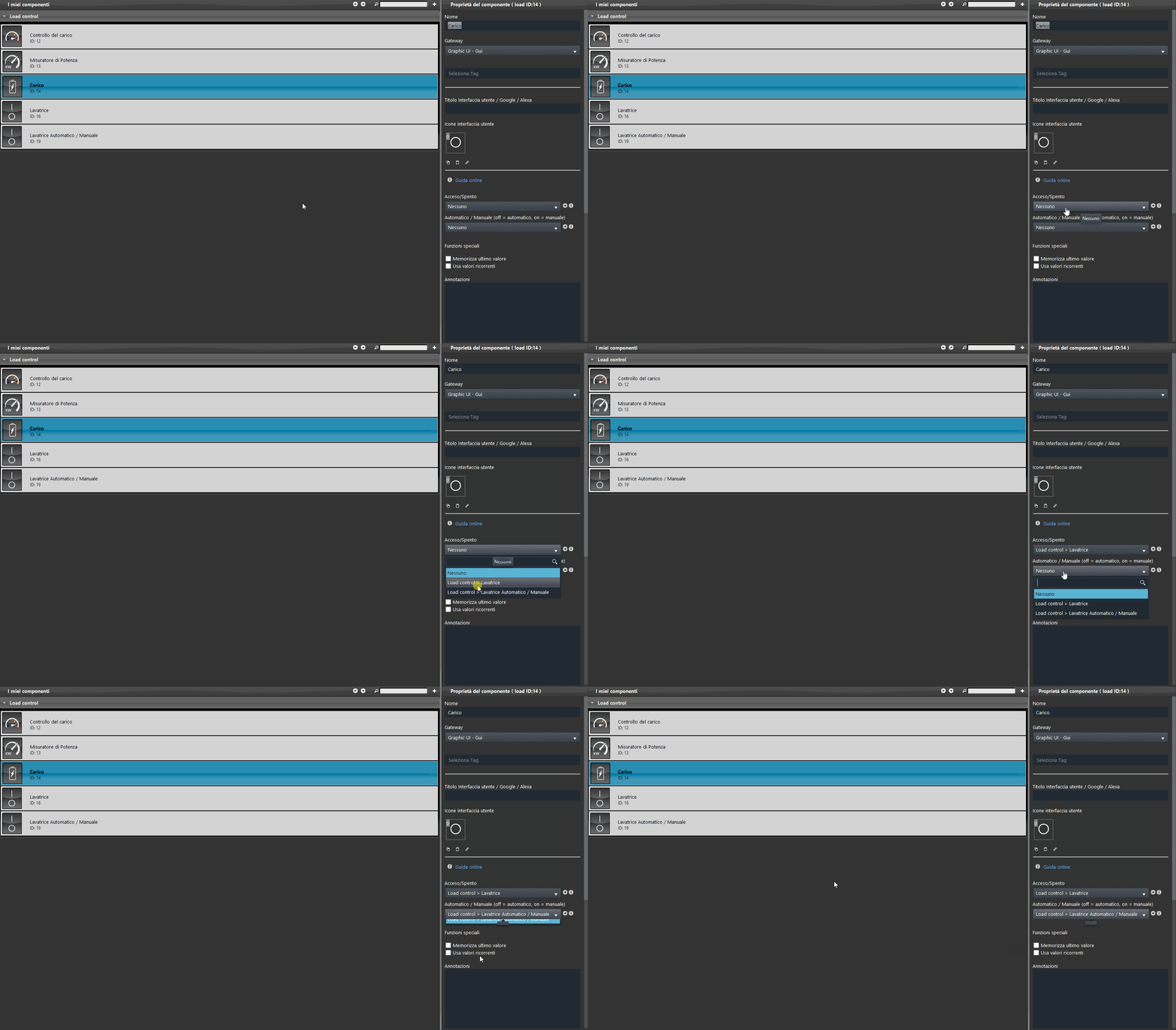
Step 3:
Finally, connect the two Switch components to the Load component by selecting them from the relevant drop-down menus in the Load component.
Help
Load configuration is completed simply by dragging and dropping the components. When setting the components in their parameters, you can use the Options List component, or drag them from the “Components” section to the component selection section.
Reminder before continuing:
Download and install the Ilevia Logic plugin to enable plugins (link);
After uploading the Ilevia project to the server, wait a couple of minutes for the logics to start.