Specific brightness with the Twilight component
How to set a different brightness on a light based on the time of day, using a Twilight component and two If Then functions.
Introduction
You want to set a different brightness on a specific light based on the time of day. This guide explains how to configure automatic dimming with a Twilight component and two If Then components.
Components required for the configuration
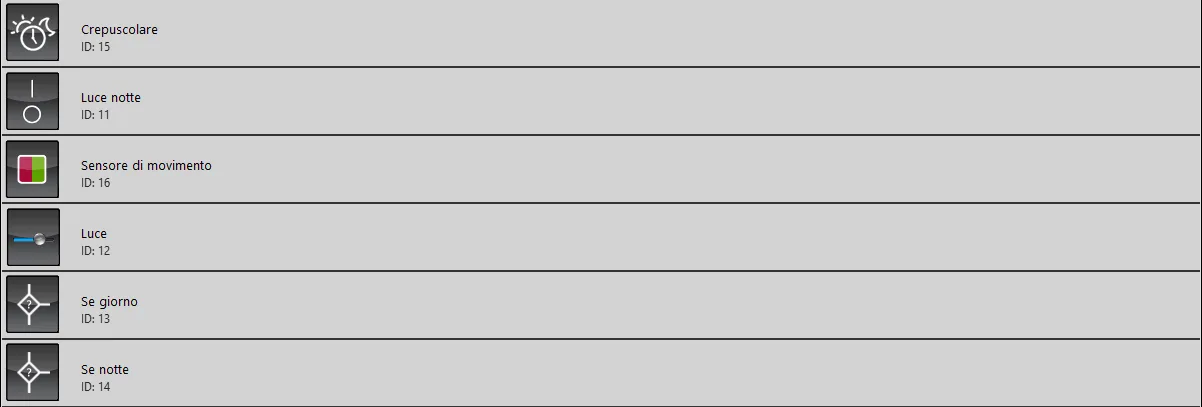
Twilight (Twilight): required to perform this operation correctly; it acquires the sunset and sunrise times based on the coordinates entered in its properties.
Night light (Switch): this switch is enabled by the Twilight component and determines which function will be active.
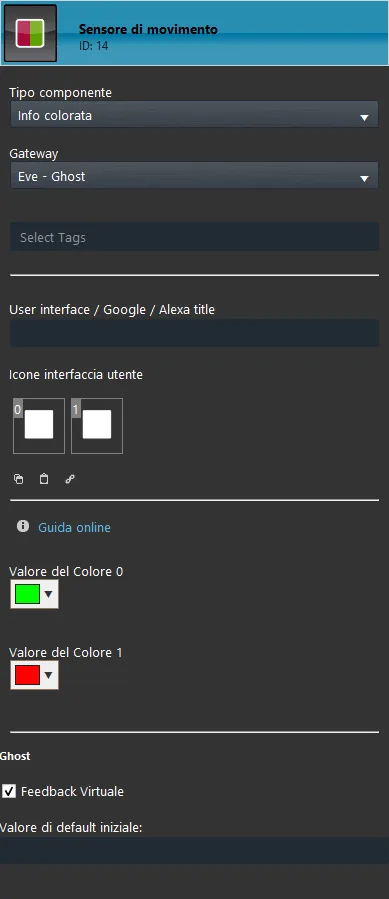
Motion sensor (Colored info): Colored Info component configured with the parameters of a motion sensor; it changes state when the sensor detects motion.
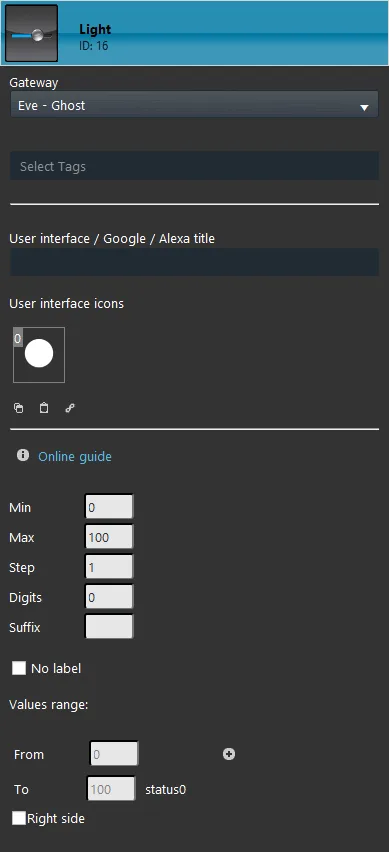
Light (Slider): used to set the brightness of the light (physical device).
If day (If Then): If Then function that specifies conditions on multiple components; in this case it sets a brightness percentage on the Light component based on the value of the Night light switch.
If night (If Then): If Then function that specifies conditions on multiple components; in this case it sets a brightness percentage on the Light component based on the value of the Night light switch.
Component configuration
Twilight
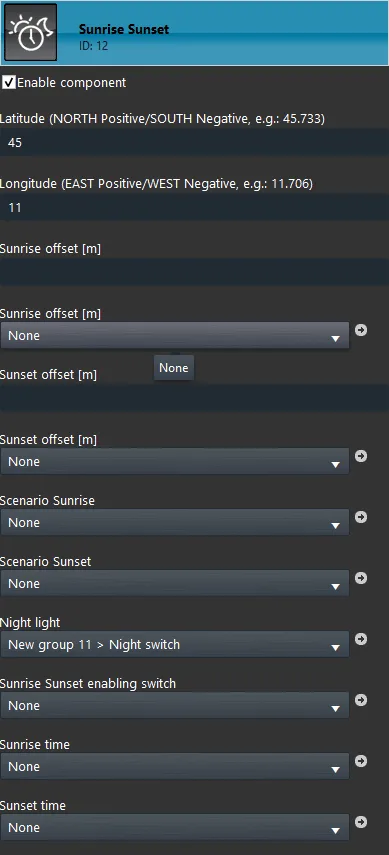
It is necessary to set the exact coordinates of the location where the Ilevia server is installed in the properties of the Twilight component.
Component properties:
Night light
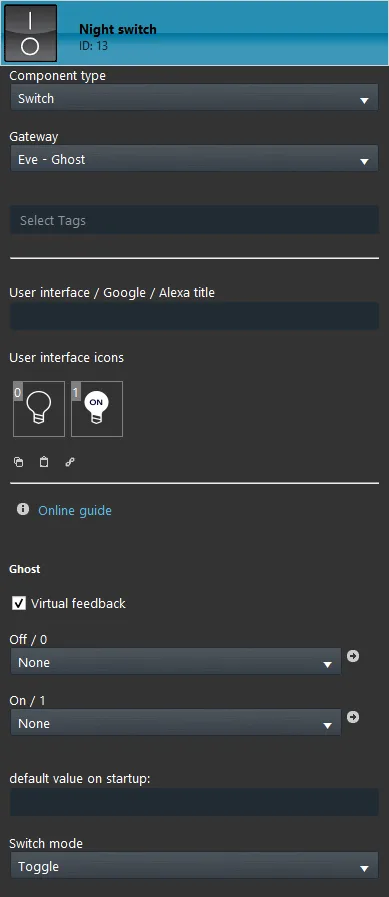
Add a new Switch component to the project and enter it in the properties of the Twilight component under Night light. In this example the component is set with a Ghost (virtual) gateway, for demonstration purposes.
Component properties:
Motion sensor
This component is configured to simulate a motion sensor. Its state changes every time the sensor detects motion.
Component properties:
Light
This component allows the user, and therefore the function, to set a specific brightness on the physical device. In this example the component is used in the function to set the brightness based on the state of Night light.
Component properties:
If day
This function will set a specific brightness on the Light component based on the conditions specified below.
Component properties:
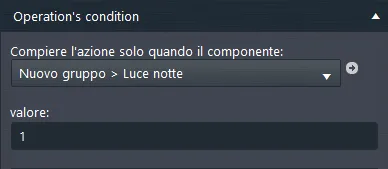
Operation condition: if the Night light component is On, the first condition is executed.
Primary condition: checks the state of the Night light component. If Night light has the value “0”, the function continues.
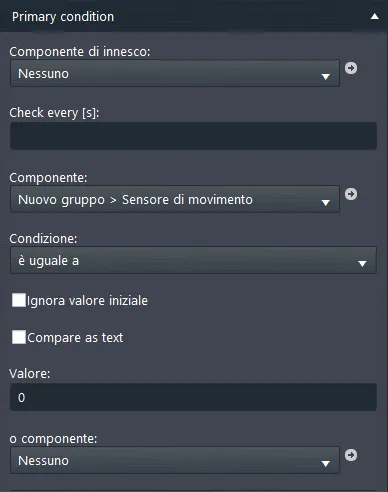
Secondary condition: the reference component is the Motion sensor, which must have state “0” for the condition to be executed.
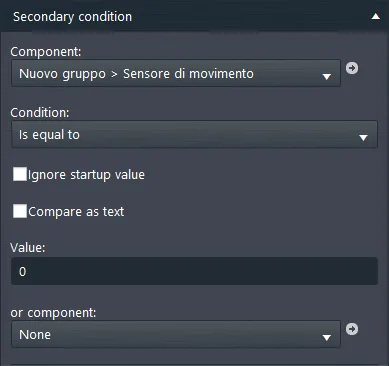
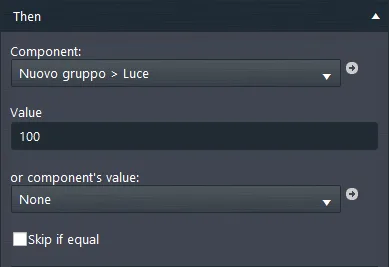
Then: this is the consequence of the primary condition and sets the value “100” on the Light component.
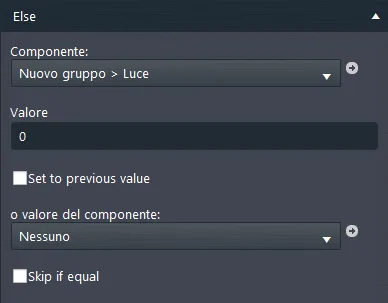
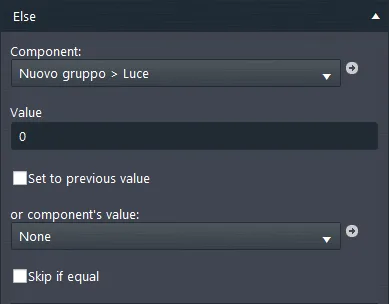
Else: this is the consequence of the secondary condition and sets the value “0” on the Light component.
If night
This function sets a specific brightness on the Light component based on the value of the Motion sensor component.
Component properties:
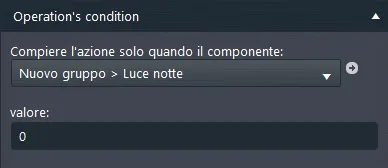
Operation condition: if Night light has state “0”, the function continues.
Primary condition: if the Motion sensor component has value “1”, the condition continues.
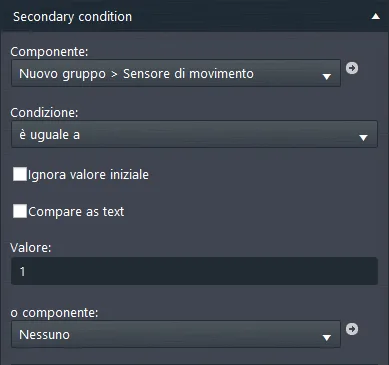
Secondary condition: if the motion sensor has state “0”, the secondary condition is applied to the function.
Then: this is the consequence of the primary condition; in this case a specific percentage is applied to the Light component.
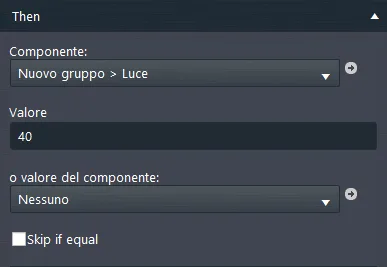
Else: this is the consequence of the secondary condition and sets the value “0” on the Light component.