Email account
How to configure the Email account component in Ilevia Manager, which defines the server used to send emails, with guidance for Gmail accounts.
Note: this component will be required when configuring the Email plugin module.
Introduction
This component is required to configure the Email plugin module. The Email account component is used to define the server used to send your emails.
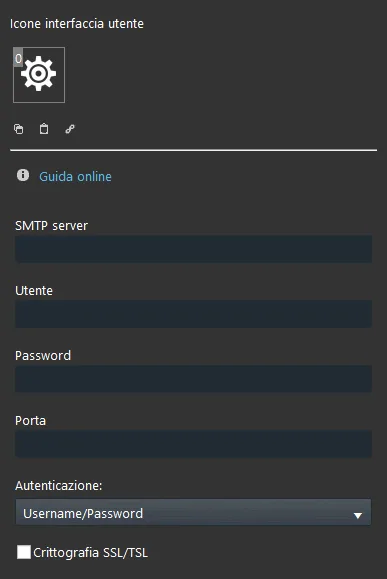
Component properties
The component title and icon can be customized. See the “Common properties” guide.
GUI
This component was created using the Graphic UI gateway.
See the chapter “Gateway / Protocols” for more information.
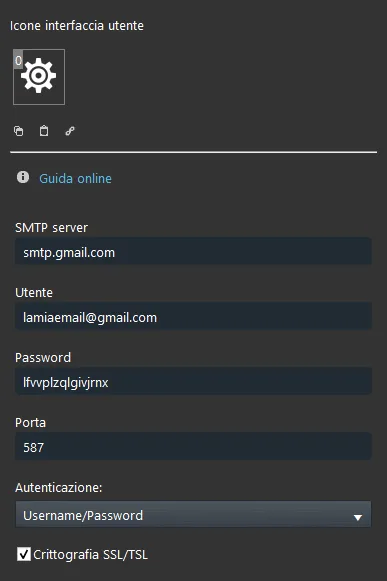
SMTP server: enter the SMTP server corresponding to your email host;
Username: the email account username (the email address);
Password: the email account password;
Port: enter the correct port;
Authentication: choose the authentication option that will be used for the email account;
SSL Encryption: enable this option only if your email host uses this protocol type.
Reminder before continuing:
Download and install the Ilevia Logic plugin to enable plugins (link);
After uploading the Ilevia project to the server, wait a couple of minutes for the logic to start.
Warning: for Gmail users only, follow this guide before starting the configuration in Ilevia Manager
How to use Gmail to send emails through Ilevia Manager:
We recommend following this guide if you want to use Gmail IMAP settings to send emails without Google showing the “APP NOT SAFE” warning.
Before continuing, you must enable two-step verification on your Google account: see this guide to activate it.
To generate a new password for an email to access the account via IMAP with two-step verification:
Click this link to access your Google account IMAP settings;
Go to the third-party app password creation page by clicking this link;
Enter a name to associate with the application and then click Create. A new password will be generated to enter in the Email account component:
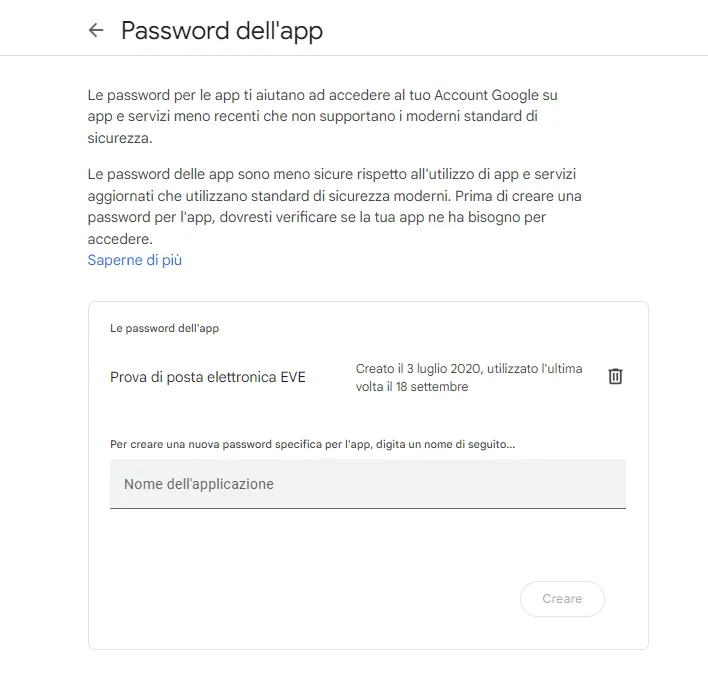
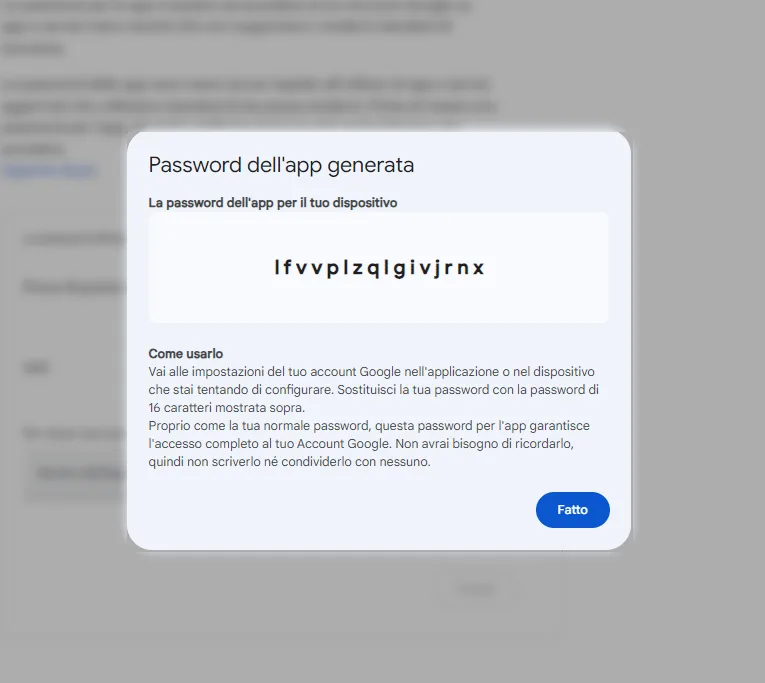
You have now created the new password to use in Ilevia Manager with your email.