
Signal component sample project
Sample project to configure the Signal component in Ilevia Manager and test it in the Ilevia Control app.
Introduction
The purpose of this example is to show how to use the Signal component to trigger an alarm after a motion sensor has remained active for more than 5 seconds.
Preparing and loading the project in Ilevia Manager:
Extract the file;
Open Ilevia Manager, go to the top-left corner, click File – Open – click "Ok" in the message that appears and select the file you just extracted.
Start the virtual machine or the Raspberry;
Download and install the latest logic following this guide.
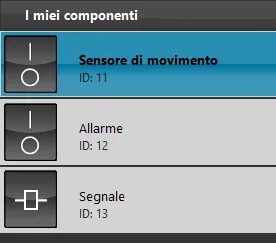
After loading the project in Ilevia Manager, the components used to configure it will be visible in the "Components" section:
The "Motion sensor" switch simulates the motion sensor, and the alarm switch simulates alarm activation.
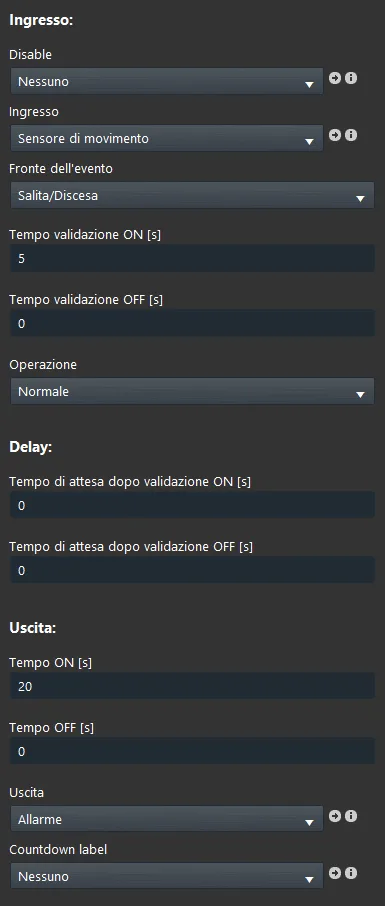
Click the Signal component to view its configuration:
We set the motion sensor switch as the input component and the alarm switch as the output.
We set the event type to "Rising edge", meaning only when the motion sensor state changes to On;
We set 5 seconds as the On value validation time: the alarm triggers only after the motion sensor has remained active for more than 5 seconds;
We did not set a wait time between validating the input component value and activating the output component;
We set the output component to remain active for 20 seconds.
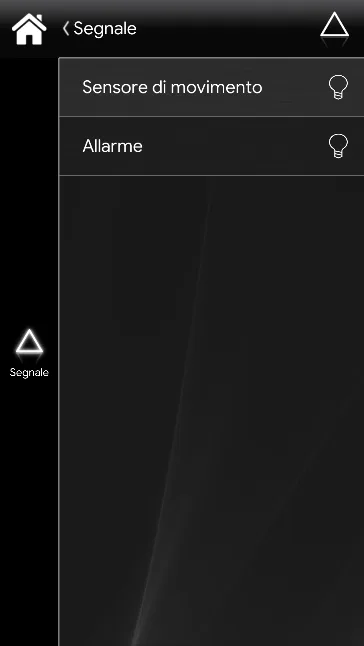
The Signal component cannot be added to the user interface: in fact, you will only find the two switches.
After loading the project on the server ("Project" menu in Ilevia Manager, then upload to server), log in to the Ilevia Control app by entering the IP address of the virtual machine or Raspberry, with username "admin" and password "password".
Login account for the app
User: admin Password: password
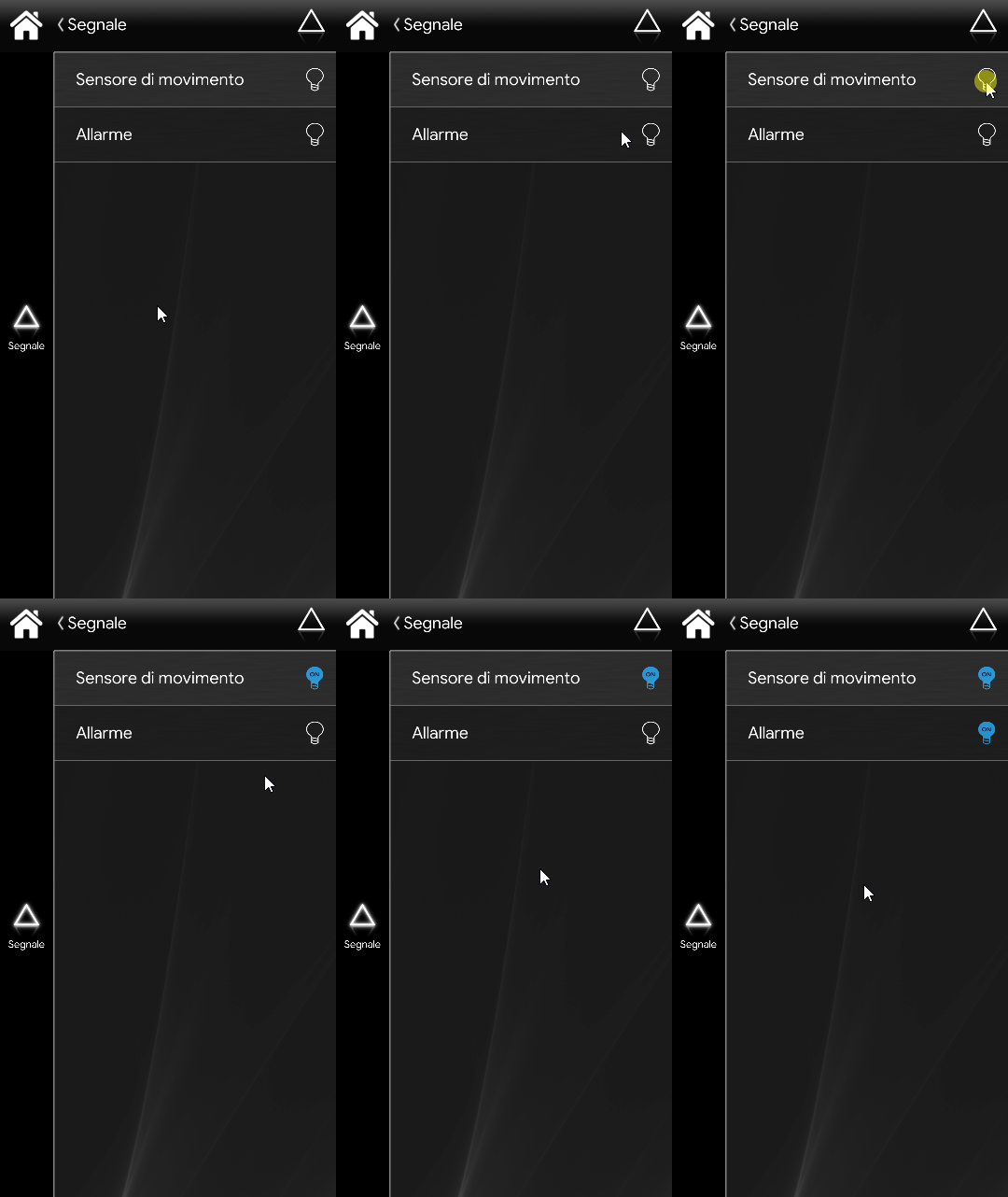
In this interface, if you click the motion sensor and leave it on for more than 5 seconds, you will see the alarm turn on for 20 seconds, as configured in the Ilevia Manager project.
Click the link to download the sample project and try it out.