
NOTIFICATION SAMPLE PROJECT
Sample project of how to set up a notification component inside the ilevia's configuration software and how it looks within the Ilevia remote.
INTRODUCTION
The purpose of this example is to show you how to use the Notification component to warn a user when a certain event occurs.
Preparing and loading the project in Ilevia Manager:
unzip the file;
open Ilevia Manager, go to the top left, File – Open – press “Ok” on the message that appears and select the file just decompressed;
Start the virtual machine or the Raspberry or power on the X1 server;
Download and Install the Logic by following this guide.
Step 1:
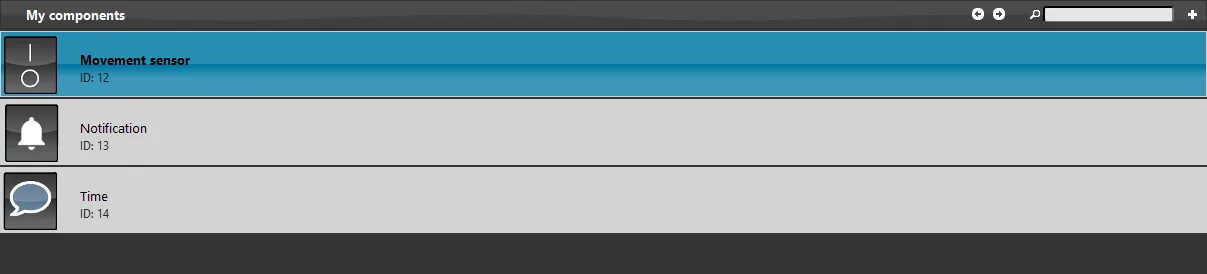
Open Ilevia Manager, after the project is loaded, the components that are used to configure the project of the Notification component are visible in the “My Components” area:
The “Motion Sensor” switch will simulate a motion detector, and the Info “Timer” component is set with the “Today date / time” tag and will show the date and time of day.
Step 2:
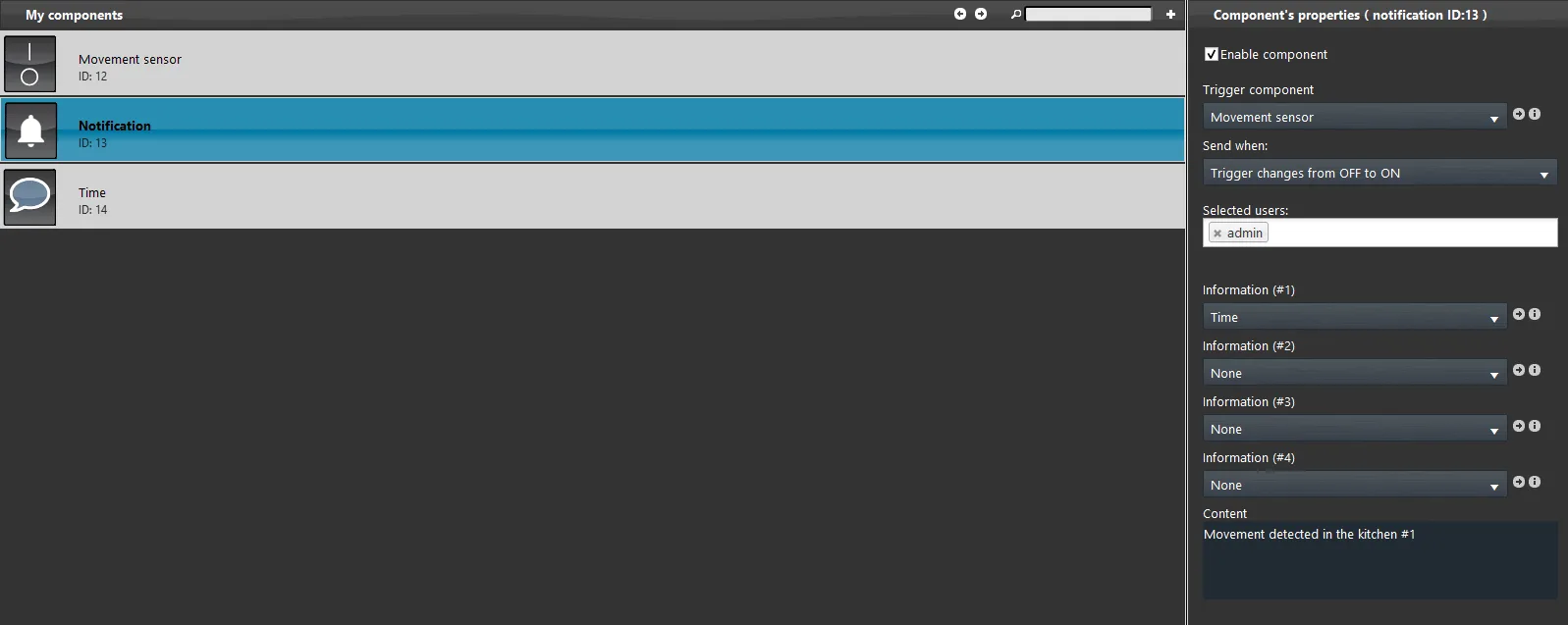
Enter the Notification component to view its configuration:
Our goal is to make appear a warn notification just as soon as the motion sensor detects a presence inside the kitchen;
As a trigger component we set the Motion Sensor and as a send action we set its ignition;
As user to whom we send the notification we have set the admin;
As the first and only information we set the “Timer” Info component;
In the content section set the warn message and add the number of the information that is set by (#1) as shown in the picture.
Step 3:
Once the project has been uploaded into the server, by clicking on the top of the Ilevia Manager on “Project” menu – Upload to server, here enter the IP address of your Ilevia server and then fill up the credential text field with the following onces: as User use “admin” user and as Password “password”.
Ilevia Remote login credentials
user: admin password: password
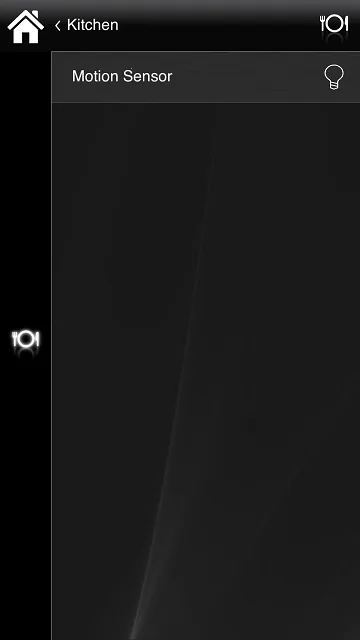
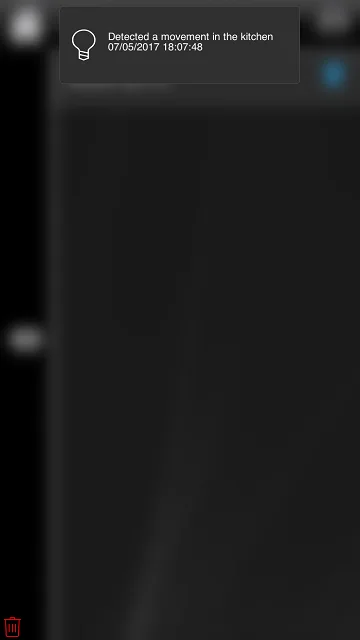
In this interface as soon as we turn on the motion sensor, we will receive a notification with the warning message and the time in which occurred.
Click the link below to download the demo project and try it your self.