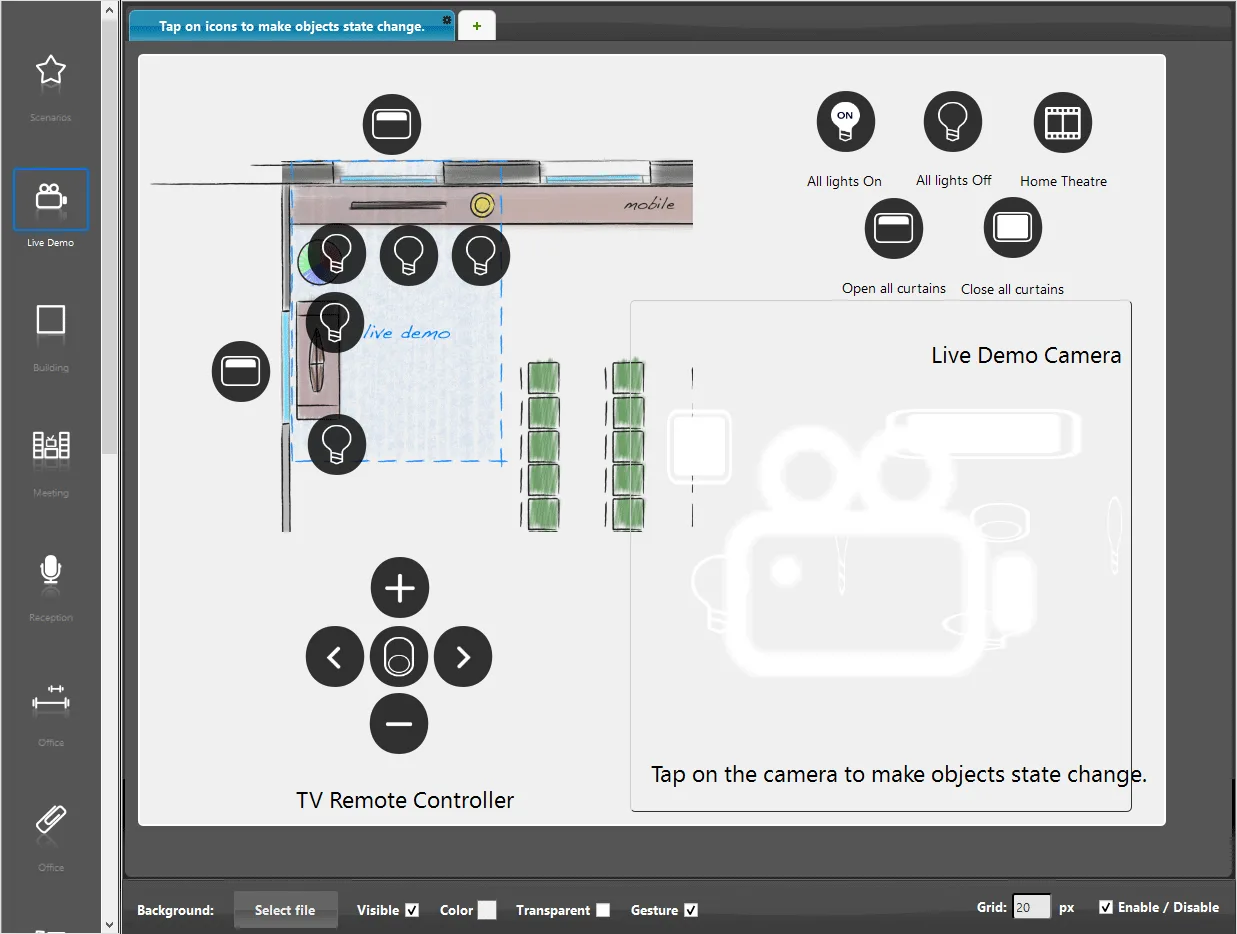
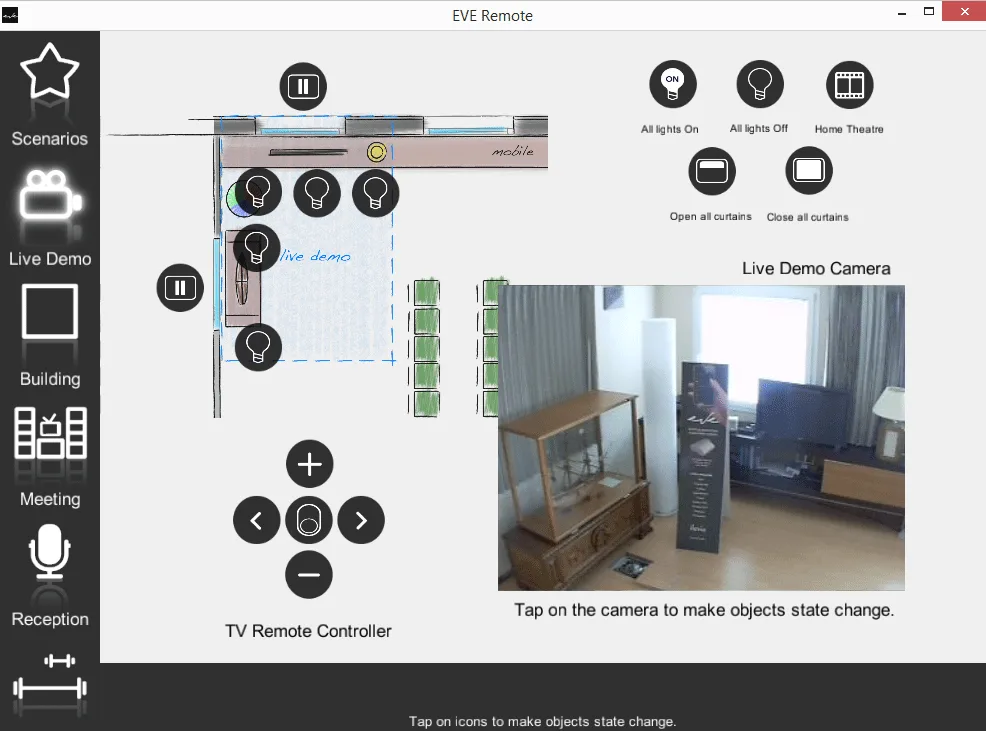
Context menu of the Map Interface editor
Context menu functions of the Ilevia Manager Map user interface editor: copy, component assignment, page and layer functions.
Introduction
If you right-click in the Map interface editor, a context menu appears with additional functions for the interface and components.
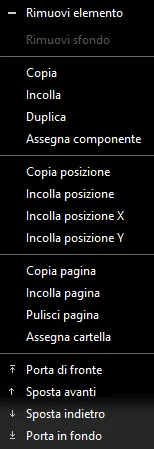
Remove item: removes the selected component from the interface editor;
Remove background: removes the background image inserted in the user interface editor;
Copy: copies the selected item in the interface editor;
Paste: pastes a previously copied item into the interface editor;
Duplicate: directly creates a duplicate of the selected item in the interface editor;
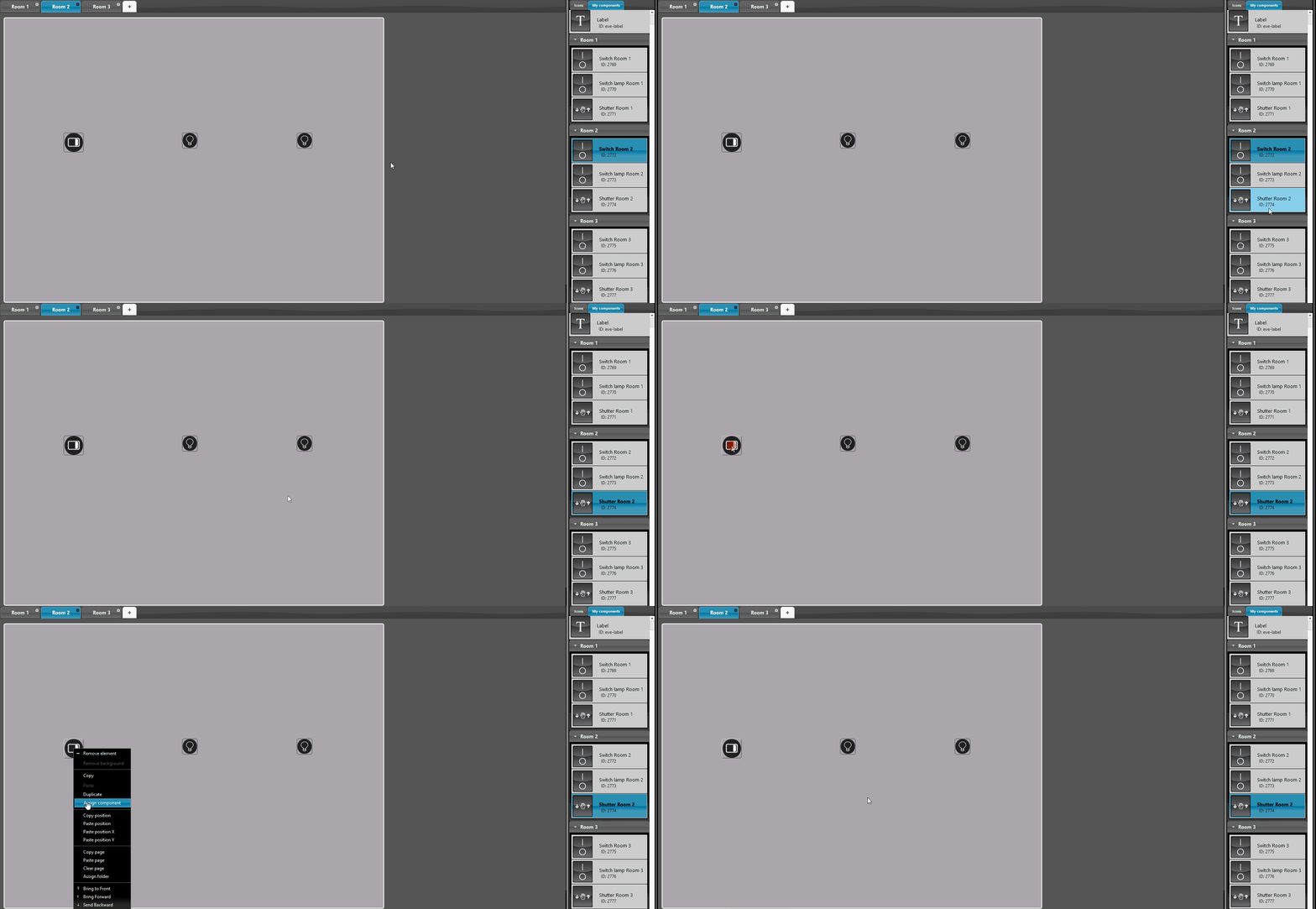
Assign component: assigns the properties (including the UID) of a component from your component list to a component added in the page editor. The operation completely replaces the component and is very useful for making quick changes to the user interface;
Copy position: copies the position of the selected component;
Paste position: pastes the previously copied position onto the selected component;
Paste X position: pastes only the previously copied horizontal position onto the selected component;
Paste Y position: pastes only the previously copied vertical position onto the selected component.
Page functions
Copy / Paste page: copies all components on the page and pastes them into another page, with the same position and size;
Clear page: removes all components from the current page;
Assign folder: assigns the properties of the entire component group from the component list (including the UIDs) to the group of components added to the sheet. The action completely replaces the components and is very useful for making quick changes to the user interface.
Note: the group components and the components on the sheet must be of the same type.
Layer functions
Bring to front: overlays one component on top of another;
Bring forward: brings a component in front of all other components on the same sheet;
Send backward: moves a component behind another component;
Send to back: moves a component behind all others.
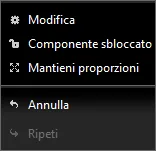
Edit: if selected, opens the edit menu of the selected component;
Component unlocked / locked: if enabled, allows you to lock or unlock the current position of the component in the interface editor. The component cannot be repositioned until the lock is disabled (Component unlocked);
Keep proportions: if enabled, preserves the height and width proportions when resizing the selected component.
Practical examples and visual results
Copy / Paste page
Suppose you have multiple rooms with the same type of components but different UIDs and settings. To speed up page creation, you can use the “Copy / Paste page” function, which copies all the components of the current page and pastes them into another page with the same layout.
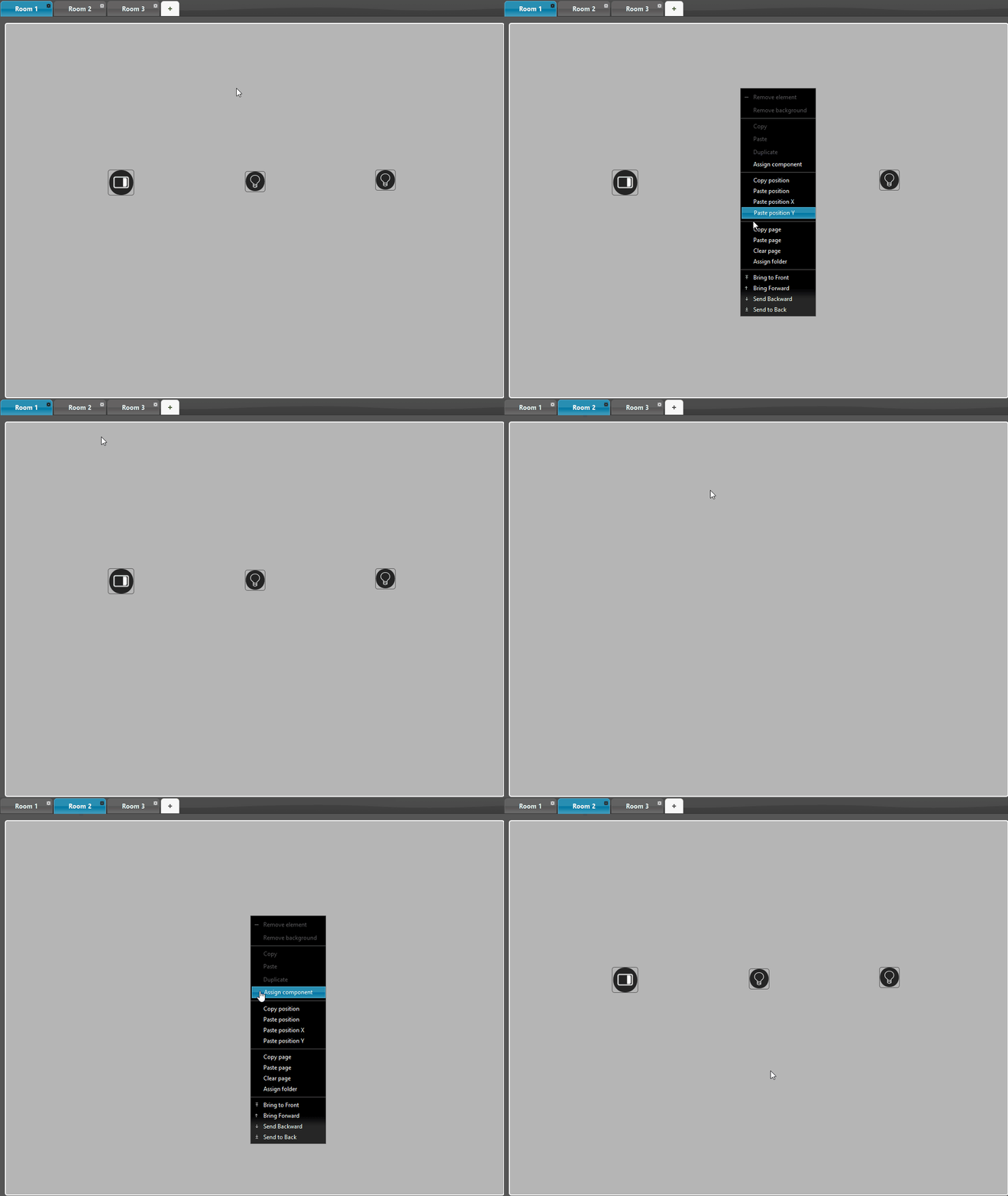
Assign component
After copying the page, you need to assign the new components to their corresponding ones in the project area. To do this, left-click the component whose properties you want to assign in the “My components” area, then right-click the desired component on the page and finally select the “Assign component” option from the context menu.
To verify that the assignment was performed correctly, check the component ID in its properties, which open with a double-click on its icon.
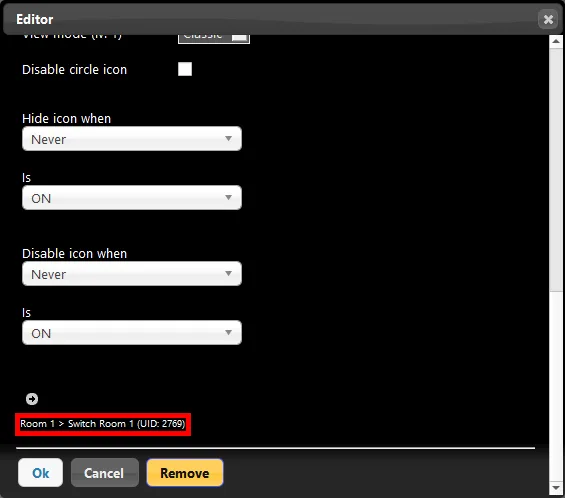
Before assignment
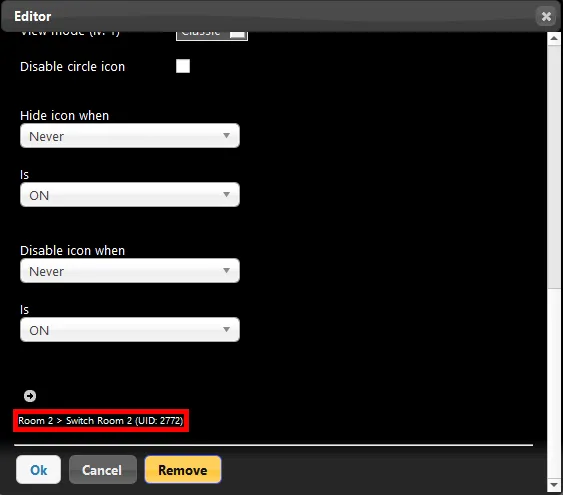
After assignment
Layer functions
Bring to front: brings a component in front of another, allowing multiple elements to overlap.