
Timer Component
The Timer component generates daily, weekly, or yearly events to automatically activate scenarios; configuration parameters in Ilevia Manager.
Introduction
The Timer component allows you to generate daily, weekly, or yearly events to trigger scenarios.
Use cases
The user wants to associate Timers with scenarios to trigger them automatically, without having to start them manually.
The Timer is useful for triggering scenarios within the system. The Timer component does not need to be configured with any specific gateway.
This is because the Timer is an internal mechanism of the Ilevia server: what matters is the server system date and time.
In the case of a Raspberry Pi without an internet connection, the Timer does not work properly because the Raspberry has no backup battery to keep the time updated even without a connection and when the device is powered off.
Component properties
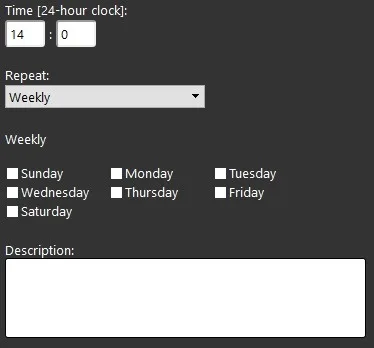
Repeat: Weekly
Time (0-24): select the time of day;
Days (checkboxes): select the days of the week;
Description: free text field for notes or specific information.
Component properties
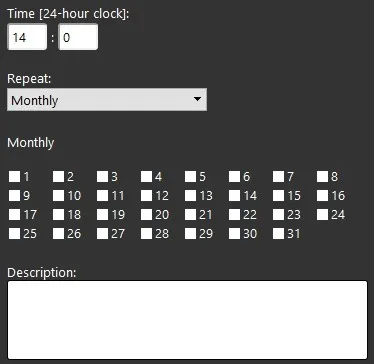
Repeat: Monthly
Time (0-24): select the time of day;
Numbers: select the days of the month;
Description: free text field for notes or specific information.
Component properties
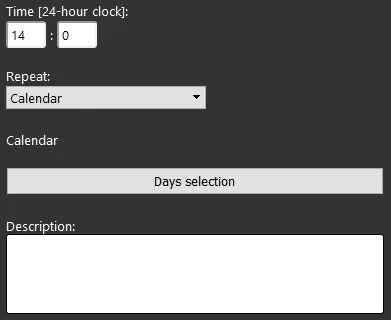
Repeat: Calendar
Time (0-24): enter the time of day;
Select Days: select the days of the year;
Description: free text field for notes or specific information.
Reminder before continuing
Download and install the Ilevia Logic plugin to enable plugins (link);
After uploading the project to the Ilevia server, wait a couple of minutes for the logic to start.