
Script for VMC devices
How the script works that activates a VMC the day after, at the same time the maximum temperature was recorded.
Introduction
This script records the value of the Setpoint component, considered as the maximum temperature, in an Info component that is then used by a function. At the same time, the time of the maximum temperature is recorded in another Info component, which is used to activate the VMC device the day after, at the same time the maximum temperature was recorded.
Script explanation
Variables
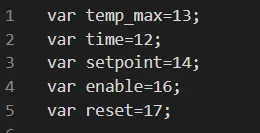
First, variables must be created for the elements that make up the functions.
var setpoint: this first variable contains the value of the Setpoint component, set with component ID 13;
var tempmax: this second variable is used to record the value coming from the Setpoint component, that is, the maximum temperature recorded by the setpoint, with component ID 12;
var time: this third variable contains the time of day when the maximum temperature was recorded, with component ID 14;
var enable: this fourth variable allows the user to enable or disable the entire function as needed, with component ID 16;
var reset: this fifth variable allows the user to reset the time, if necessary, with component ID 17.
Script execution
First function
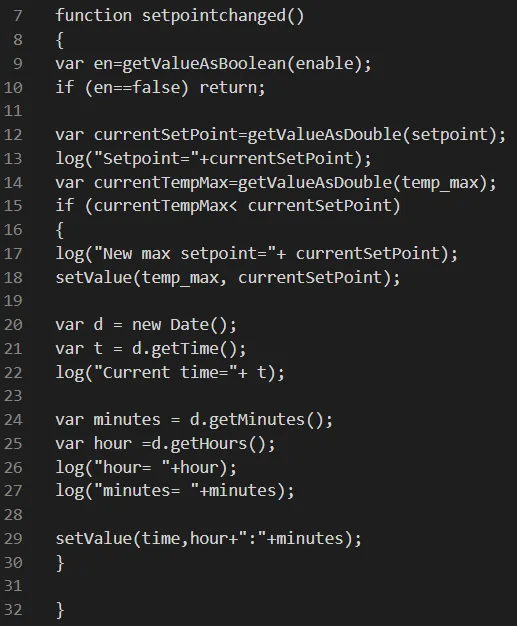
function setpointchanged(): this first function records the current Setpoint value and the current temperature value. Both values are processed in the second part of the function: the if condition checks whether the current maximum temperature is lower than the Setpoint component value and, if so, the temperature is saved in the corresponding Info component associated with the temp_max variable.
The function contains other variables, which are used to retrieve the time to be saved in the Info component associated with the time variable, so as to record the time when the temp_max variable is recorded.
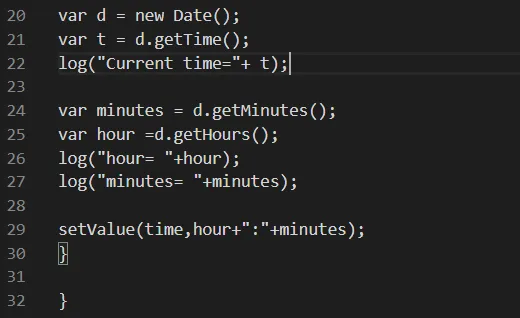
Function variables
var d = new Date(): this variable contains the current date and time.
var t = d.getTime(): this variable contains the current time in milliseconds elapsed since 1 January 1970.
var hour = d.getHours(): this variable contains the current hour.
var minutes = d.getMinutes(): this variable contains the current minutes.
setValue(time,hour+":"+minutes): this “setValue” function sets the exact time in the Info component associated with the time variable.
Second function
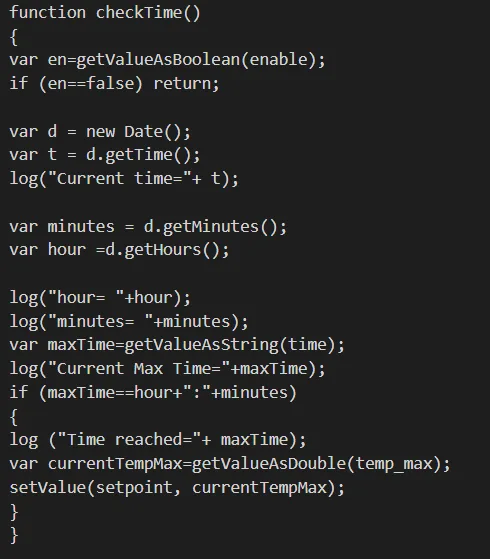
function checkTime(): this function reads the system current time and the current value of the temp_max variable, and sets the Setpoint component accordingly.
Function variables
var d = new Date(): this variable contains the current date and time.
var t = d.getTime(): this variable contains the current time in milliseconds elapsed since 1 January 1970.
var hour = d.getHours(): this variable contains the current hour.
var minutes = d.getMinutes(): this variable contains the current minutes.
var maxTime = getValueAsString(time): this variable records the value (text) of the time variable, that is, the time of the maximum temperature.
var currentTempMax = getValueAsDouble(temp_Max): this variable records the value, including decimals, of the temp_max variable.
setValue(setpoint, currentTempMax): this setValue sets the setpoint to the value of the currentTempMax variable.
Third function
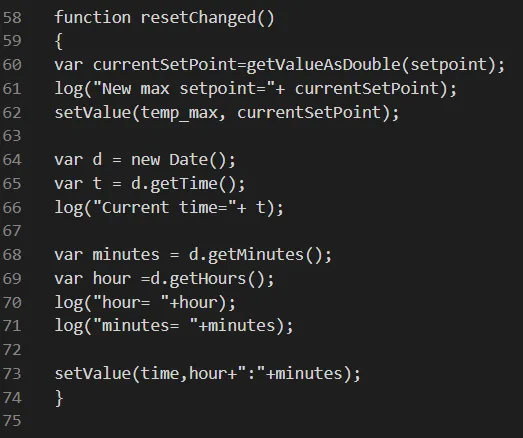
function resetChanged(): if needed, this function resets the time recorded by the maxTime variable; it is linked to the “var reset” variable.
Function variables
var currentSetPoint = getValueAsDouble(setpoint): this variable contains the current Setpoint component value, including decimals.
var d = new Date(): this variable contains the current date and time.
var t = d.getTime(): this variable contains the current time in milliseconds elapsed since 1 January 1970.
var hour = d.getHours(): this variable contains the current hour.
var minutes = d.getMinutes(): this variable contains the current minutes.
setValue(time,hour+":"+minutes): this “setValue” function sets the exact time in the Info component associated with the time variable.
Set triggers

setTrigger(setpoint,"setpointchanged"): this action executes the setpointchanged function when the Setpoint component changes.
setTriggerEdge(reset,"on","resetChanged"): this action resets the time of the Info component via a Pulse component once pressed, allowing a new time value to be recorded.
setInterval(10,"checkTime"): this action executes the checkTime function at 10-second intervals.
User interface
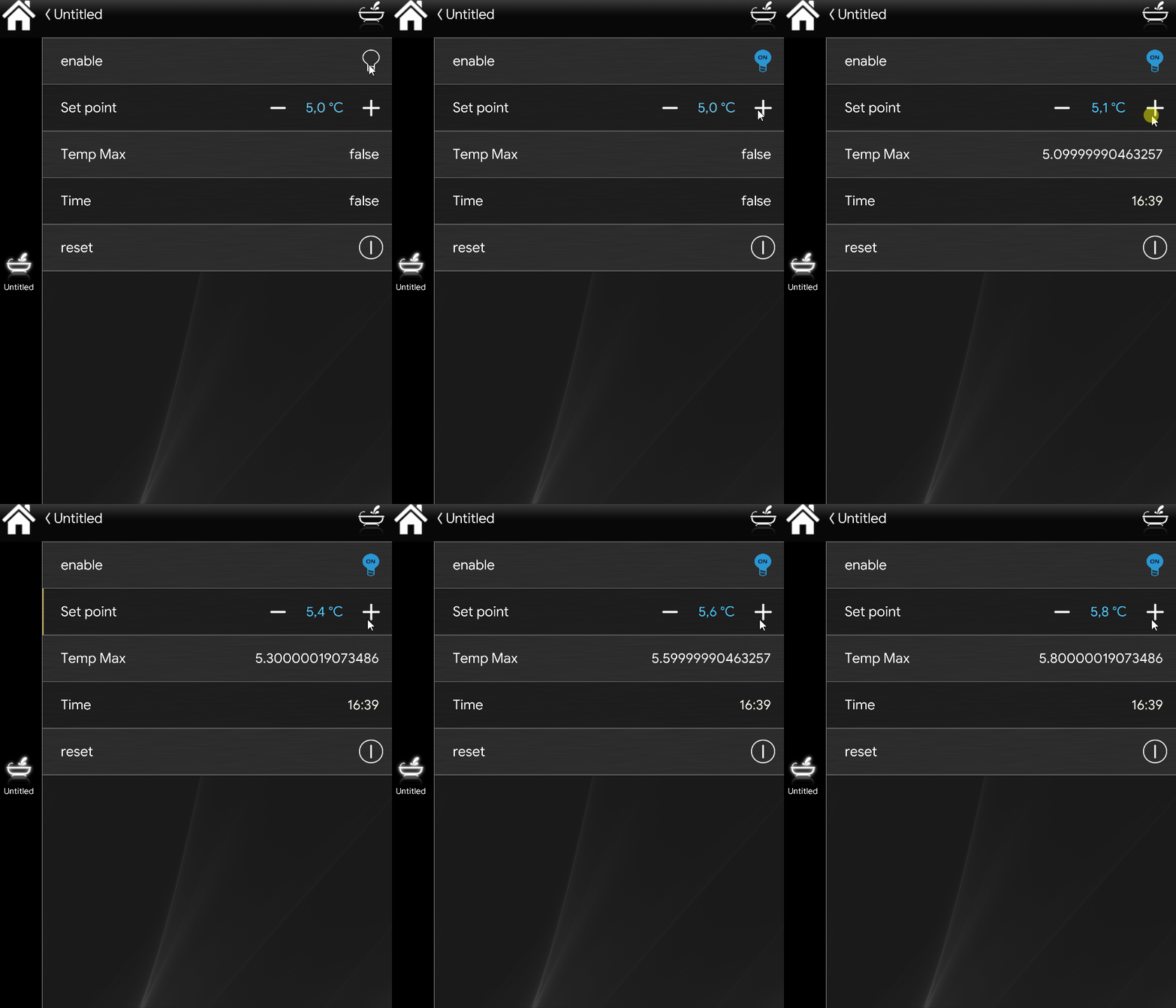
This is how the entire script works in the user interface of the Ilevia Control app when it is enabled.
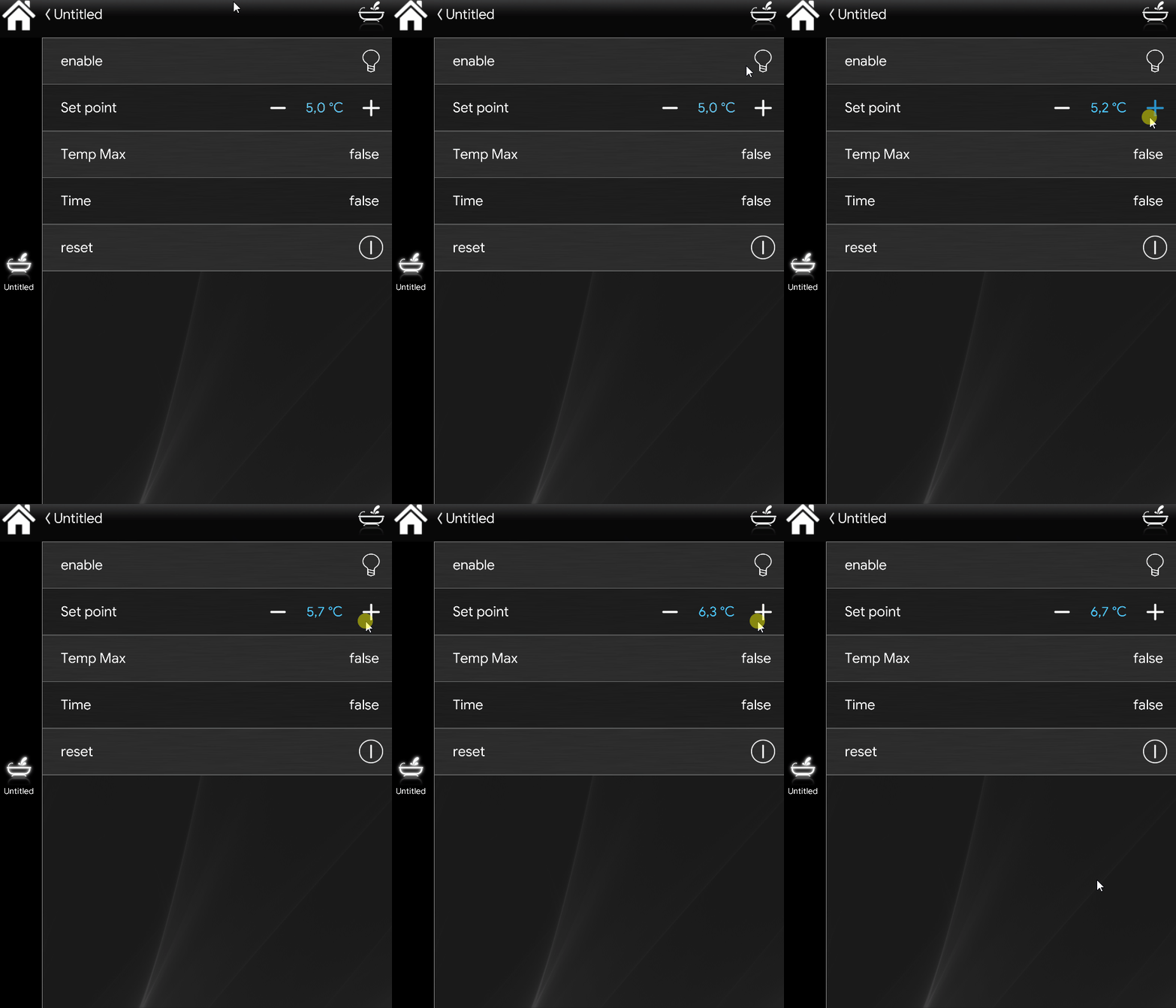
This is an example of how the script behaves when the switch is set to OFF, and therefore inactive.