
Script: set point change with power surplus control
Script that reads the instantaneous power and adjusts a thermostat’s set points based on the selected season (Summer/Winter) in an option list.
Introduction
This page explains how to set up a script that adds or subtracts degrees from a thermostat’s set points based on the mode selected in the Option list component, which represents two seasons (Summer / Winter). The script also takes into account the power produced at the time of the season change: if power exceeds the surplus limit, the script does not run the function and resets the thermostat to its original temperature.
Script configuration
Variables
The script uses variables to acquire the information needed by the functions. Each variable must be associated with a component ID; you can find the component IDs once they have been added to the project in Ilevia Manager.
Script variables:
var potenza_istantanea: component that displays the instantaneous power;
var livello_esubero_potenza: energy production level above which consumption starts;
var livello_normale_potenza: minimum power level, below which the function is stopped;
var stagione: component that indicates the current season;
var setpoint: component that indicates the current set point;
var attivo: indicates whether the system is in surplus;
var valore_setpoint_precedente: stores the first set point value so it can be restored if the system enters surplus.

JavaScript function
In this script, we use a single function.
Function, part 1: change_power
The function reads the current power from the potenza_istantanea variable; if the system is not in surplus, the function continues.
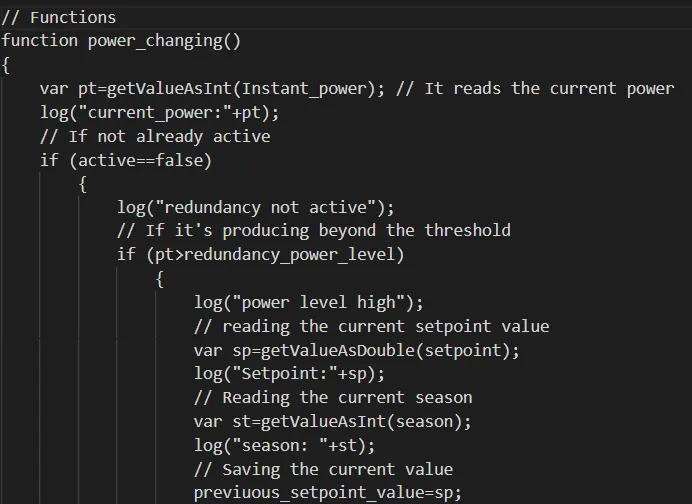
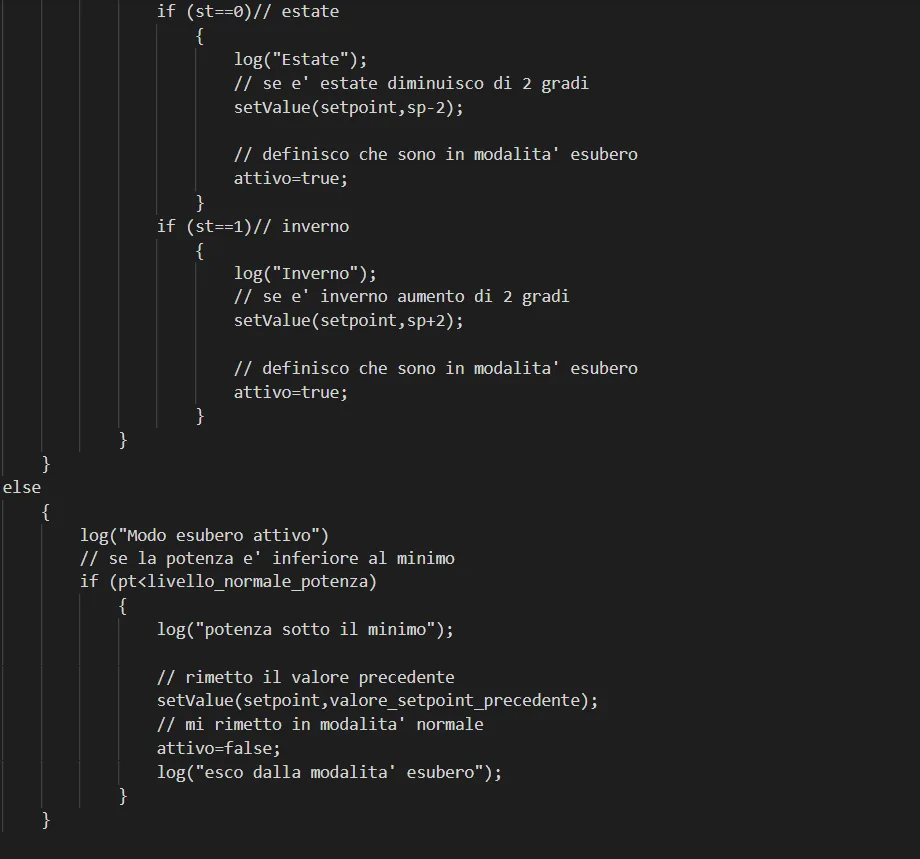
Function, part 2: set the set point value and stop the function if the power is below the minimum threshold.
If power production is above the minimum threshold, the function acquires the current set point value and the season selected in the drop-down menu, then saves the initial set point value. Based on the acquired Summer/Winter value, the function adds or subtracts a value from the set point. If surplus mode is active, the set point is reset to the previous value and the function returns to normal mode (attivo=false).
setTrigger:
To activate the function, you need to apply the setTrigger declaration, which applies the trigger to the function: without this declaration, the function is not executed. Click this link for more information about the setTrigger declaration.

Here you can download the test project to try it out.