
Partial Component
The Partial component calculates the partial of a value, for example from an energy meter, with reset and threshold alarm modes.
Introduction
The Partial component is used to measure the partial of a value (for example, that of an energy meter) and includes a reset mode and a threshold alarm.
Use cases
The user can calculate the partial of a value coming from an energy meter.
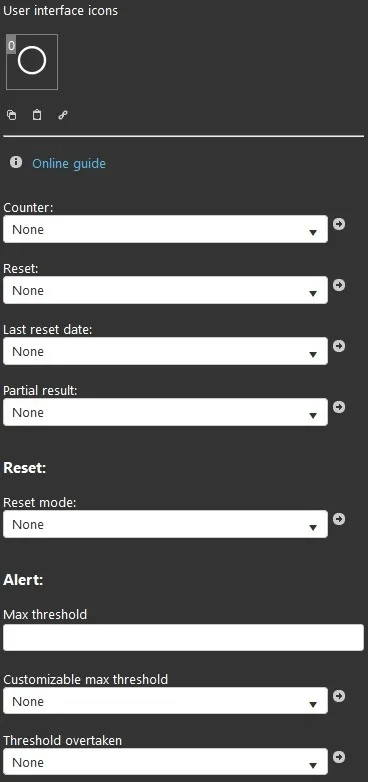
Component properties
GUI
This component was created with the Graphic UI gateway.
Meter
Meter: used to store the values of an energy meter; it is recommended to use an “Info” component;
Reset: used to reset the energy meter; it is recommended to use a “Button” component;
Last reset date: stores the date of the last reset; it is recommended to use an “Info” component;
Partial result: displays the partial result; it is recommended to use an “Info” component.
Reset
Reset mode: allows you to choose the reset mode from a list of options.
Alert
Maximum threshold: sets the maximum alert threshold value; once reached, the component sends an alert notification;
Customizable maximum threshold: through a “Set point” component you can customize the maximum threshold value;
Threshold exceeded: for this parameter, it is recommended to use a “Switch” component.
Reminder before continuing
Download and install the Ilevia Logic plugin to enable plugins (link);
After uploading the project to the Ilevia server, wait a couple of minutes for the logic to start.