
Image
Immage component expanation and how it looks inside the Home autoamtion app Ilevia Remote Plus.
INTRODUCTION
It allows you to enter an image on your Ilevia Remote user interface.
USE CASES
You can use this component to add plans of your building to give more knoledgement about your spaces inside your Home.
COMPONENT’S PROPERTIES
GUI
This component’s sample is made by using Graphic UI gateway.
Please refer to “Gateways / Protocols” guide in order to get further info.
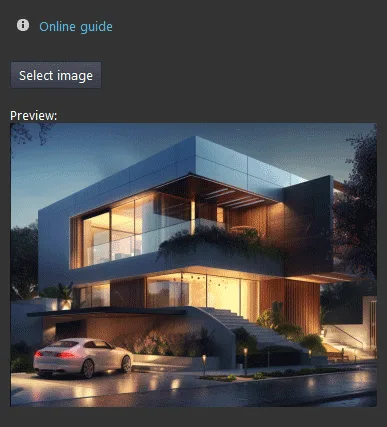
Load (button): select the file image from your pc;
Source (image): a preview of the file image.
Three different view mode possibilities: “CLASSIC”, “MODAL” and “HIDDEN”. Learn more about the component’s view modes.
ONLY IMAGE VIEW MODE
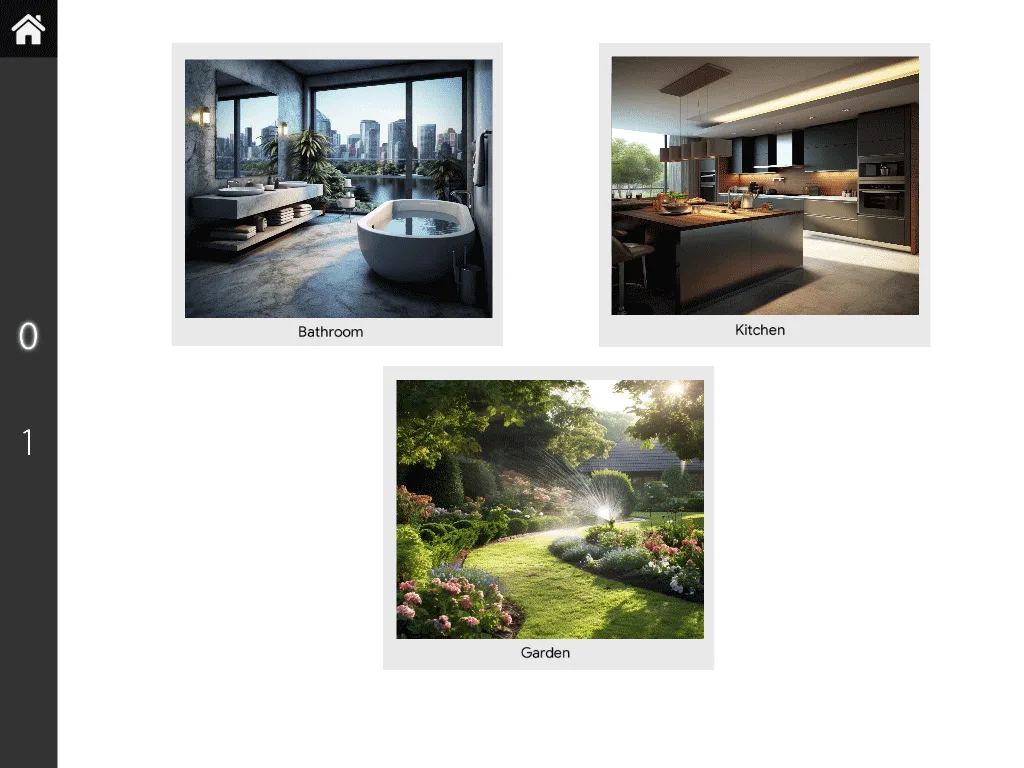
Here is the visual result of the component on Ilevia Remote (Map Style).
It is possible to edit the dimensions and positions of your components “Image” depending on your necessities.
Also, you can add as many images as you need in the same user interface tab playing with layers.
Likewise, you can also add other components to the interface and bring/send them to front/back.
Click the link below to download the Image component demo project and try it your self.