Eurotherm Smartcomfort
How to configure the Eurotherm Smartcomfort component in Ilevia Manager to control the Eurotherm control system.
Introduction
It allows you to control and monitor Eurotherm's intelligent control system.
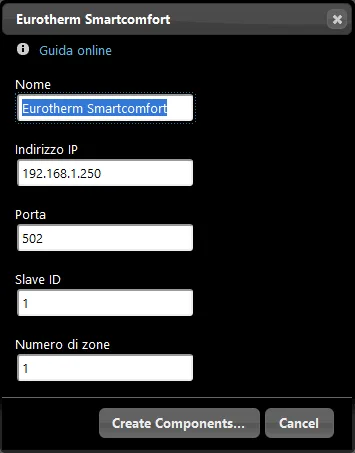
Component properties
MODBUS RTU/ASCII
This example was created with the Eurotherm gateway in Modbus RTU/ASCII.
Refer to the “Gateway / protocols” guide for more information.
Name: customizable text field where you can enter the group name;
IP address: Enter the device IP address;
Port: enter the communication port;
Slave ID: unique ID that identifies the device;
Number of Zones: Enter the number of zones to control.
Reminder before continuing:
Download and install the Ilevia Logic plugin to enable plugins (link);
After uploading the Ilevia project to the server, wait a couple of minutes for the logics to start.
Automatic group creation
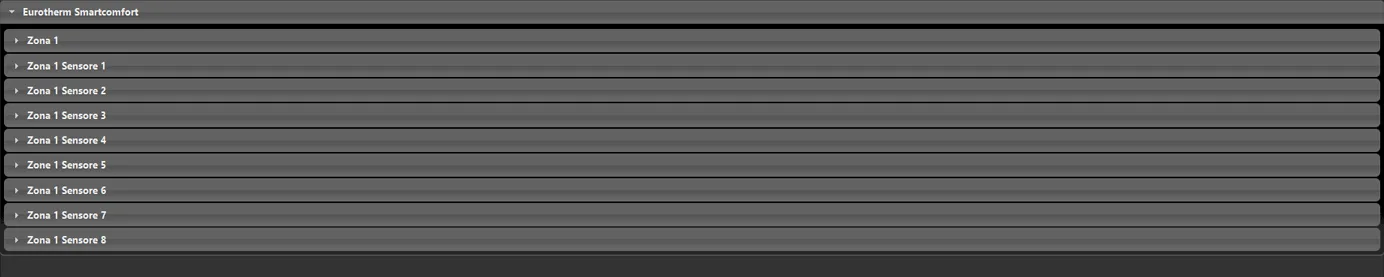
As usual, drag the component into the “Components” section. The special feature of this component is the automatic creation of an “Eurotherm Smartcomfort” group, where all the components needed for its configuration are added.