
Integrating intercom systems with Ilevia (SIP Client and SIP Group)
Overview of the SIP Client and SIP Group components used to integrate a SIP intercom into the Ilevia system and receive calls in the Ilevia Control app.
Introduction
An intercom, short for “intercommunication system,” is like a personal direct phone line inside a building. It allows people in different rooms or areas to communicate instantly, without needing a phone line or shouting down the corridor. This guide presents the integration of the intercom with the Ilevia server, focusing on the components that ensure correct operation.
Component configuration
SIP CLIENT
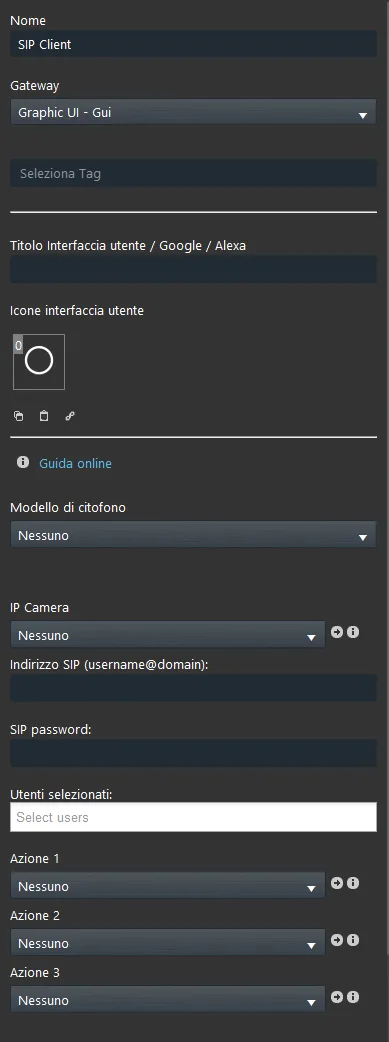
The SIP Client component is mandatory for intercom configuration. Integrating the intercom with Ilevia requires at least two SIP Client components. The first SIP Client is configured so that the client app can subscribe to receive calls; the second SIP Client is set to define the intercom parameters.
Intercom model: Some intercoms require specific configurations, such as Videx and Vimar.
IP camera: In this parameter, link the IP camera component that was previously created within the Ilevia project. It will be displayed when the call is received in the Ilevia Control app.
SIP address: In this parameter, enter the username represented by the SIP user created on the intercom web page, then enter the Ilevia server address as the Domain.
Example: <SIP-Username>@<Ilevia-Server-IP-address>
SIP password: In this parameter, enter the SIP password that was previously set on the intercom web page.
For users: Enter here the project users who will be able to receive the call in the app.
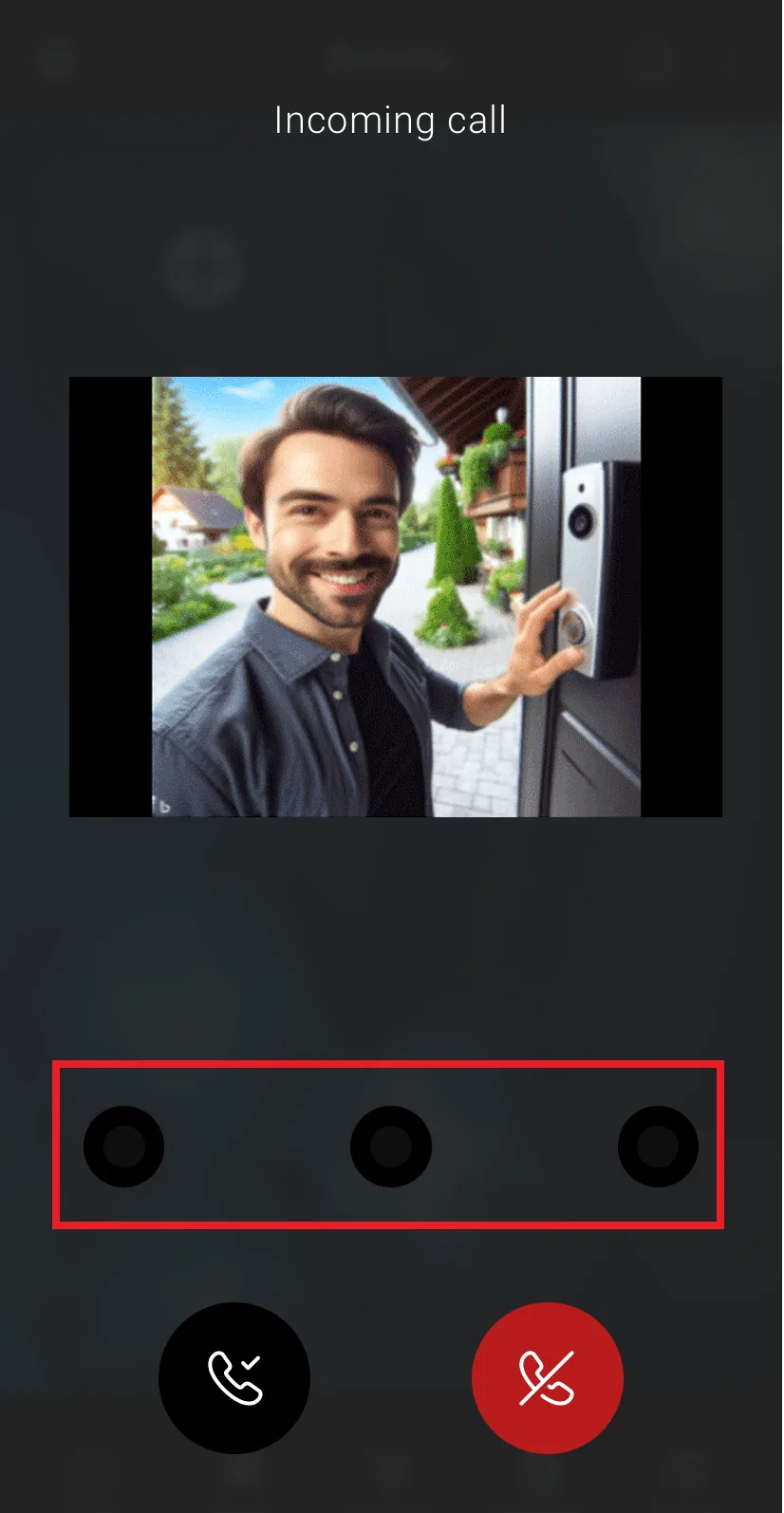
Action 1,2,3: With these parameters, you can link up to three different Scenario components, available when the call is received. The following shows how the Action parameters work.
Example of the “Action” parameter
Once the call is accepted, three new icons will be displayed. Each one represents a different action, configured in the SIP Client component parameters in the Ilevia Manager project.
SIP Group
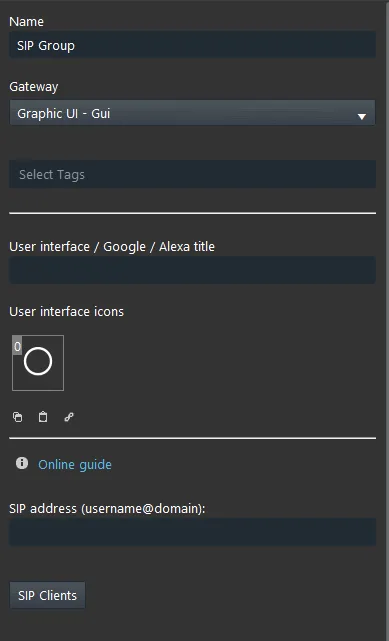
The SIP Group component groups the SIP Clients that will receive the call. Its SIP address will be set with the SIP user created in the intercom configuration.
Component properties
SIP address: enter the username represented by the SIP user created within the intercom web interface, then add the Ilevia server IP address as the Domain.
Example: <SIP-Username>@<Ilevia-Server-IP-address>
SIP Client: In the list, add the SIP Client components that will be added to the current SIP Group.
Representation of the intercom system integration with Ilevia
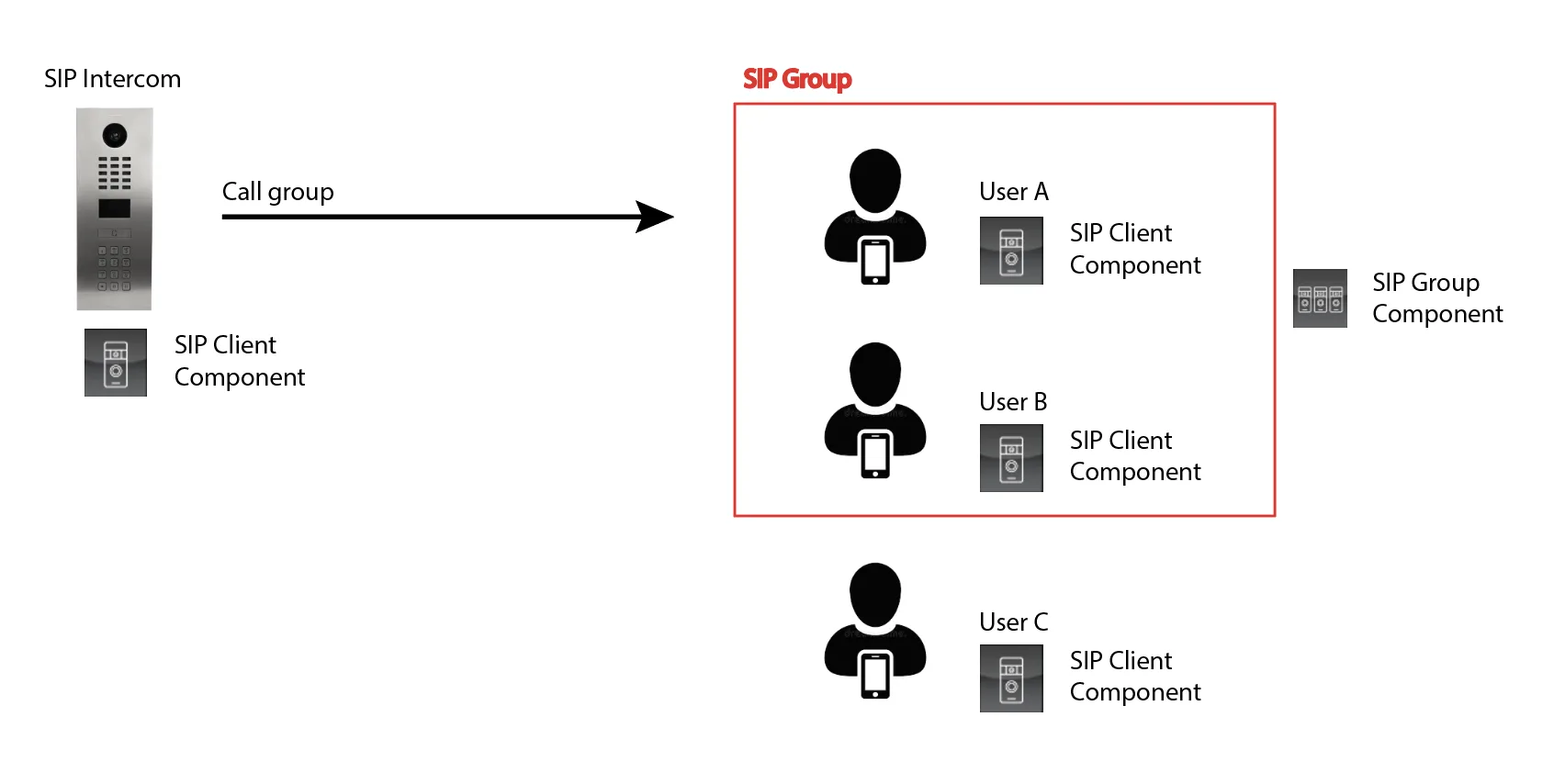
The image above shows the structure of the SIP integration with the Ilevia server. On the left, the SIP intercom is represented by a SIP Client component. On the right, clients A and B represent the clients that will receive the call when the bell rings because they belong to the same SIP Group. Client C, also represented by a SIP Client, will not receive the call because it does not belong to the same SIP Group as A and B.