How to find your Ilevia server license
How to find the Ilevia server License ID from the server web interface or from Ilevia Manager.
Introduction
Every Ilevia server has a License ID that uniquely identifies it. It consists of 8 alphanumeric characters and is required for voice control integration. There are two main ways to find it.
Server web interface
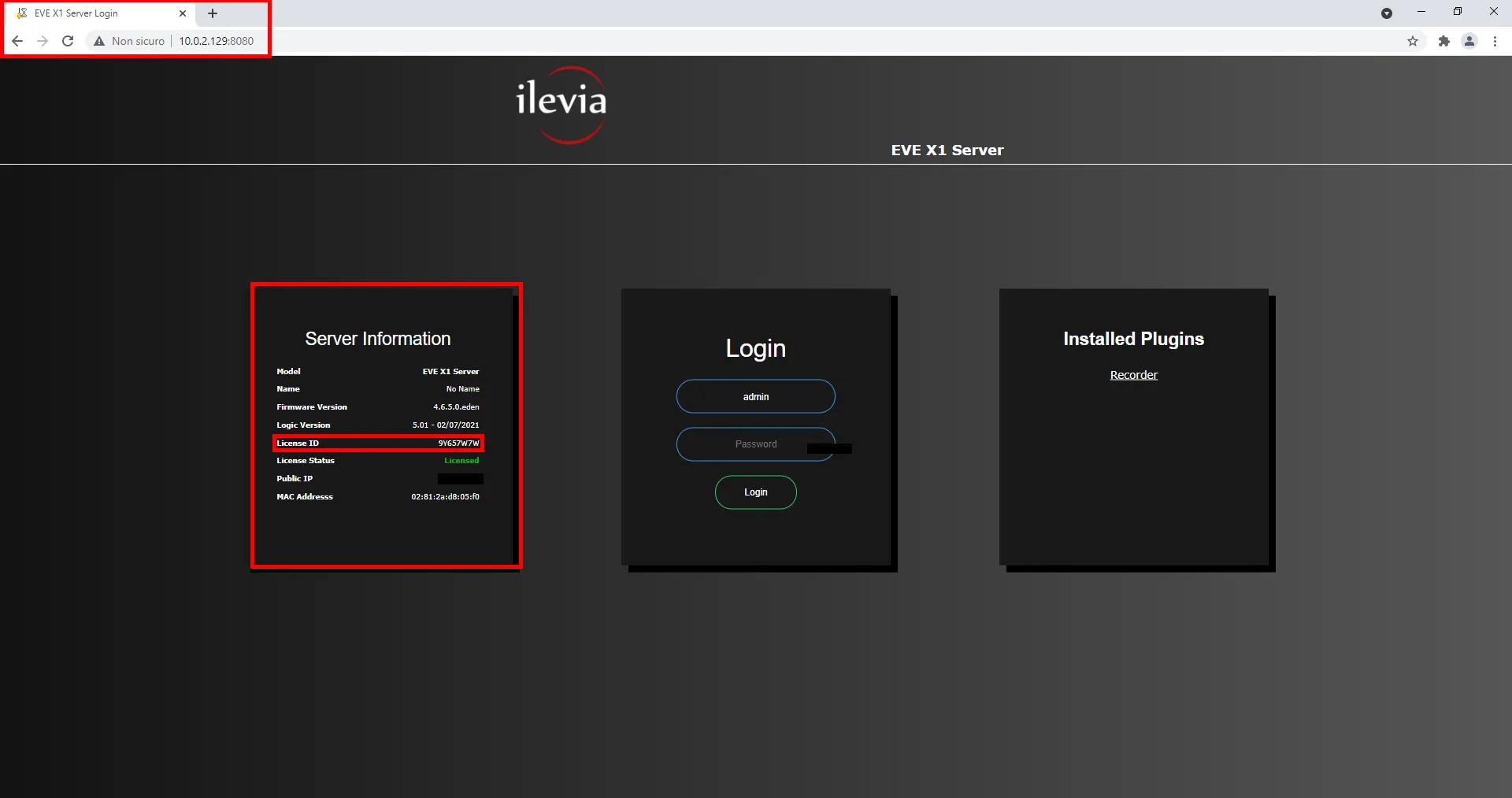
Make sure the server is connected to the same local network as yours. Enter the server IP address, if you already know it, or click this link to connect directly to the server web interface. Once you press Enter or click the link, you will be redirected to the Ilevia server web interface. The license is located in the first panel on the left.
Ilevia Manager software
Ilevia Manager allows you to search for and find Ilevia servers connected to the local network.
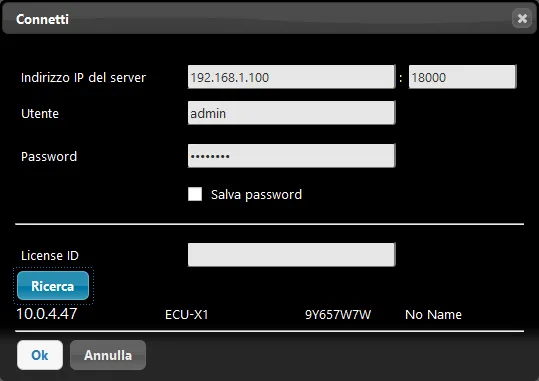
Click the “Project” menu: a drop-down menu will appear. Click “Connect”: a new window will appear. Click the “Search” button in the lower left part of the screen.
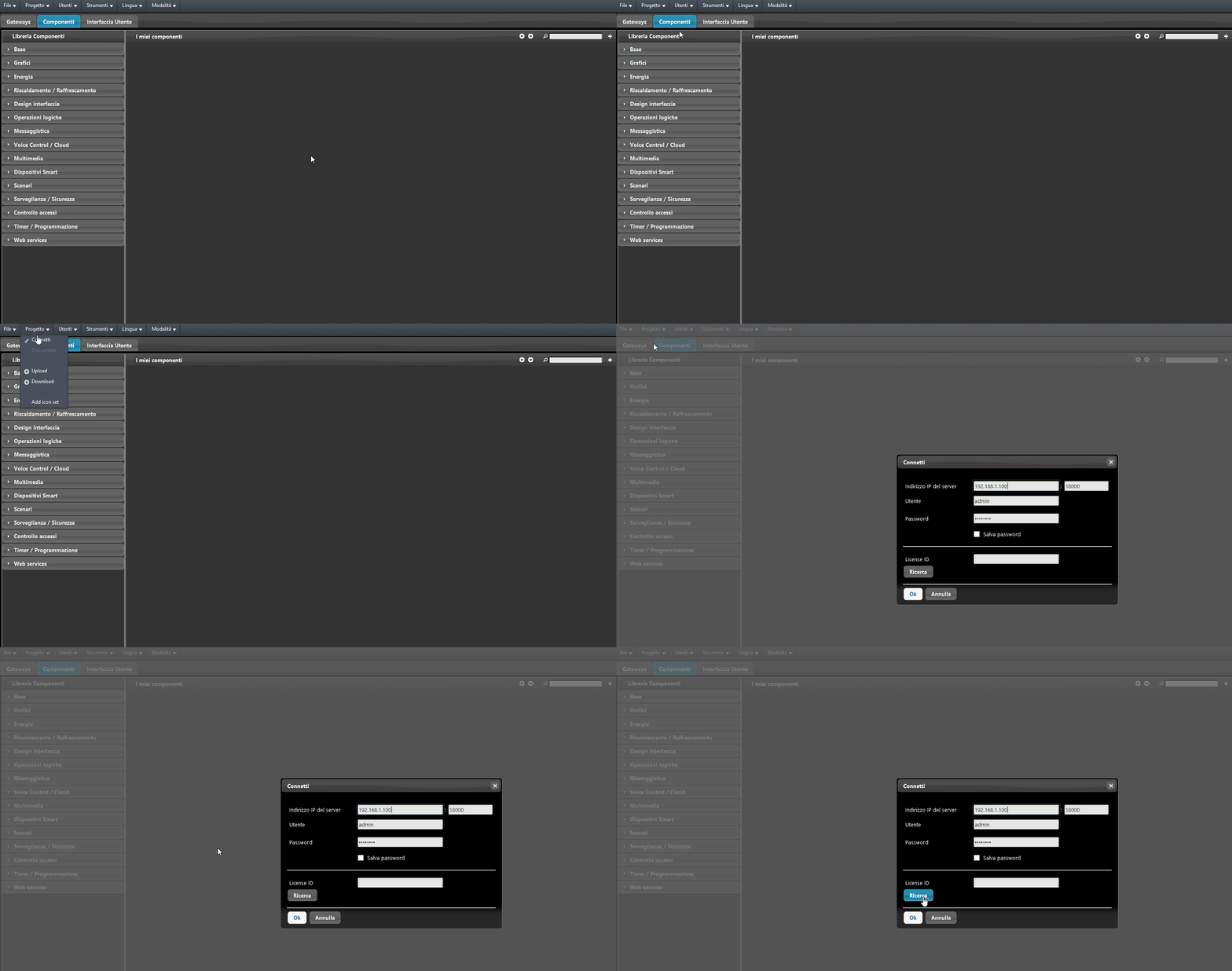
Once you click “Search”, the list of servers will appear; next to the type ID of the server (ECU-X1), the license ID is shown.