Create an MQTT gateway in Ilevia Manager
How to create a gateway with MQTT broker protocol in the Ilevia Manager configuration software.
How to create a gateway with MQTT protocol in Ilevia Manager
INTRODUCTION
This guide explains how to set up the MQTT protocol in the Ilevia Manager configuration software.
Note: Make sure you have the latest version of Ilevia Manager, available for download from our website.
Protocol configuration
Step 1:
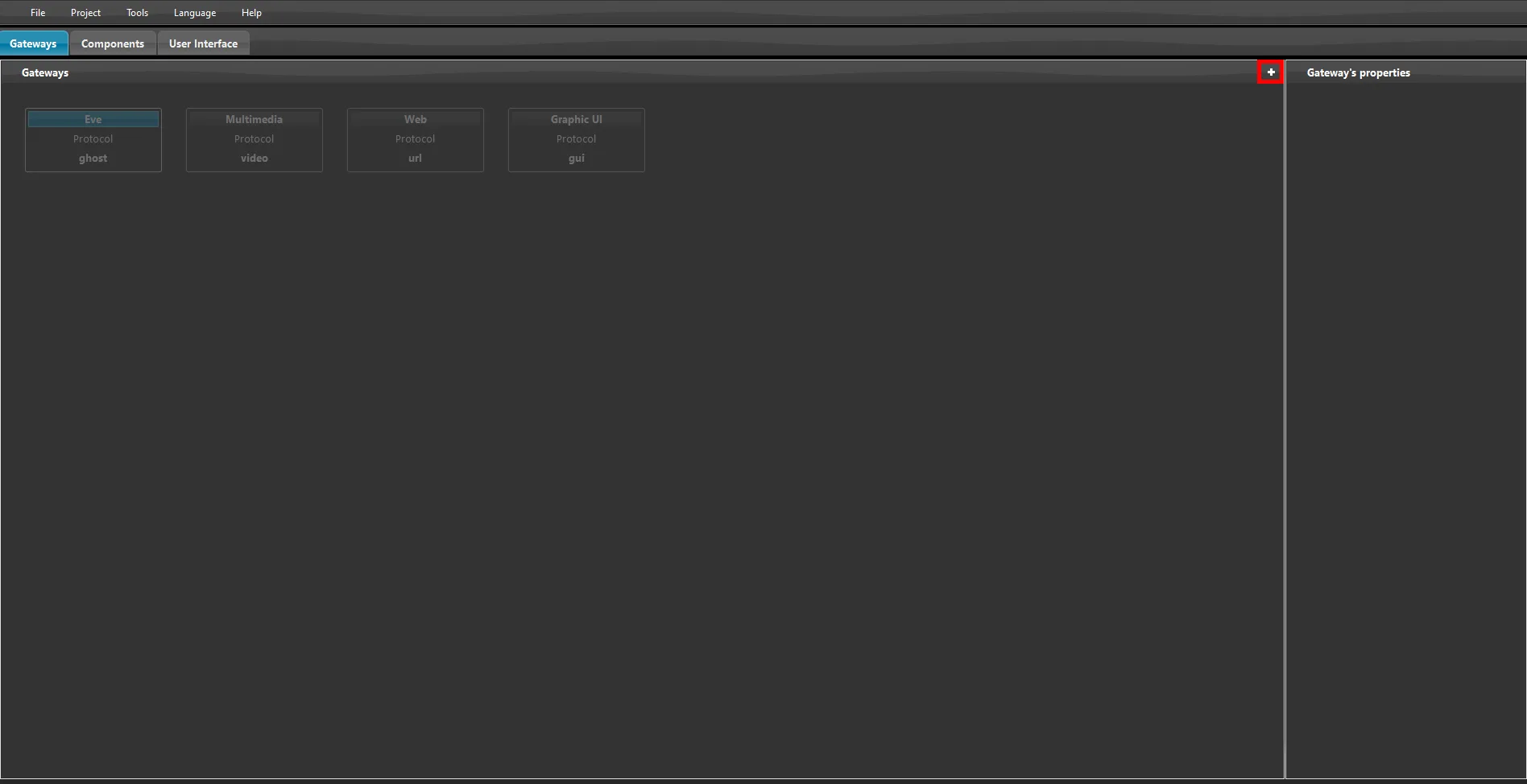
Open Ilevia Manager and go to the gateways tab, then click the plus icon at the top right of the page, as shown in the image below.
Step 2:
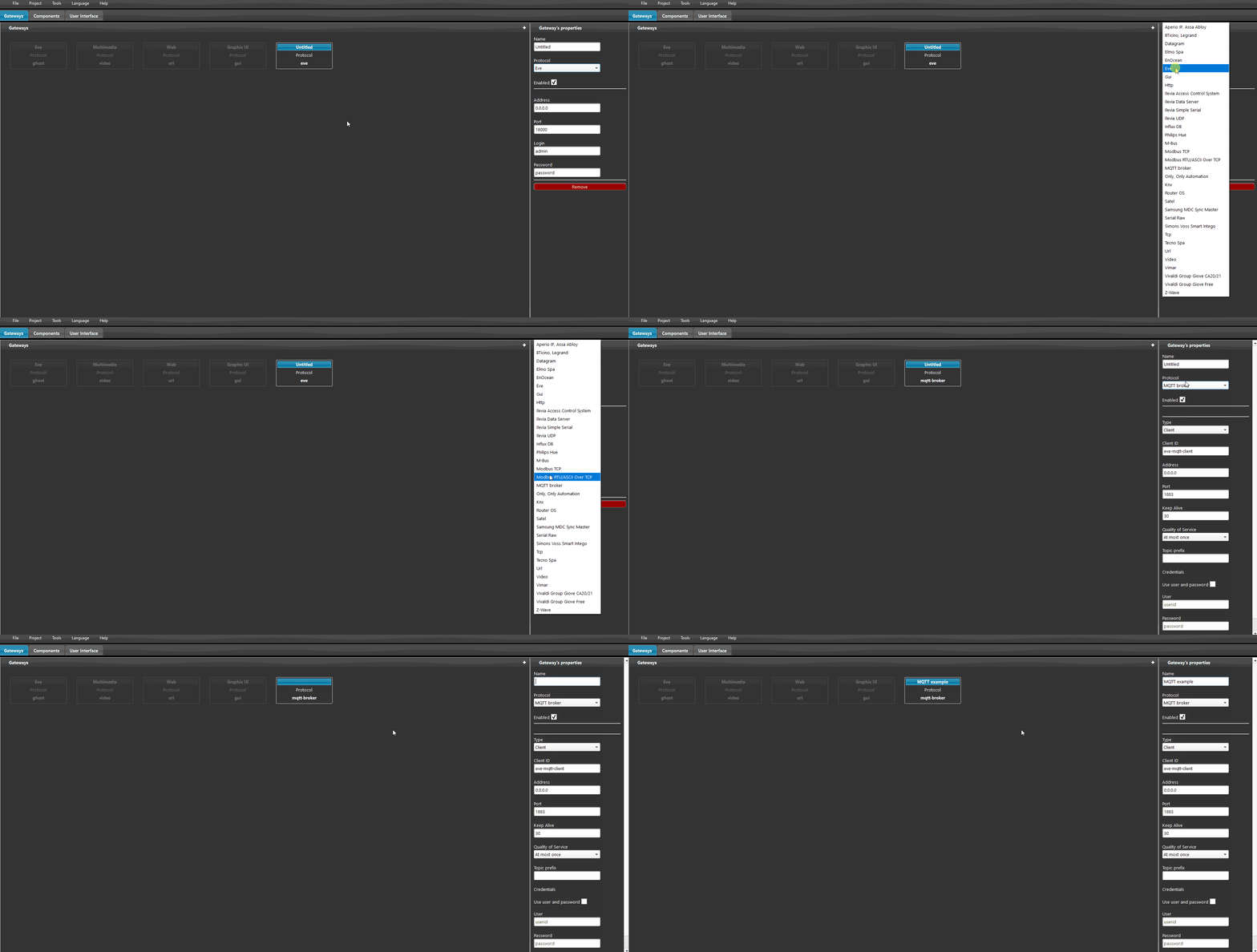
In the tab that opens, select the MQTT broker protocol from the drop-down menu.
Step 3:
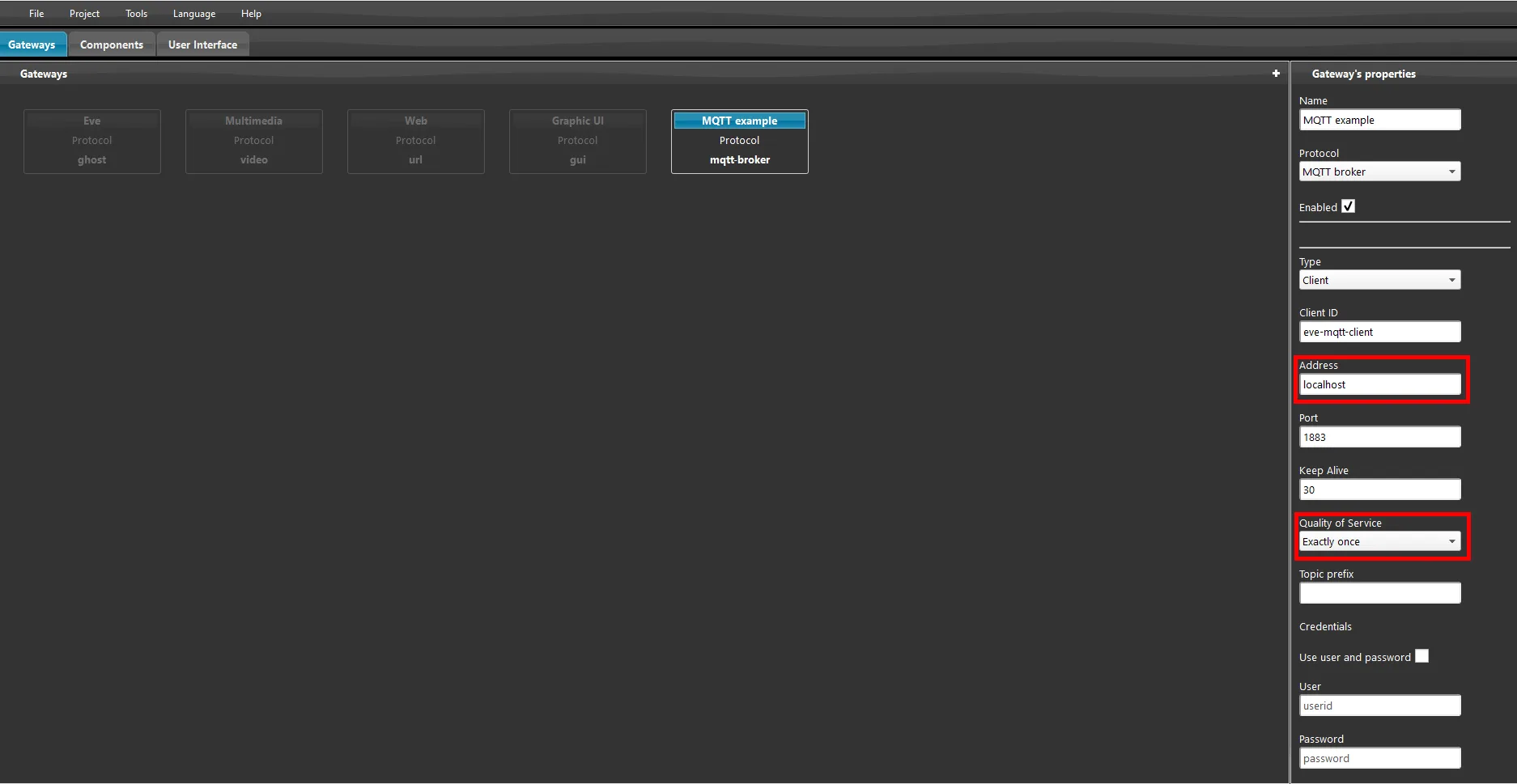
1. Enter the broker IP address and port (the default port is 1883).
2. The server IP address can also be set as localhost.
3. Set the Quality of Service (QoS) to 2.