MQTT fx software configuration
How to set up the MQTT fx debug software to monitor and send messages on the Ilevia server broker topics.
Introduction
This guide explains how to set up the MQTT fx debug software.
The software lets you monitor and send commands that pass through the broker, for example to verify the topics we have configured.
Software configuration
Download the software from this link.
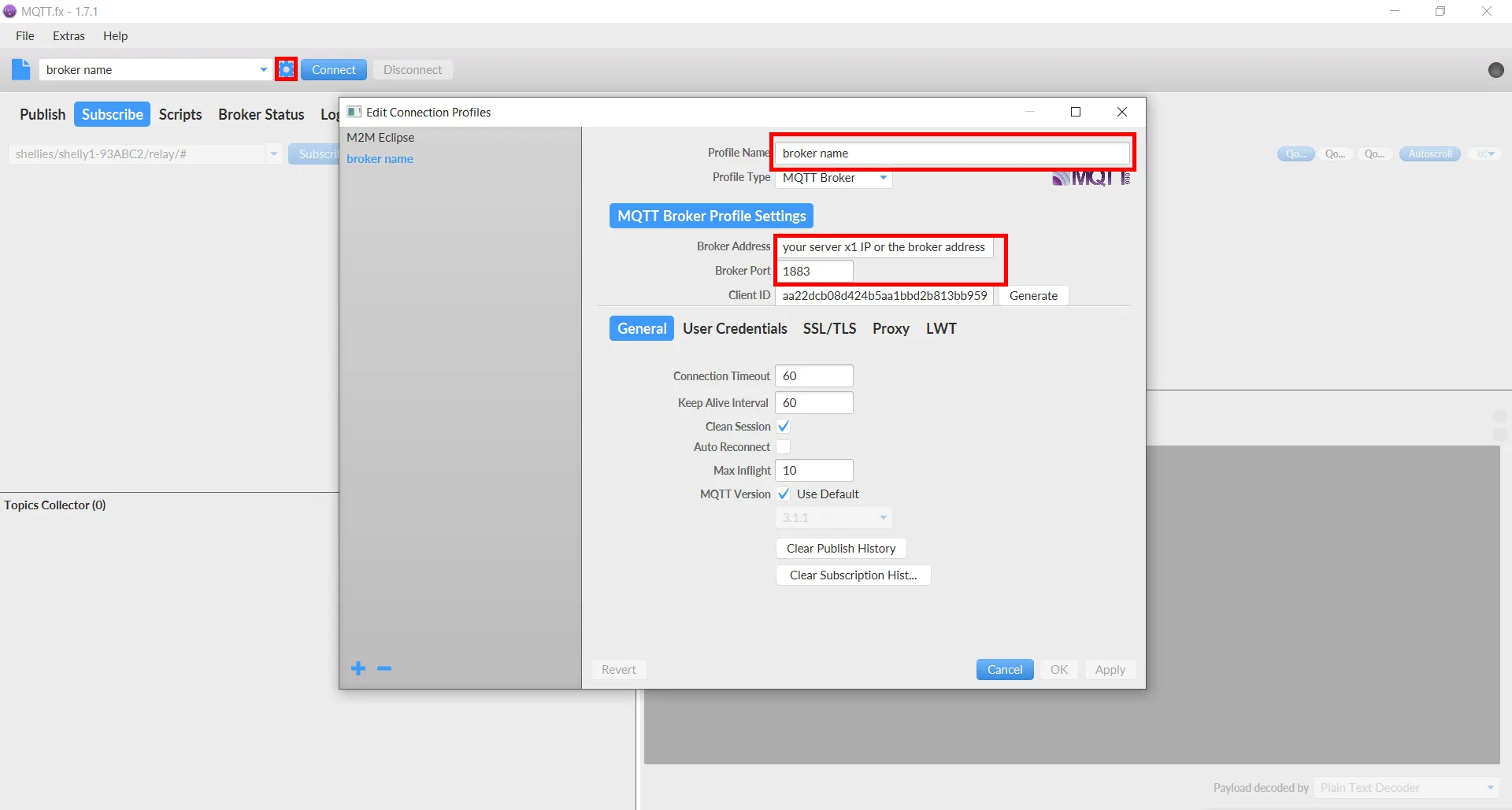
Go to the settings and, in the first text field, choose a name for the profile.
Enter the Ilevia server IP and the port in the corresponding text fields.