
ETS Gateway: use the X1 server as a KNX interface
How to start the KNX gateway on the X1 server to connect ETS software to the KNX bus, configure devices, and carry out diagnostics remotely.
Description
The KNX gateway of the Ilevia server connects a PC to the EIB / KNX system through the EIB socket inside the X1 server so you can configure, parameterize and commission the KNX installation and monitor it through ETS software.
The diagram below shows a typical KNX installation with an X1 server.
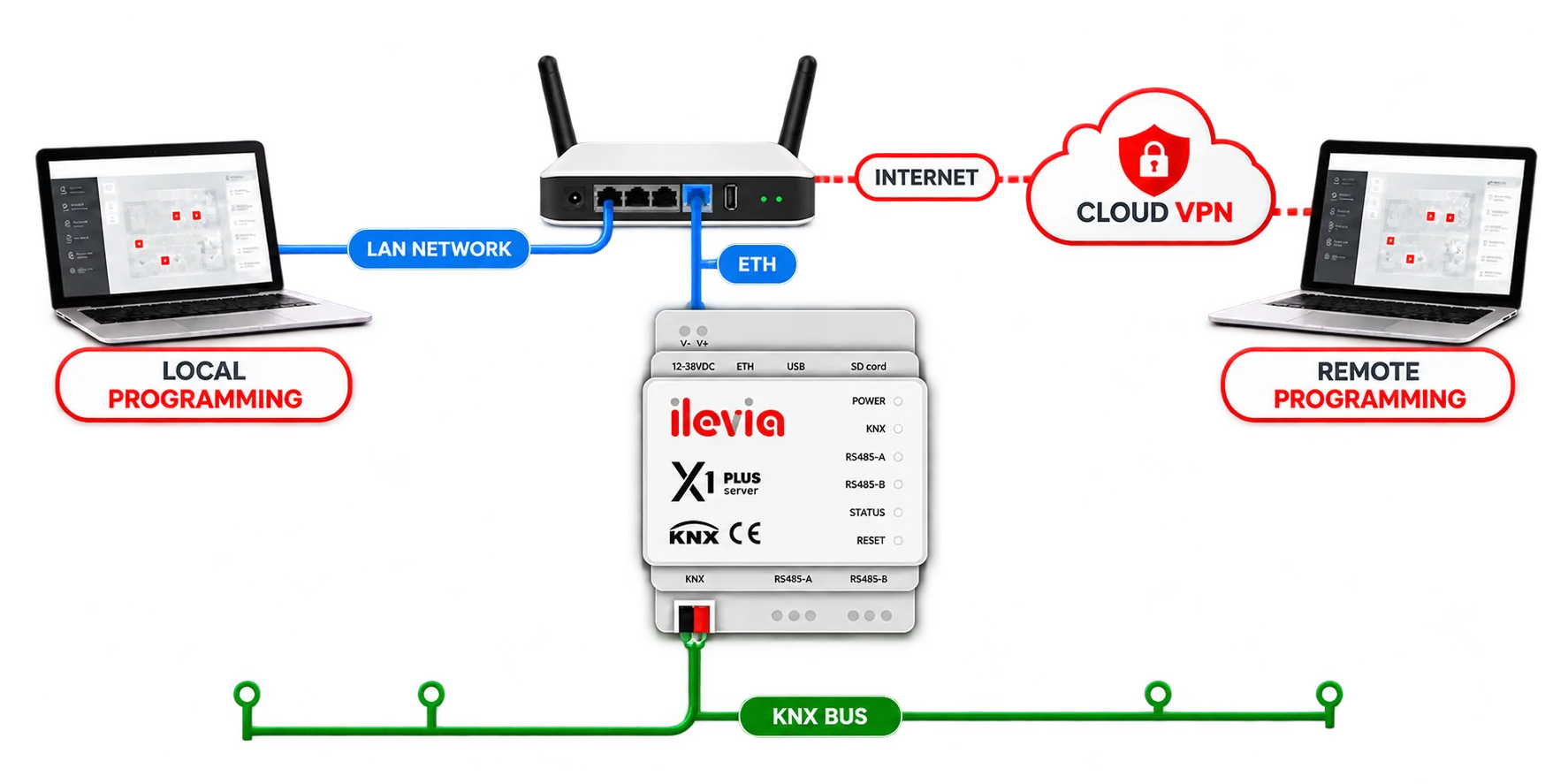
KNX gateway configuration
To use your X1 server as a communication gateway with ETS, it is recommended to start the ETS software before continuing with the guide:
Step 1:
Start the Ilevia Manager software and connect to the server by clicking Project -> Connect.
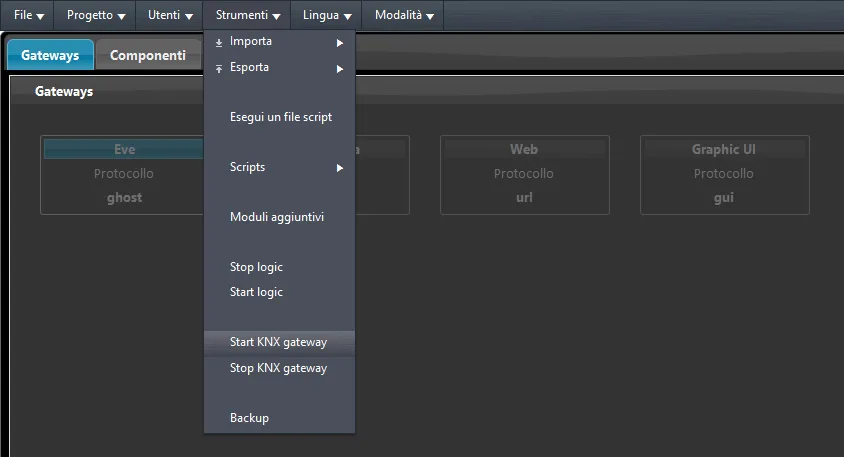
Step 2:
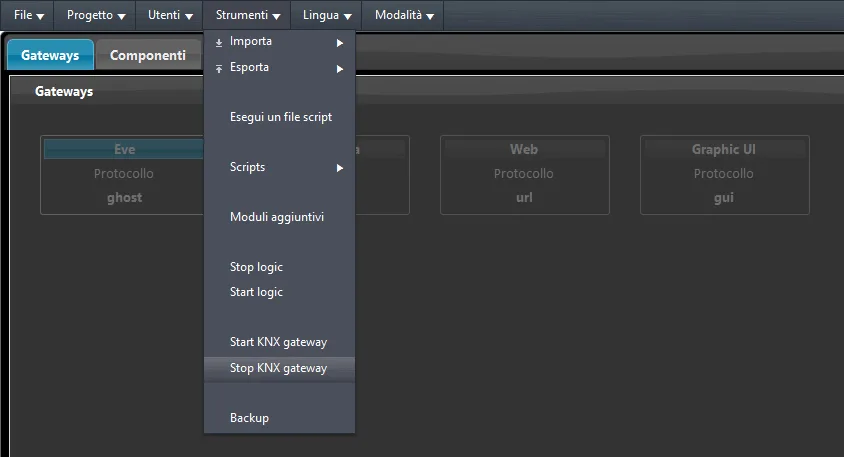
Once the connection is established, go to Tools → Start KNX Gateway. This starts communication between the X1 server and ETS software.
Step 3:
Now switch to the ETS software: by selecting Bus monitor you will notice that communication has been established successfully. Under “Integrated interfaces” you will find your X1 server, while on the right side of the screen you will find all the server network details.
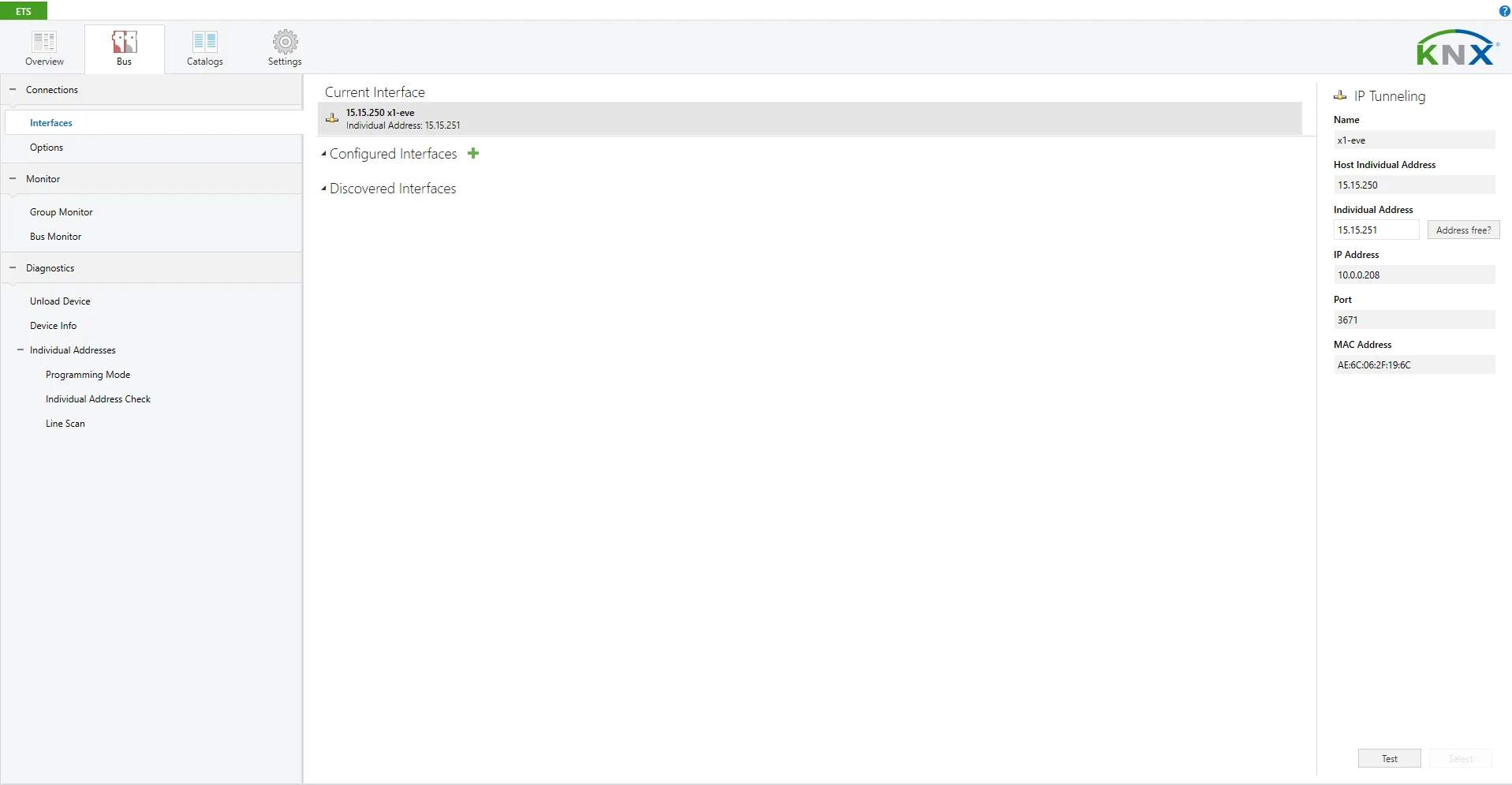
Step 4:
Once the connection is established, you can use all the functions of the ETS software. In this example, proper operation can be verified by selecting the Bus Monitor: once you press Start, you will see all KNX messages passing in real time.
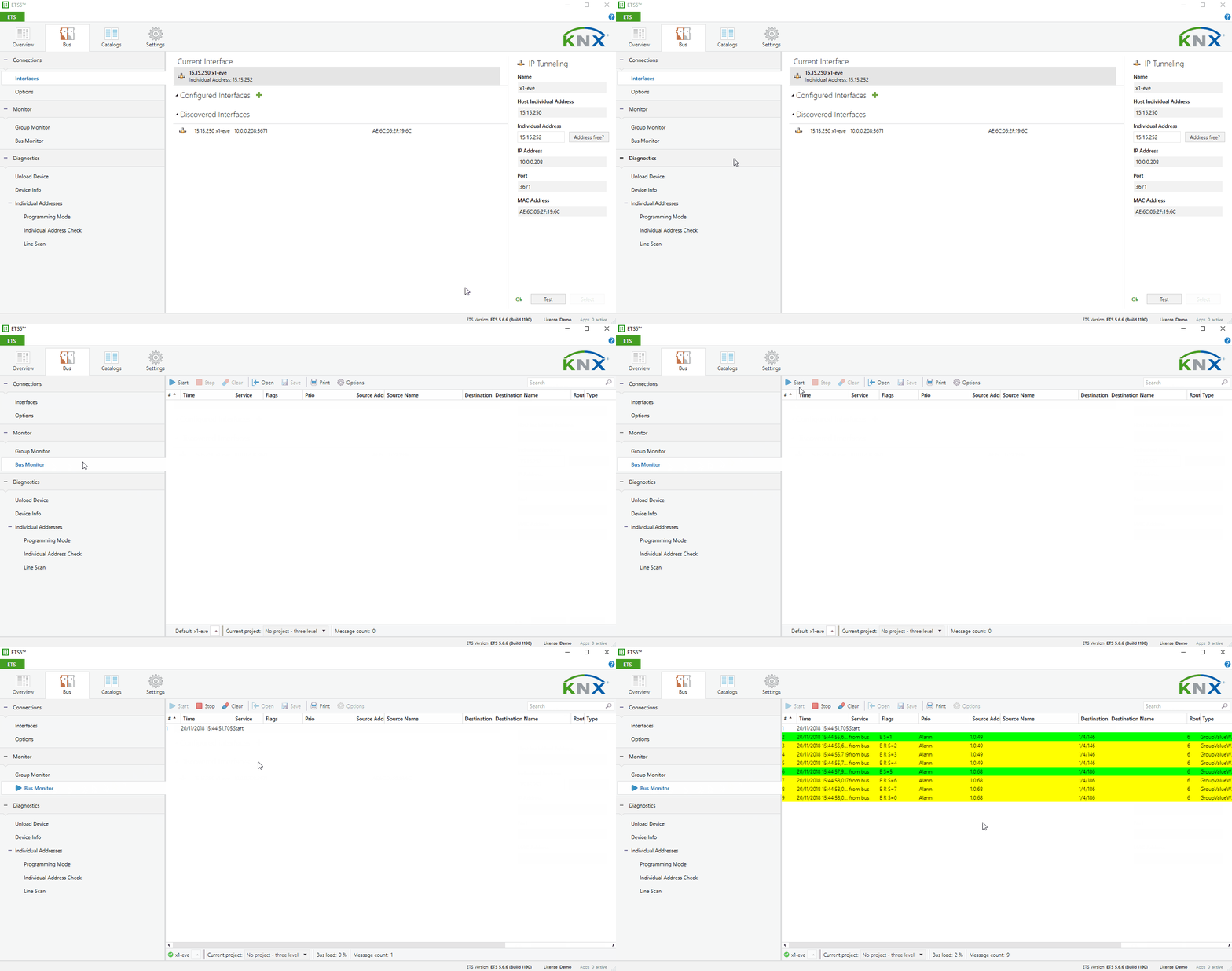
Step 5:
Once configuration in ETS is complete, return to Ilevia Manager and, from the Tools menu, click Stop KNX Gateway.
Remote connection to the KNX interface
For remote connection, it is necessary to access the modem/router configuration and open port 3671 with the TCP/UDP protocol.
This makes it possible to connect to the X1 server via the KNX interface to configure and/or carry out bus diagnostics remotely.
KNX device configuration via X1 server
To configure KNX devices via the X1 server, you must enable the KNX gateway as explained in the previous steps; after that, open your ETS software and load a project.
Once the project is open, it will be possible to download the project device configuration to the corresponding physical devices.