Denon AVR integration
How to integrate a Denon AVR amplifier in Ilevia Manager: server connection, component creation, and use in the user interface.
INTRODUCTION
The Denon AVR is an Hi-Fi device used for home theater. This guide explains how to integrate these devices into the Ilevia system.
COMPONENT CONFIGURATION
Step 1:
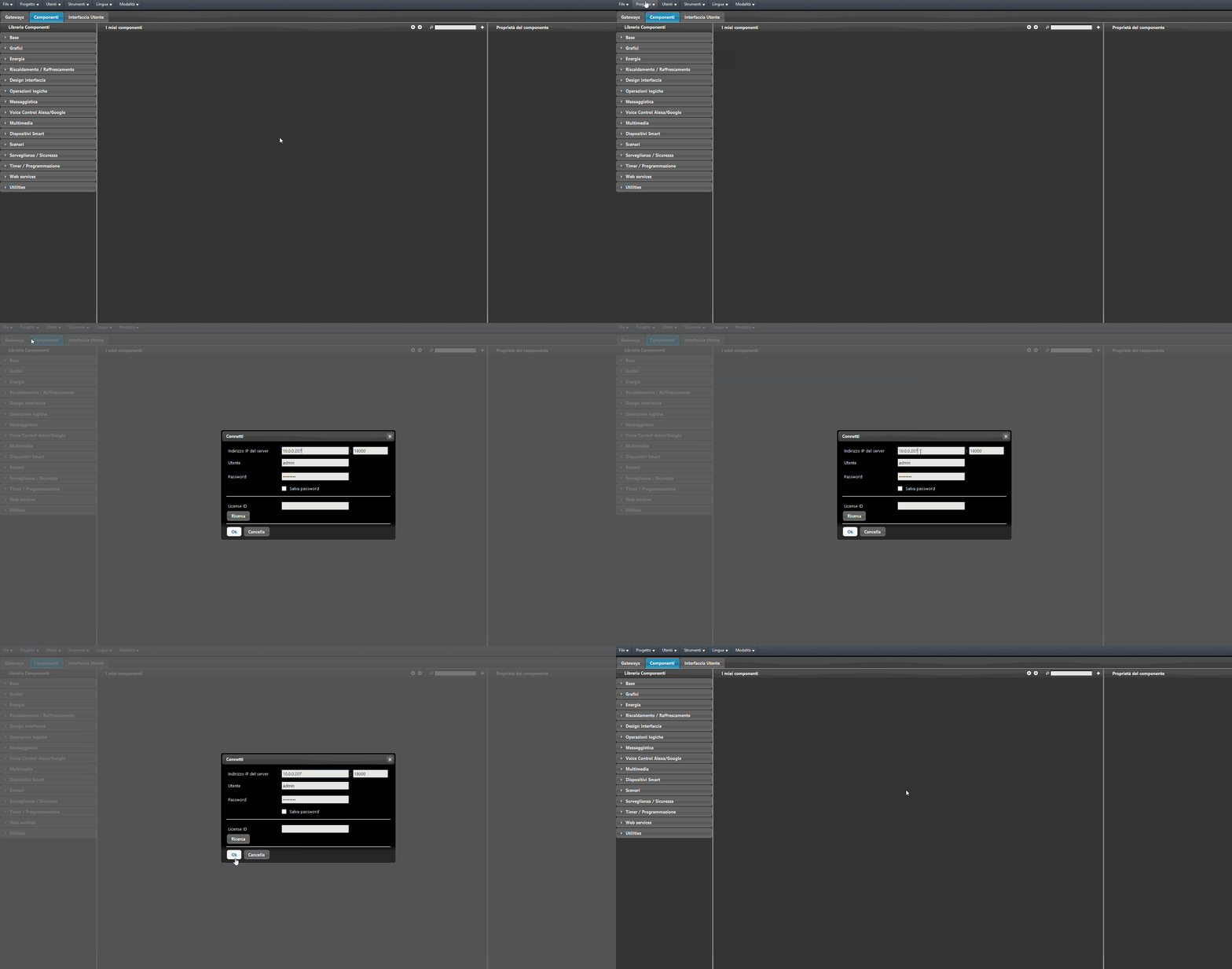
Open the Ilevia Manager configuration software and connect to your Ilevia server: go to the Project menu and click Connect. A new window will open: fill in the text fields with the network parameters and click OK.
Step 2:
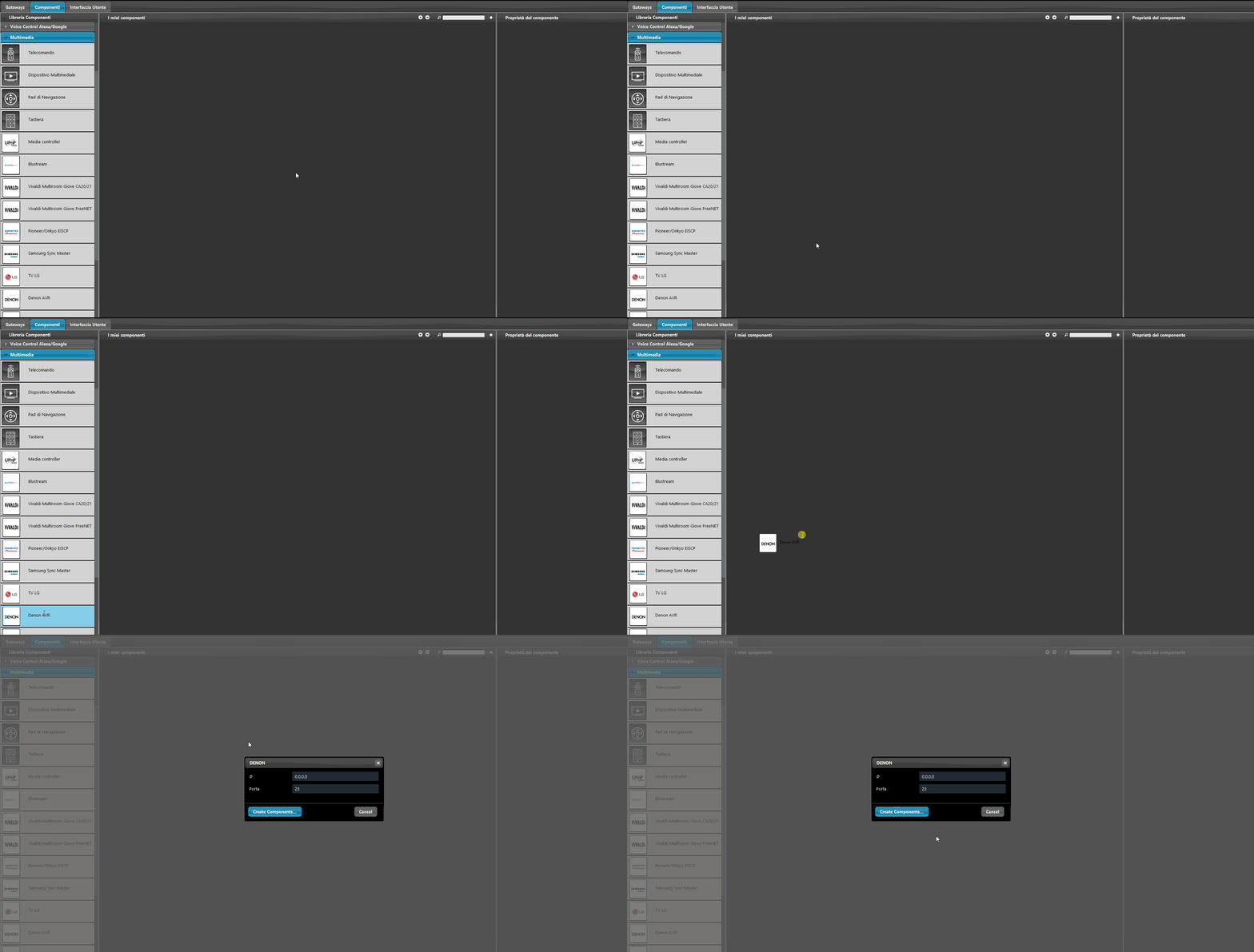
Go to the components section and open the Multimedia group in the Component Library. Drag the Denon AVR component into the My Components area.
Step 3:
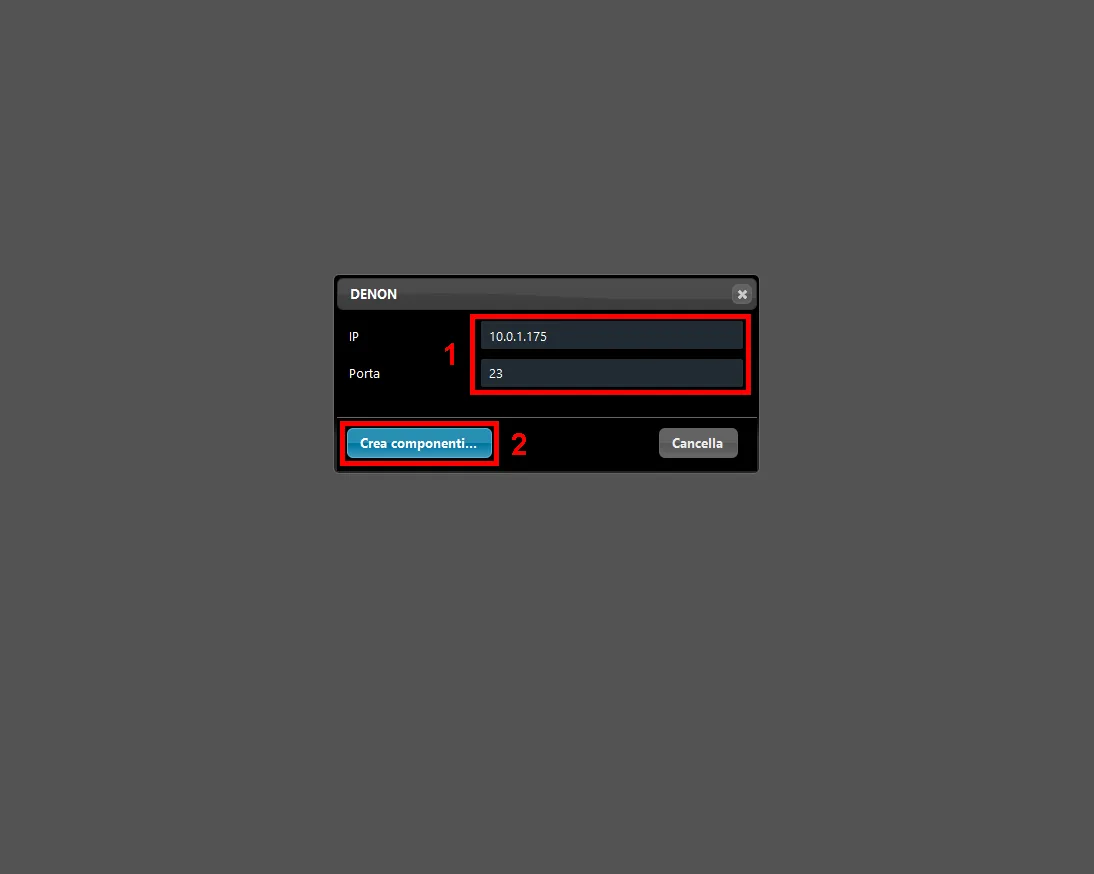
1. Once dragged, the component opens a new window: enter the IP address and port of the Denon AVR (default port: 23). 2. Finally click Create Components.
Step 4:
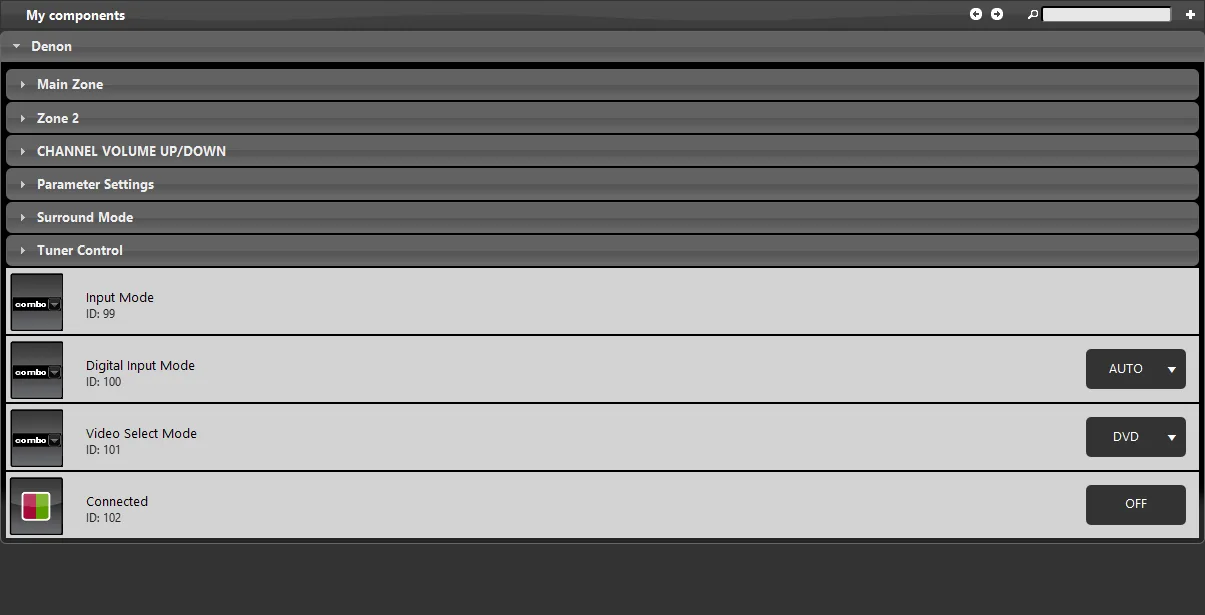
By clicking Create Components, a main group is added containing all the components needed to control the Denon device.
Step 5:
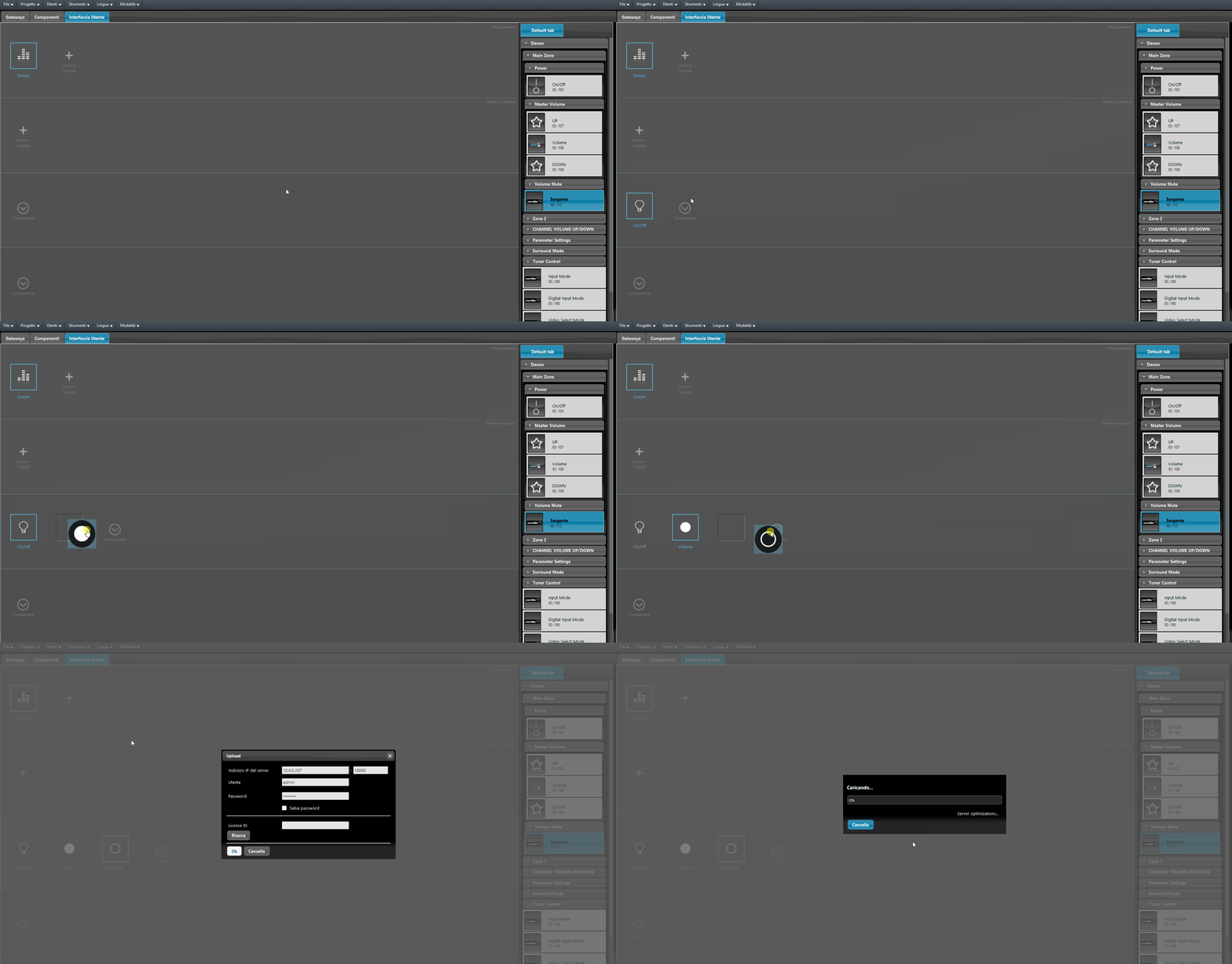
Add the components to the user interface and upload the project to the Ilevia server to apply the configurations.
FINAL RESULT
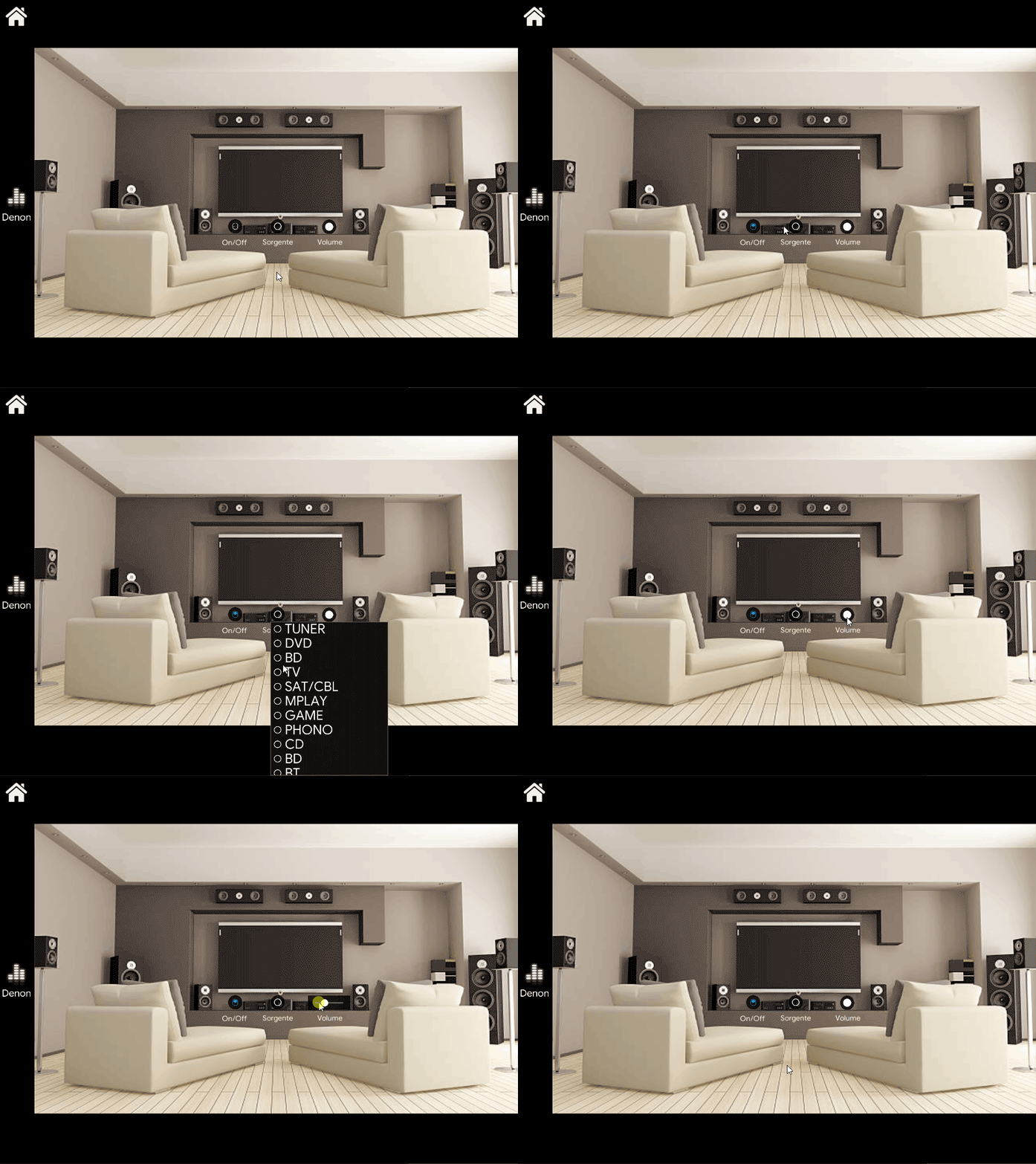
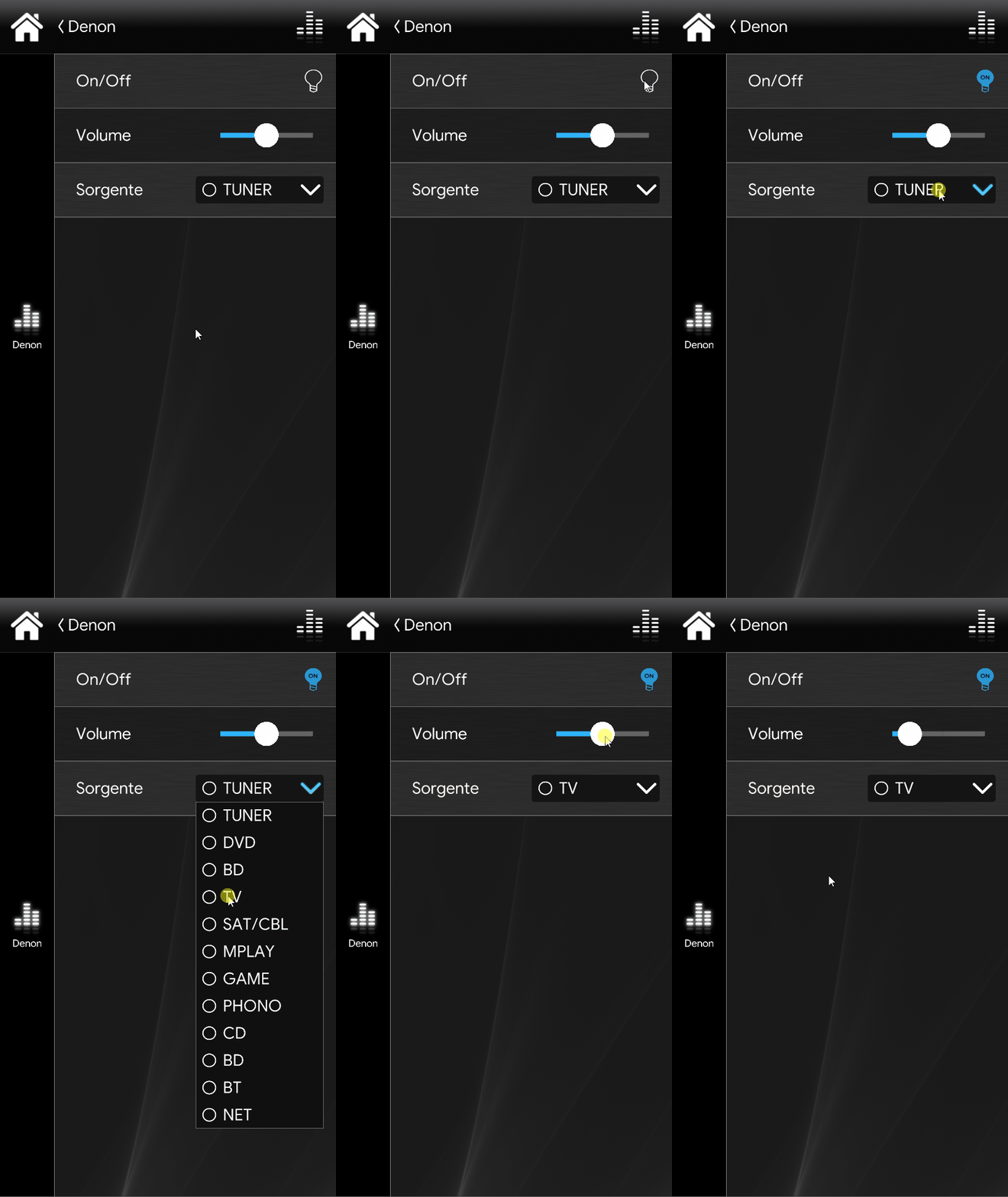
Once everything is correctly configured, by clicking the various commands in the user interface you will be able to see the Denon device execute the commands sent from the Ilevia Control app. Below you can see one of the possible results in the classic user interface.
Classic User Interface
Map User Interface