
Controlart 7Port IR Transmitter
How to register IR commands with 7Config software and use them in Ilevia Manager via a TCP gateway and a Scenario component.
Introduction
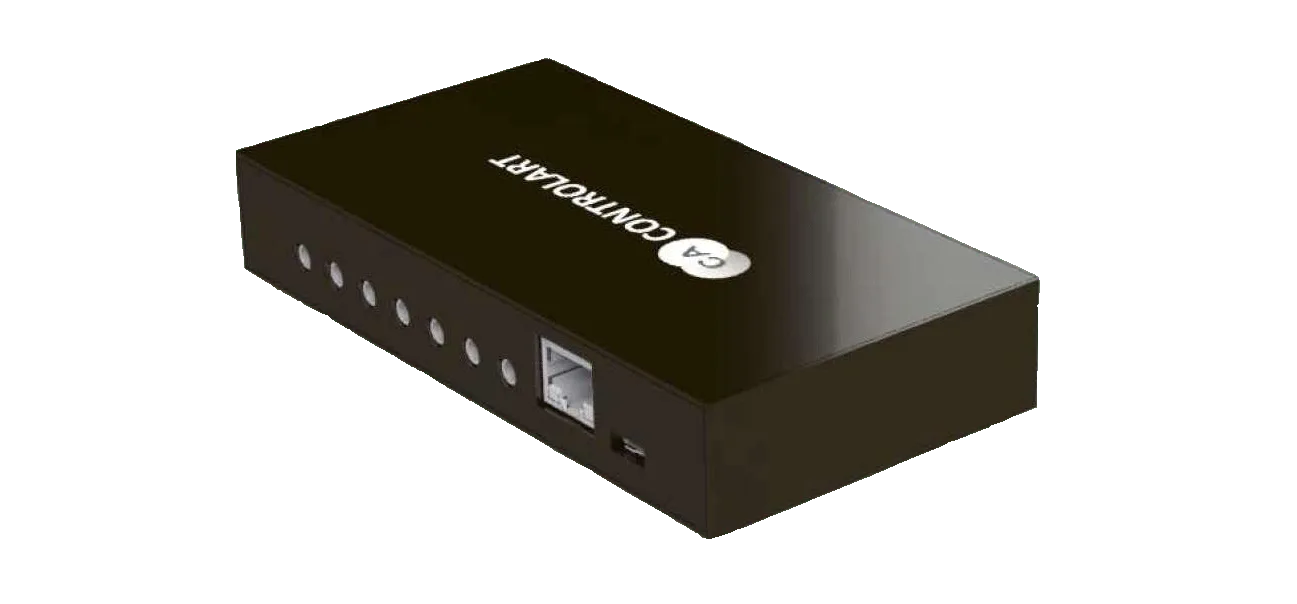
The Controlart 7Port device is an infrared and radio signal transmitter. The device has 7 IR emitters on the front and each of them can be configured with different sets of infrared signals. The 7Port can also record and transmit radio signals, as it is equipped with an internal 433 MHz module: this feature makes it possible to record RF commands.
How to set IR commands on the 7Port device
IR Commands
To send IR commands from the 7Port device, you need the configuration software called 7Config, which you can download from this link. After installing the software, we will configure the new IR commands: to complete this operation, go to the software menu section called “Captura de codigos” (Code Capture) and select the “Learning IR” button.
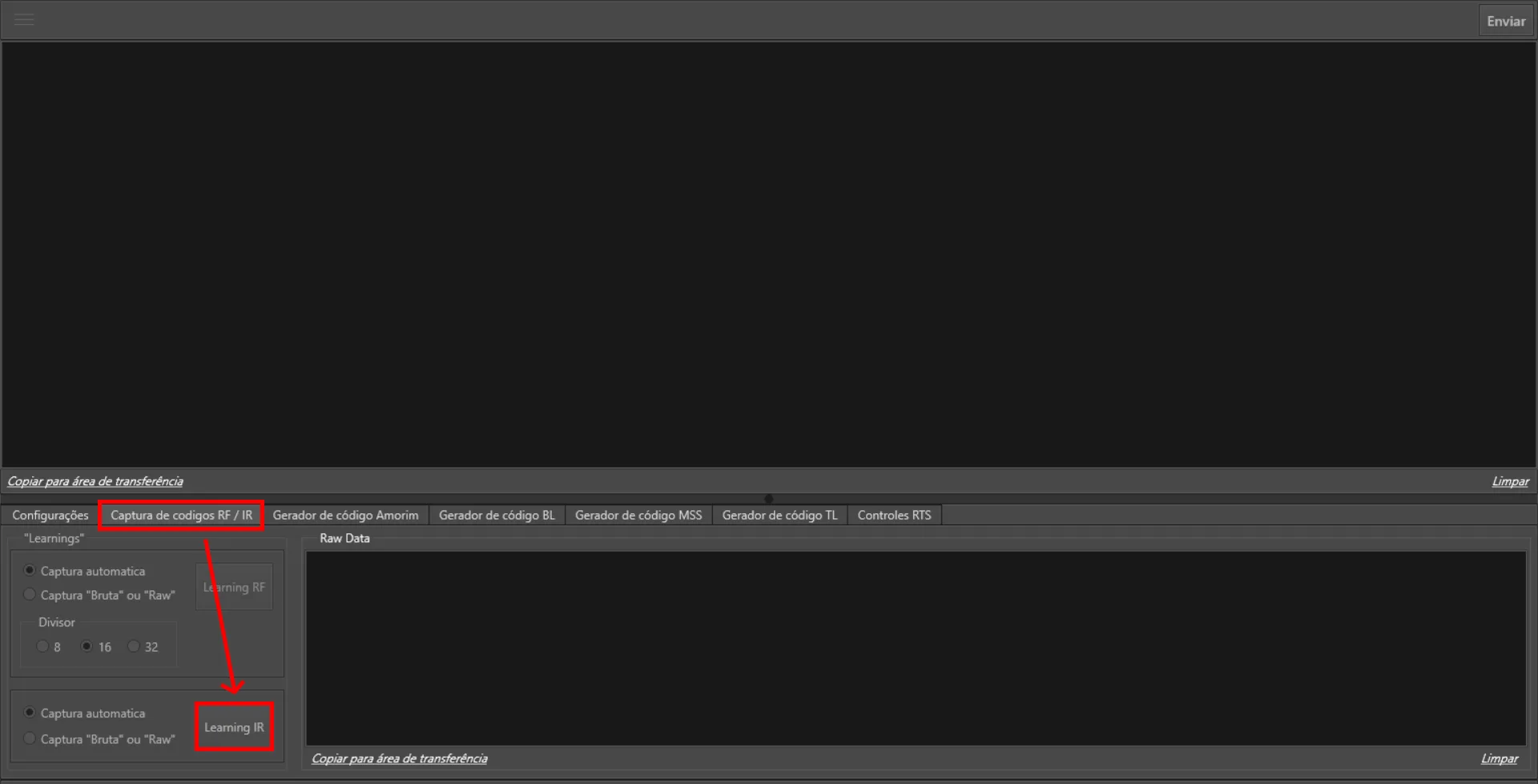
Then click the button of the device you want to record with the 7Port and wait for the recording to be completed correctly. The settings for execution time and command repetitions can be configured according to your needs.
Setting the recorded IR commands in Ilevia Manager
In Ilevia Manager, these types of commands are configured through Scenario components. Create a new TCP gateway from the Gateway section, then add a Scenario component in the Components section and, in the scenario parameters, change the gateway to the TCP gateway created earlier. After changing the gateway, a new text field called “command” will appear, allowing you to enter the IR code recorded in 7Config software.
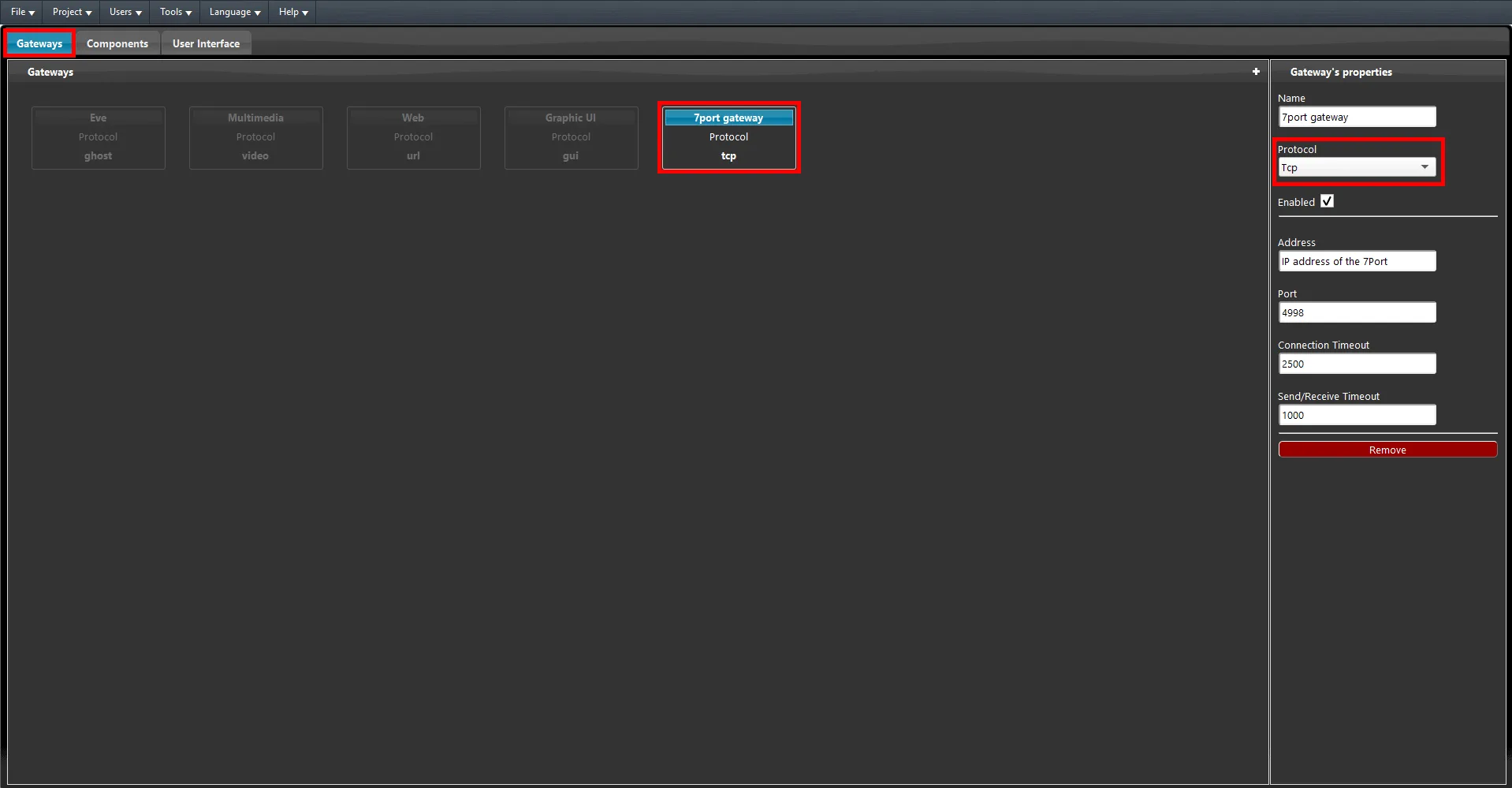
The next step is to enter the IR code previously recorded in the dedicated text field in the Scenario component parameters. Copy the code and paste it into the field called “Command”, prefixing it with the “sendir” command.
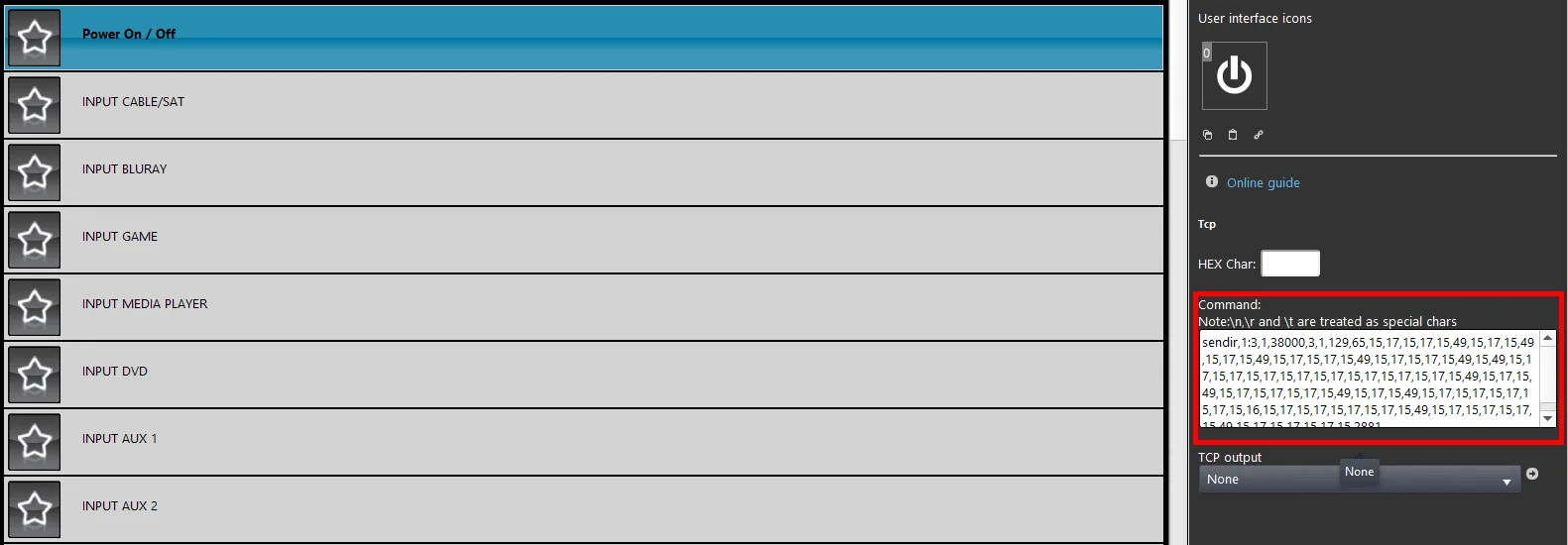
All that remains is to test the configured code by adding the scenario to the user interface and making sure that the 7Port device is within 8 meters of the device to which it will send the IR command.