
License activation on Raspberry Pi server
How to convert the trial license of a Raspberry Pi server or virtual machine into a lifetime license by contacting Ilevia support.
Introduction
This guide explains how to extend a Trial license by converting it into a lifetime license. The procedure applies to virtual machine and Raspberry Pi licenses.
Note: license activation is not required if you purchase the Ilevia X1 server, which is sold with a lifetime software license already included.
Procedure
Follow the steps below:
Step 1: Power on the hardware unit;
Step 2: Connect the unit to the ethernet connector;
Step 3: open the browser and a new tab;
Step 4: type http://www.ilevia.com/evelocalip.php in the address bar;
The browser displays a list of the IP addresses of all servers connected on the local network. If there is only one Ilevia server on the network, you will be automatically redirected to its web configuration interface. On the login screen you will find the main server information, such as firmware version, license status, public IP address, and MAC address.
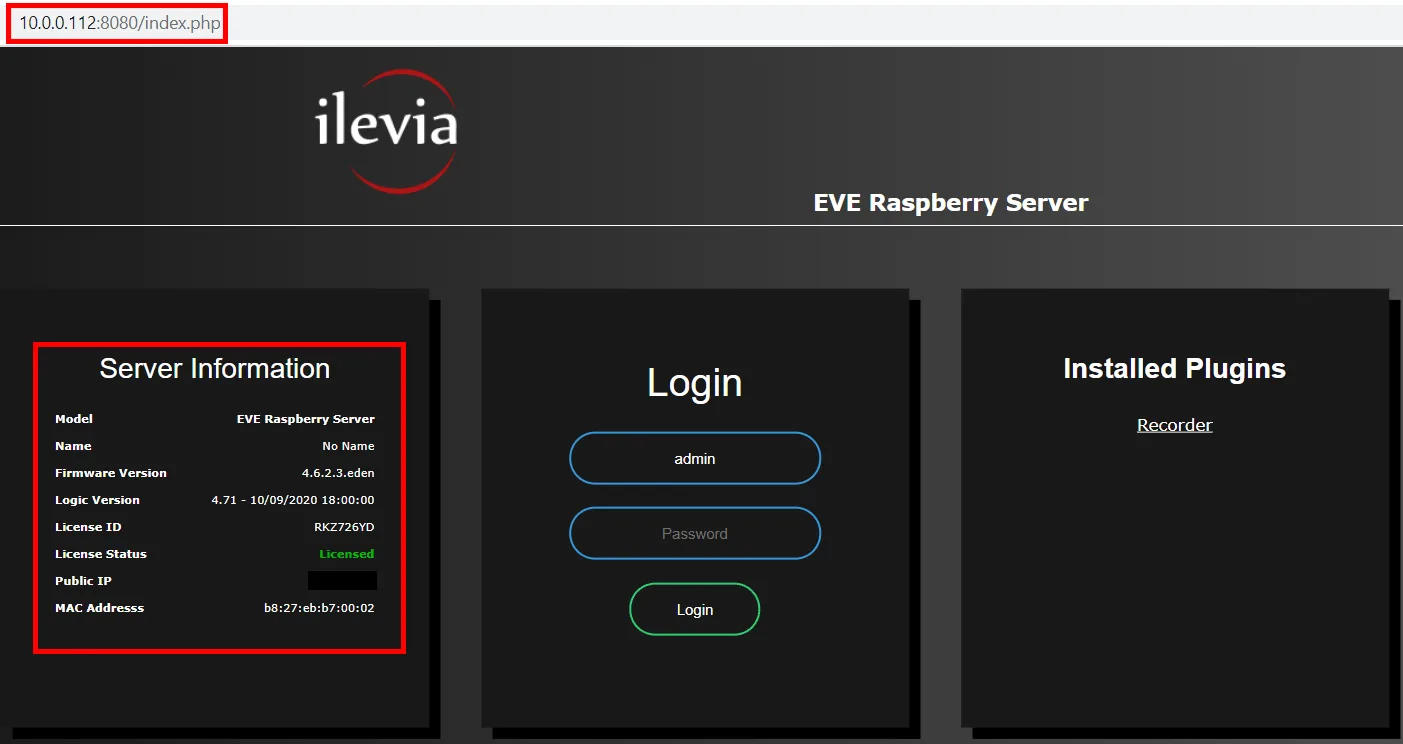
Step 5: enter the credentials in the appropriate text fields (default credentials: username admin / password password);
Step 6: once logged in, click the Infos menu to view the general server information;
Step 7: send an email to our Technical Support with the License ID of your server;
Step 8: wait for the reply before proceeding with the next steps;
Step 9: after receiving the activation confirmation, wait a couple of minutes, then refresh the page and log in again;
Step 10: enter the Infos menu. When the license is activated, the License status field shows “Licensed”.
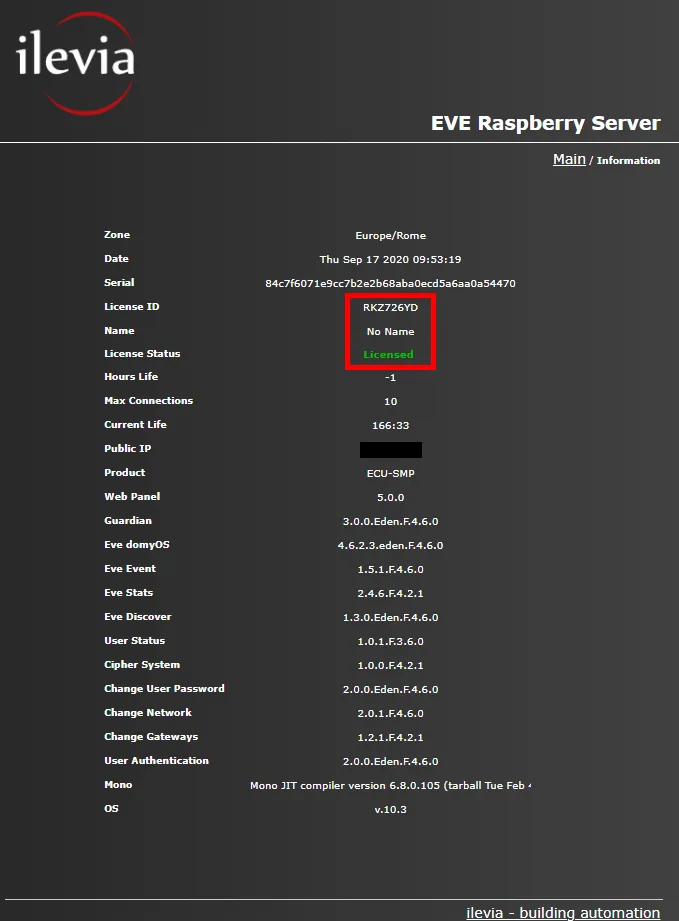
Congratulations! Your trial license has been converted into a lifetime license.